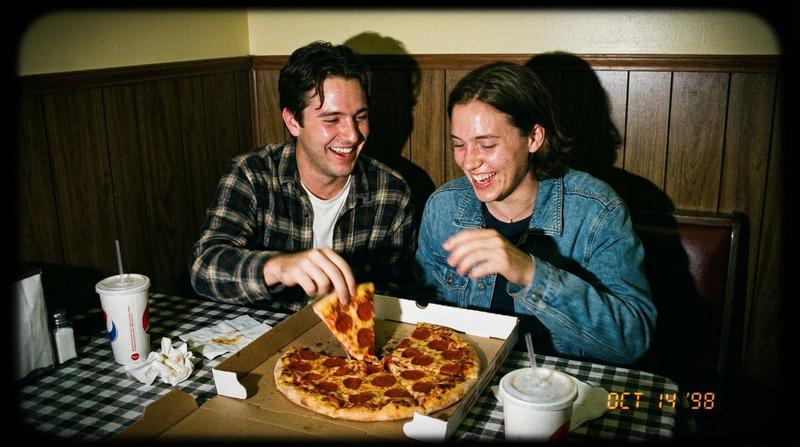
直闪摄影下的抓拍生活照
Prompt
{
  "scene_description": "A candid, energetic lifestyle shot of a young woman posing playfully indoors while eating a slice of pizza, captured with direct flash lighting.",
  "subject": {
    "type": "Young woman",
    "age": "Early 20s",
    "features": {
      "hair": "Long pin straight, wavy jet black hair, loose and flowing",
      "expression": "Playful, happy smile, looking directly at the camera while taking a bite",
      "skin": "olive complexion, smooth texture, rosy blush, soft glow",
      "other": "dark brown green eyes, light makeup, belly button piercing, heart-shaped drop earrings"
    },
    "attire": "Fitted white long-sleeve crop top exposing midriff, rose sweatpants/track pants with dual white vertical stripes on the sides",
    "pose_position": "Standing facing forward with torso twisted slightly, right hand holding a slice of {argument name="pizza type" default="Hawaiian pizza"} to the mouth, left arm raised high in a celebratory gesture"
  },
  "objects_and_props": {
    "main": ["Slice of {argument name="pizza type" default="Hawaiian pizza"} with slightly browned crust"],
    "secondary": ["Delicate silver necklace", "Simple bracelet on left wrist", "Belly ring"]
  },
  "environment": {
    "setting": "Indoor rustic house interior",
    "foreground_elements": ["Subject"],
    "background": "Dimly lit interior with wooden paneling on ceiling/walls, a counter with kitchen equipment, and a window revealing a blue-hour evening town view",
    "atmosphere": "Casual, fun, spontaneous, evening social gathering"
  },
  "lighting": {
    "style": "Direct on-camera flash",
    "key_light": {
      "type": "Frontal flash",
      "direction": "Directly from camera",
      "color": "Cool white",
      "effects": ["Bright illumination on subject", "Hard cast shadows behind the raised arm", "High contrast against dimmer background"]
    },
    "shadows_contrast": "High contrast characteristic of flash photography, sharp defined shadows"
  },
  "photography_style": {
"aspect_ratio":"9:16"
    "medium": "Smartphone photography / Digital camera with flash",
    "aesthetic": "Gen Z lifestyle, candid influencer snapshot, flash trend",
    "mood": "Playful, carefree, yummy",
    "color_grading": "Vibrant skin tones against a cooler, darker background"
  },
  "camera_and_lens": {
    "angle_view": "Eye-level",
    "framing_composition": "Vertical medium shot (knees or thighs up), centered subject",
    "depth_of_field": "Moderate, subject is sharp while background details are visible but slightly soft",
    "focal_length_feel": "Wide-standard (approx 28-35mm smartphone lens)",
    "bokeh_style": "N/A"
  },
  "render_quality": {
    "realism": "Photorealistic, candid style",
    "resolution": "High resolution",
    "details": "Realistic skin texture, fabric stretch on the crop top, cheese texture on pizza"
  }
}- Category
- 创意图片
- Model
- Nano Banana Pro
- Creator
- Jennie
- Source ID
- a76be027-bd10-4ff0-abf5-5333b0f78724
- Published
- Mar 8, 2026
Views0