18

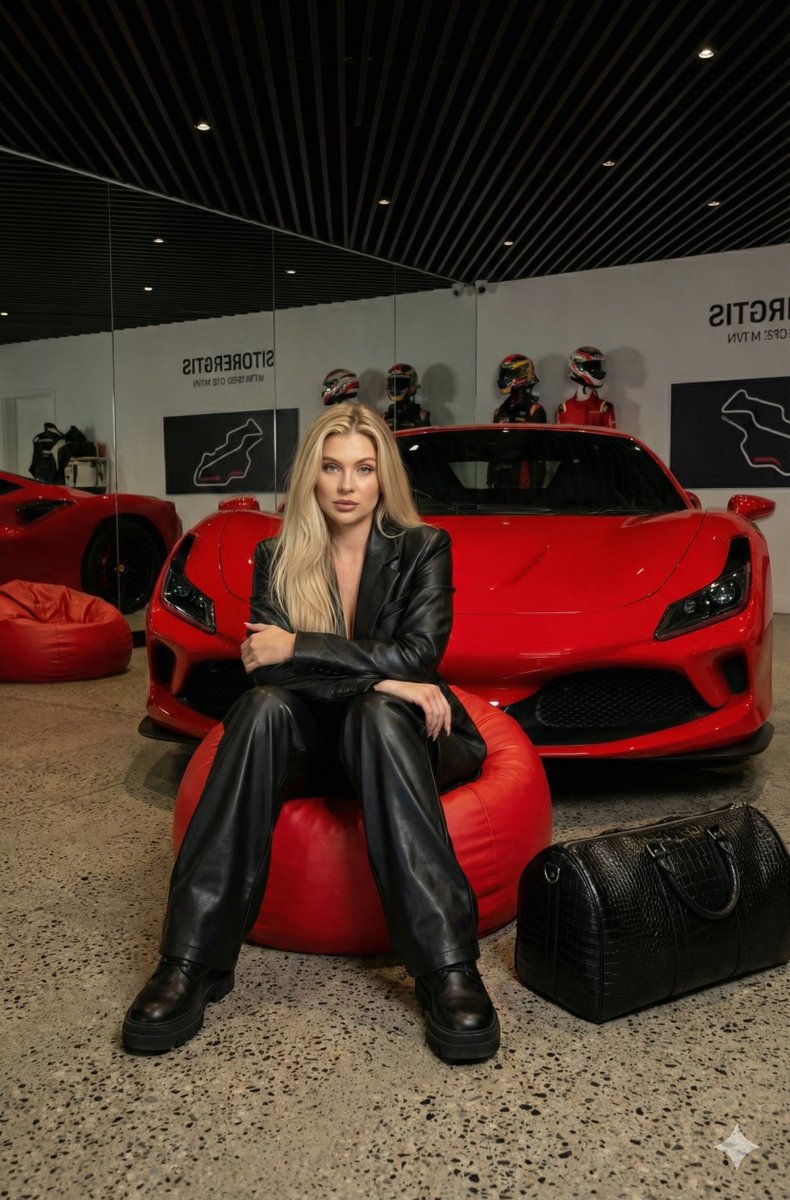
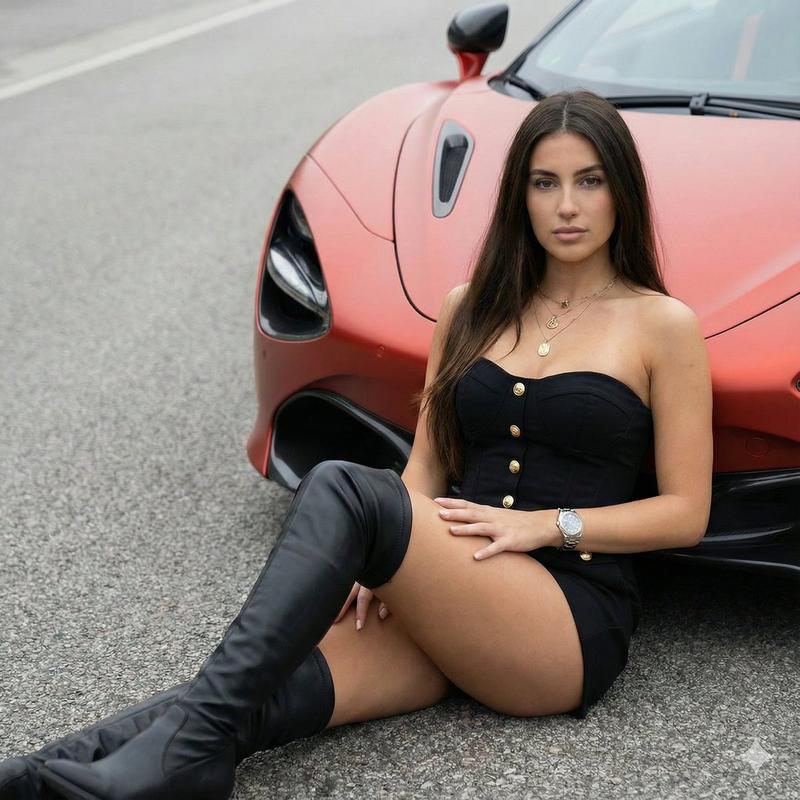
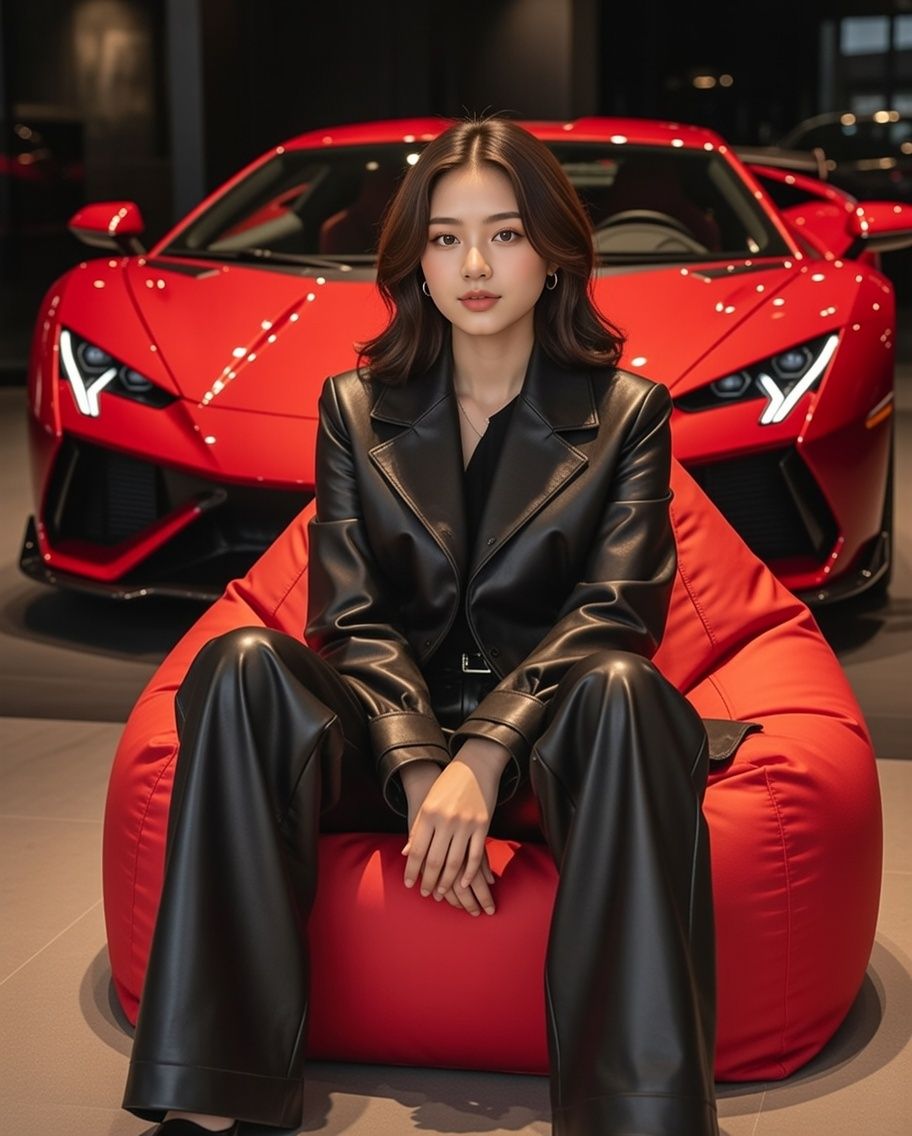
豪华展厅场景:红色超级跑车与全黑造型
Enlarge

豪华展厅场景:红色超级跑车与全黑造型

Prompt
{
"SceneDescription": {
"Setting": {
"Location": "Luxury showroom",
"Lighting": "Dimly lit with sleek, high-end ambiance",
"Props": [
"Bright {argument name="beanbag color" default="red"} beanbag chair",
"Vivid red supercar with angular front bumper, sharp air intakes, glossy black detailing"
]
},
"Subject": {
"Position": "Slightly off-center, seated on the red beanbag chair",
"Outfit": {
"ColorScheme": "All black",
"Top": "Matte black leather jacket with structured seams and folded cuffs",
"Bottom": "Oversized black leather trousers that pool heavily around the ankles"
}
},
"Composition": {
"Foreground": "Subject seated on red beanbag chair",
"Midground": "Supercar dominating the frame with bold geometric features",
"ColorContrast": "Red elements (beanbag + supercar) against black outfit and dark environment"
}
}
}
Category
创意图片
Model
Nano Banana Pro
Views0
Source ID
b5d70f1e-d74d-4ba7-9058-ec73ec7eb4ca
Published
Mar 8, 2026

Guide

About "豪华展厅场景:红色超级跑车与全黑造型"

What is this prompt for?

"豪华展厅场景:红色超级跑车与全黑造型" AI image prompt for Nano Banana Pro (创意图片). 一个 JSON 提示,用于生成一张图片:场景设定在一个光线昏暗的豪华展厅中,展厅里有一辆鲜红色的超级跑车,以及一个坐在红色懒人沙发上的主体,主体身穿全黑皮衣,以最大限度地突出色彩对比。 -…

The full copyable prompt and example visuals above are ready for AI image generation or one-click recreate in Picva.

How to use this prompt

  1. Step 1

    Open the prompt detail

    Review the example visuals, category, and full prompt text for "豪华展厅场景:红色超级跑车与全黑造型".

  2. Step 2

    Copy the prompt

    Copy the prompt body from this page, or load it directly in Studio.

  3. Step 3

    Pick a model (Nano Banana Pro)

    Prefer Nano Banana Pro. If you switch models, keep subject and composition and tweak style terms.

  4. Step 4

    Generate and export

    Recreate the look in Picva, or export into your workflow for editing and publishing.

FAQ

What is the "豪华展厅场景:红色超级跑车与全黑造型" prompt?
It is an AI image-generation prompt for Nano Banana Pro in the 创意图片 category. This page includes the full prompt text, example visuals, and a one-click recreate path in Picva.
How do I use this prompt to generate an image?
Copy the prompt from this page, or use Generate / Studio. Paste it into a compatible image model, or recreate the look in Picva with optional reference images.
Which model is this prompt for?
This page lists Nano Banana Pro. Most descriptive prompts also transfer to nearby image models such as GPT Image, Flux, or Midjourney with light style tweaks.
Can I use the result commercially?
You can usually copy the prompt for creation, but commercial use of the final image depends on the model terms, reference-image rights, and the generated content. Follow the source author and platform rules.