20

商用分解图 Taco 信息图
Enlarge

商用分解图 Taco 信息图

Prompt
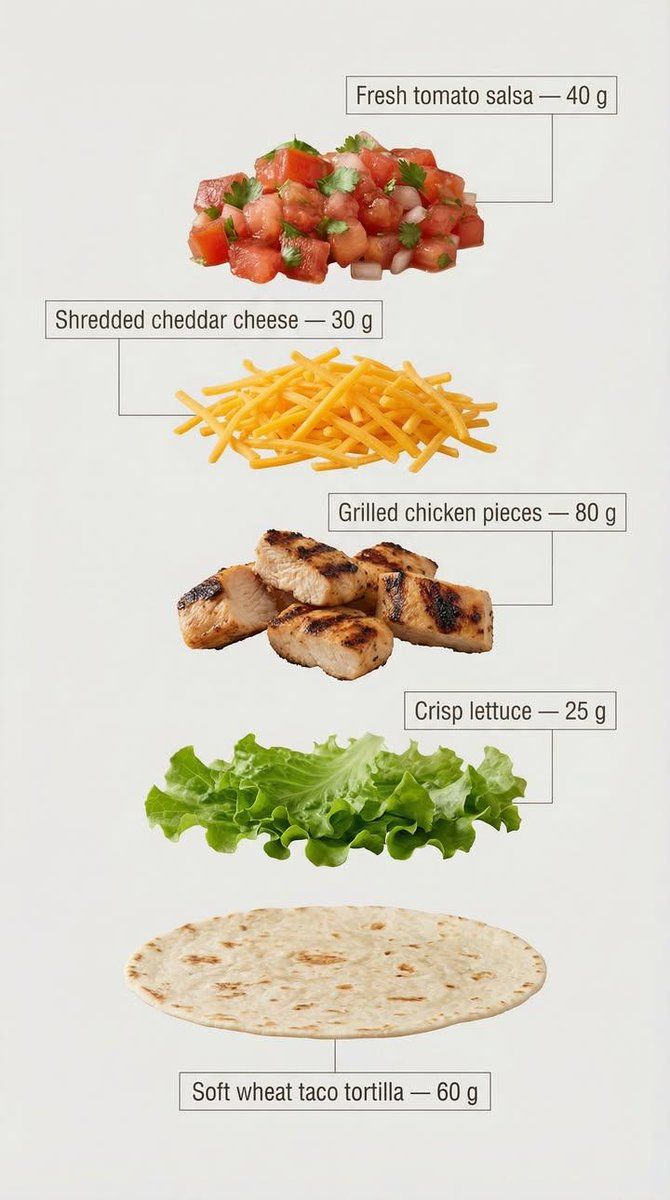
Exploded view of the same taco, presented as a clean, commercial recipe-style breakdown.
Exactly five ingredients, matching the first image, separated and arranged vertically from top to bottom, evenly spaced and perfectly aligned.

Ingredient order (top → bottom):

Fresh tomato salsa — 40 g

Shredded cheddar cheese — 30 g

Grilled chicken pieces — 80 g

Crisp lettuce — 25 g

Soft wheat taco tortilla — 60 g (bottom base)

Add clear infographic-style annotations for each ingredient.
Each annotation includes the ingredient name and its exact weight in grams, written exactly as listed above.

Annotation design guidelines:
– Clean sans-serif font, medium weight
– Text placed inside minimal frames or boxes
– Thin, precise connector lines pointing directly to each ingredient
– High readability, no overlap, no decorative excess
– Structured vertical layout, like a modern recipe card

Background is light, neutral, and optimized for text clarity and visual cleanliness.
Overall style is minimal, instructional, and commercial, suitable for marketing, explainer visuals, and product breakdowns.
Category
创意图片
Model
Nano Banana Pro
Creator
𝐌
Views0
Source ID
d0f29adb-8722-40a5-a89e-8d590373a8b5
Published
Mar 8, 2026

Guide

About "商用分解图 Taco 信息图"

What is this prompt for?

"商用分解图 Taco 信息图" AI image prompt for Nano Banana Pro (创意图片). 一个详细的提示,用于生成一张清晰、商业风格的信息图,展示一个玉米饼的分解图。它明确指定了精确的食材、重量、垂直对齐方式以及注释设计指南,以实现高视觉清晰度和教学质量。 --- 同一款玉米饼的分解图…

The full copyable prompt and example visuals above are ready for AI image generation or one-click recreate in Picva.

How to use this prompt

  1. Step 1

    Open the prompt detail

    Review the example visuals, category, and full prompt text for "商用分解图 Taco 信息图".

  2. Step 2

    Copy the prompt

    Copy the prompt body from this page, or load it directly in Studio.

  3. Step 3

    Pick a model (Nano Banana Pro)

    Prefer Nano Banana Pro. If you switch models, keep subject and composition and tweak style terms.

  4. Step 4

    Generate and export

    Recreate the look in Picva, or export into your workflow for editing and publishing.

FAQ

What is the "商用分解图 Taco 信息图" prompt?
It is an AI image-generation prompt for Nano Banana Pro in the 创意图片 category. This page includes the full prompt text, example visuals, and a one-click recreate path in Picva.
How do I use this prompt to generate an image?
Copy the prompt from this page, or use Generate / Studio. Paste it into a compatible image model, or recreate the look in Picva with optional reference images.
Which model is this prompt for?
This page lists Nano Banana Pro. Most descriptive prompts also transfer to nearby image models such as GPT Image, Flux, or Midjourney with light style tweaks.
Can I use the result commercially?
You can usually copy the prompt for creation, but commercial use of the final image depends on the model terms, reference-image rights, and the generated content. Follow the source author and platform rules.












