20

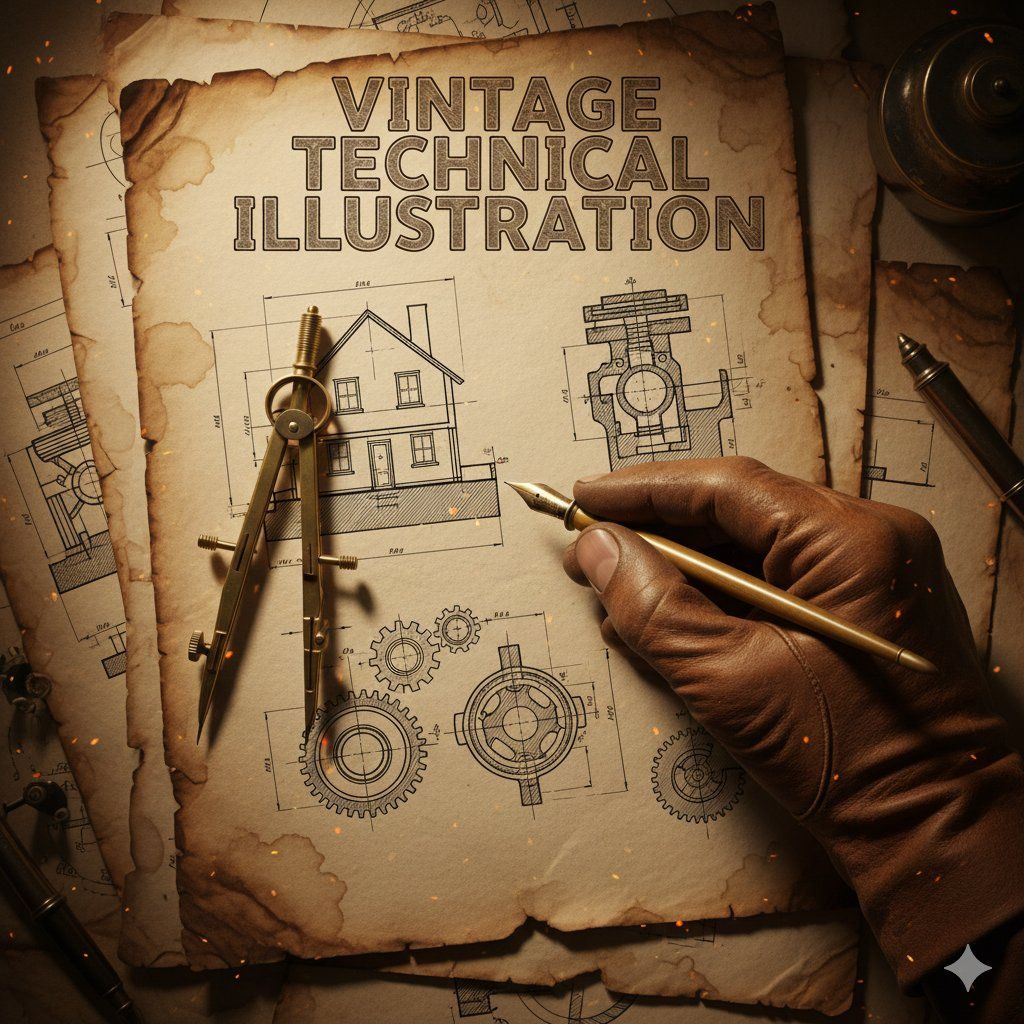
复古技术插画微距拍摄
Enlarge

复古技术插画微距拍摄

Prompt
{
  "subject": {
    "main_focus": "A gloved hand holding a brass drafting compass and a vintage fountain pen",
    "background_elements": [
      "Architectural blueprints of a house",
      "Mechanical gear schematics",
      "Cross-section technical drawings"
    ],
    "setting": "An aged, weathered parchment paper workbench"
  },
  "style": {
    "aesthetic": "Vintage industrial technical illustration",
    "art_medium": "Ink and wash on aged paper",
    "texture": "Grainy, sepia-toned, distressed paper with creases and coffee stains",
    "typography": {
      "text": "{argument name="title text" default="VINTAGE TECHNICAL ILLUSTRATION"}",
      "font_style": "Bold, serif, weathered woodblock style",
      "placement": "Top center"
    }
  },
  "composition": {
    "perspective": "Top-down close-up (macro)",
    "lighting": {
      "type": "Warm, cinematic spot lighting",
      "effects": "Floating embers and dust particles, glowing highlights on the metallic tools"
    },
    "color_palette": [
      "Sepia",
      "Burnt orange",
      "Charcoal grey",
      "Antique gold"
    ],
    "framing": "The hand enters from the bottom right, creating a diagonal focal point"
  },
  "technical_details": {
    "line_work": "Fine-liner precision, hatching and cross-hatching for shadows",
    "realism": "High detail on the leather glove texture and metallic sheen of the tools"
  }
}
Category
创意图片
Model
Nano Banana Pro
Views0
Source ID
878f4e39-68f5-4748-bcc1-2b6308b197a0
Published
Mar 8, 2026

Guide

About "复古技术插画微距拍摄"

What is this prompt for?

"复古技术插画微距拍摄" AI image prompt for Nano Banana Pro (创意图片). 一个用于生成复古工业技术插画的提示,采用水墨画法,绘制在做旧的纸张上。场景是一个戴着手套的手,在蓝图和示意图上方拿着绘图工具的俯视特写,强调棕褐色调、精细的描线精度和戏剧性的电影式聚光灯效果。 --- `…

The full copyable prompt and example visuals above are ready for AI image generation or one-click recreate in Picva.

How to use this prompt

  1. Step 1

    Open the prompt detail

    Review the example visuals, category, and full prompt text for "复古技术插画微距拍摄".

  2. Step 2

    Copy the prompt

    Copy the prompt body from this page, or load it directly in Studio.

  3. Step 3

    Pick a model (Nano Banana Pro)

    Prefer Nano Banana Pro. If you switch models, keep subject and composition and tweak style terms.

  4. Step 4

    Generate and export

    Recreate the look in Picva, or export into your workflow for editing and publishing.

FAQ

What is the "复古技术插画微距拍摄" prompt?
It is an AI image-generation prompt for Nano Banana Pro in the 创意图片 category. This page includes the full prompt text, example visuals, and a one-click recreate path in Picva.
How do I use this prompt to generate an image?
Copy the prompt from this page, or use Generate / Studio. Paste it into a compatible image model, or recreate the look in Picva with optional reference images.
Which model is this prompt for?
This page lists Nano Banana Pro. Most descriptive prompts also transfer to nearby image models such as GPT Image, Flux, or Midjourney with light style tweaks.
Can I use the result commercially?
You can usually copy the prompt for creation, but commercial use of the final image depends on the model terms, reference-image rights, and the generated content. Follow the source author and platform rules.









