面向对象的构图与光照研究提示词
Prompt
# Composition & Lighting Study Generator
# Project: "{argument name="Project Title" default="Zodiac Parade"}" - {argument name="Illustration Theme" default="Emotional Night Illustration"}
# Purpose: コントラストの高いコンセプトアートを作成し、全体の「流れ」と「配置」を確定させる

# ▼ 1. プロジェクトのゴール定義
project_goal:
  type: "Atmospheric Concept Art / Lighting Study"
  # ここで「S字の光の道」を視覚的な最優先事項としてAIに認識させる
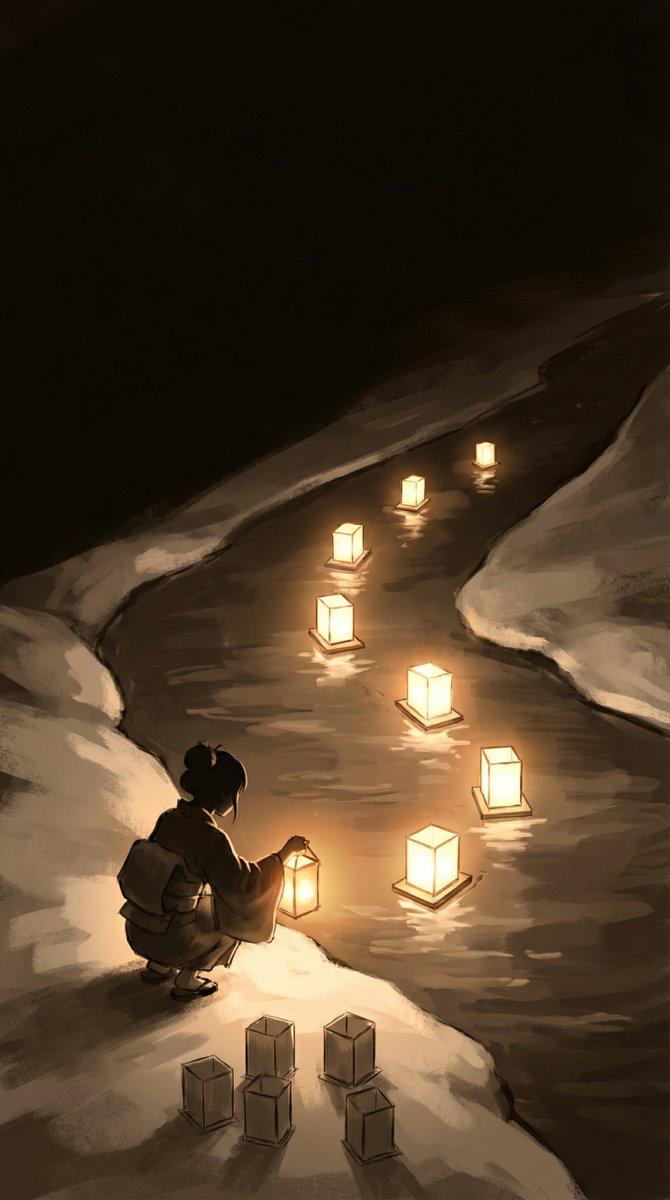
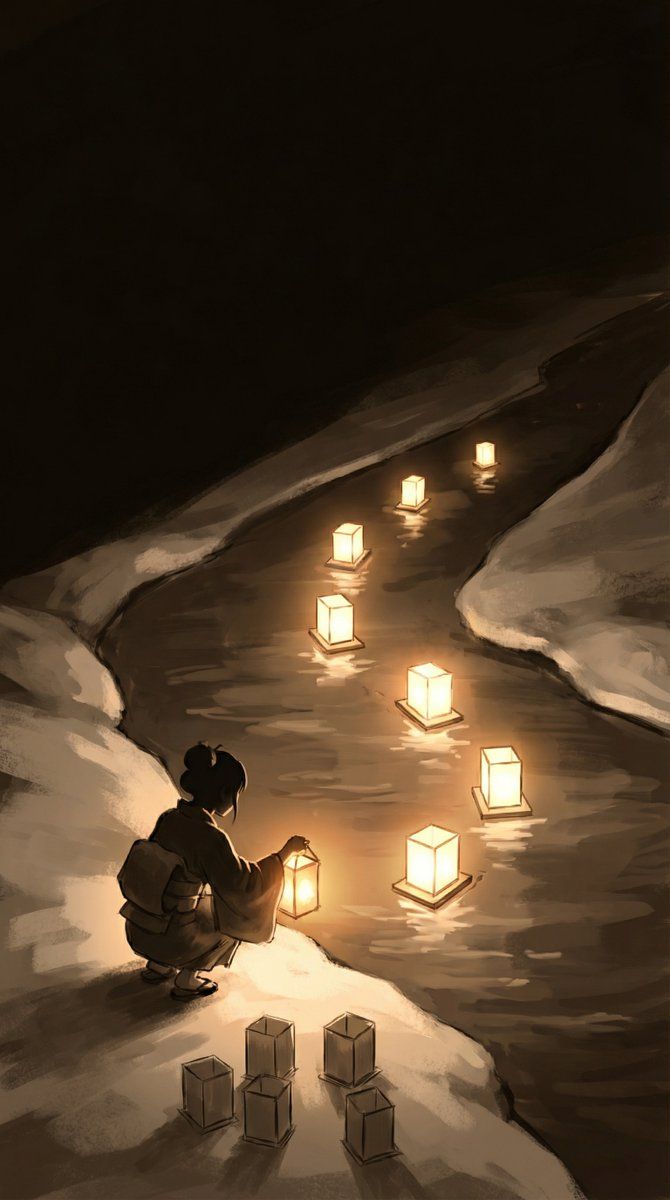
  visual_priority: "Establish a strong S-curve visual path using light."

canvas_configuration:
  aspect_ratio: "9:16"
  # 色塗りに惑わされないよう、あえてモノクロやセピアのスケッチとして出力指示
  rendering_mode: "Monochrome or Sepia Sketch with Strong Lighting Bloom."
  camera_angle: "High Angle (Cinematic overview)."

# ▼ 2. 視線誘導ロジック(ここが重要)
visual_guidance_logic:
  # 視線のスタートとゴールを言語化する
  path_of_light: "視線は『左下(少女)』から始まり、水面の灯籠を辿って『右上(奥)』へ抜ける。"
  # 明暗のルールを決めることで、画面が散らかるのを防ぐ
  contrast_strategy:
    - "Darkest Areas: River surface (reflecting lights)."
    - "Brightest Areas: Lanterns (Light Sources)."
  # テキストを入れるための「左上」の余白を確保
  negative_space: "Top-Left (Dark Sky) should be kept empty for text placement."

# ▼ 3. オブジェクトのクラス定義
scene_elements:

  # --- 境界線 (Terrain) ---
  - element: "Terrain_Divider"
    visual: "Diagonal separation."
    # ここで「陸」と「川」を明確に分けないと、キャラが水没したり浮いたりする
    details: "Bottom-Left is the Snowy River Bank (Land). Top-Right is the flowing River (Water)."

  # --- 人物 (Character) ---
  - element: "Girl_Silhouette"
    position: "Bottom_Left (On the snow)"
    pose: "Crouching/Sitting, facing the river."
    # 初期段階では「顔」よりも「着物のボリューム感(塊)」を重視
    style: "Rough sketch style, showing the volume of the Kimono."

  # --- 灯籠の配置 (Lanterns) ---
  # ▼「12個」と一言で書くより、グループ分けしたほうがAIは数を守りやすい
  - element: "Lantern_Group_Water (Past/Present)"
    count: "7 lanterns (1 in hand + 6 on water)."
    arrangement: "Forming a beautiful S-Curve flowing towards top-right."

  - element: "Lantern_Group_Land (Future)"
    count: "5 lanterns."
    arrangement: "Clustered neatly, waiting to be released."

rendering_style:
  - "Chiaroscuro (Strong contrast between light and dark)."
- "Focus on Composition balance and Visual Flow."- Category
- 创意图片
- Model
- Nano Banana Pro
- Creator
- エトナ🌋@AIart
- Source ID
- 68797c18-40e9-42d3-af58-0b646207c3a4
- Published
- Mar 8, 2026
Views0