20

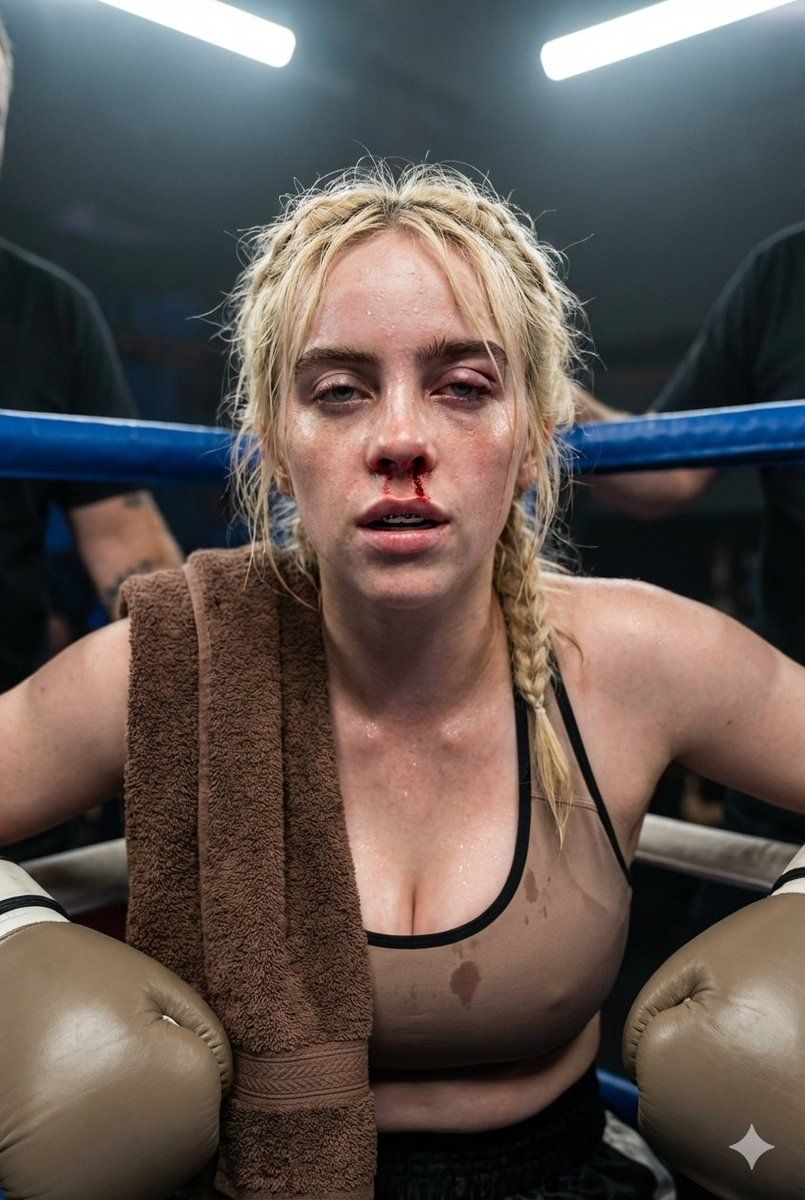
纪录片式写实拳击肖像
Enlarge

纪录片式写实拳击肖像

Prompt
Medium close-up portrait of a female boxer resting in the corner of a ring between rounds, cropped from the chest up. Hyper-detailed skin texture showing sweat mixed with a little blood from a nosebleed, a slight swelling over one eye, and her braided hair slightly messy. She is breathing heavily, looking straight ahead with a determined, weary expression. Wearing a mouthguard and boxing gloves, with a towel draped over her shoulder. The background shows the ropes and blurry corner staff. harsh indoor ring lighting. Neutral color science, no crushed blacks, no artificial smoothing. Shot on smartphone portrait lens, shallow depth of field. Documentary photographic realism, Shot in a realistic smartphone photography style.
Category
创意图片
Model
Nano Banana Pro
Views0
Source ID
697ade74-5b37-47bd-852d-0fc233a0c689
Published
Mar 8, 2026

Guide

About "纪录片式写实拳击肖像"

What is this prompt for?

"纪录片式写实拳击肖像" AI image prompt for Nano Banana Pro (创意图片). 生成一张女性拳击手在回合间休息的特写肖像的提示。它要求超细节的真实感,特别是可见的汗水、轻微的鼻血、凌乱的辫子发型以及一只眼睛上方的肿胀,传达出一种坚毅而疲惫的表情。场景设定在拳击台,光线刺眼的室内照明,…

The full copyable prompt and example visuals above are ready for AI image generation or one-click recreate in Picva.

How to use this prompt

  1. Step 1

    Open the prompt detail

    Review the example visuals, category, and full prompt text for "纪录片式写实拳击肖像".

  2. Step 2

    Copy the prompt

    Copy the prompt body from this page, or load it directly in Studio.

  3. Step 3

    Pick a model (Nano Banana Pro)

    Prefer Nano Banana Pro. If you switch models, keep subject and composition and tweak style terms.

  4. Step 4

    Generate and export

    Recreate the look in Picva, or export into your workflow for editing and publishing.

FAQ

What is the "纪录片式写实拳击肖像" prompt?
It is an AI image-generation prompt for Nano Banana Pro in the 创意图片 category. This page includes the full prompt text, example visuals, and a one-click recreate path in Picva.
How do I use this prompt to generate an image?
Copy the prompt from this page, or use Generate / Studio. Paste it into a compatible image model, or recreate the look in Picva with optional reference images.
Which model is this prompt for?
This page lists Nano Banana Pro. Most descriptive prompts also transfer to nearby image models such as GPT Image, Flux, or Midjourney with light style tweaks.
Can I use the result commercially?
You can usually copy the prompt for creation, but commercial use of the final image depends on the model terms, reference-image rights, and the generated content. Follow the source author and platform rules.








