20

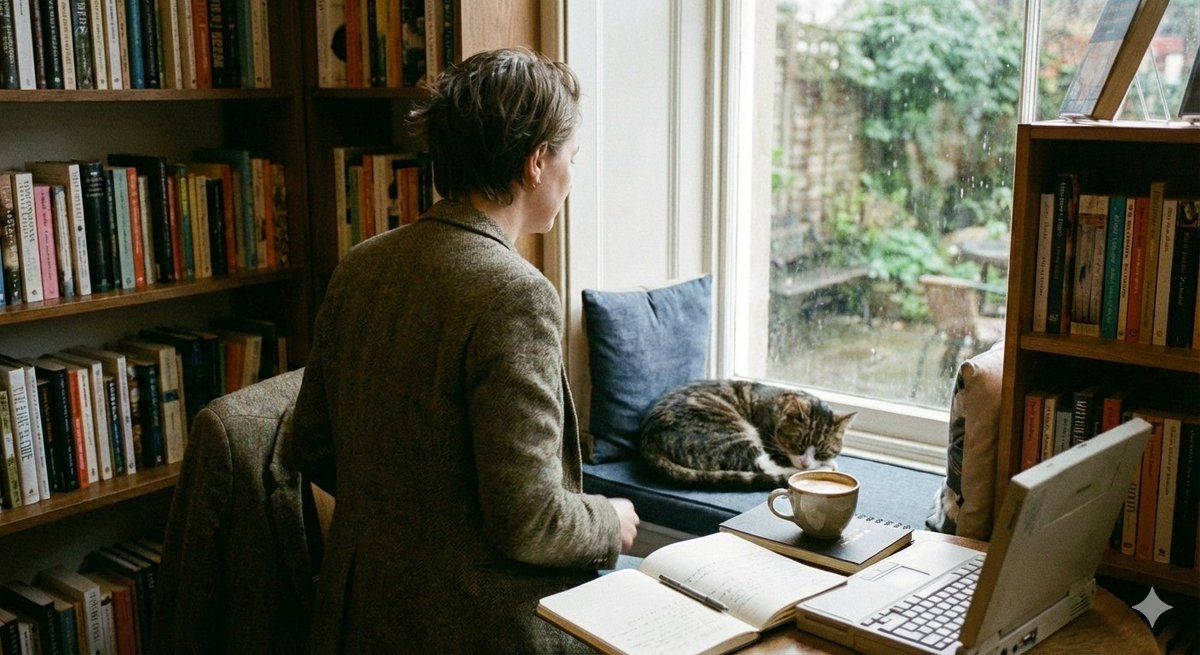
温馨的抓拍背影场景提示
Enlarge

温馨的抓拍背影场景提示

Prompt
{
  "prompt": "A cozy human intro scene captured from the back angle. A person walking away naturally, with slightly messy hair. The framing is imperfect and slightly cropped, giving an authentic, candid feel. Warm, cozy atmosphere with soft natural light. Lifestyle photography style, emotional and calm mood.",
  "style": "{argument name="Style" default="cozy, cinematic, realistic"}",
  "lighting": "soft natural daylight",
  "mood": "{argument name="Mood" default="calm, intimate, authentic"}",
  "camera": "back angle, walking away, candid shot",
  "composition": "imperfect crop, off-center framing",
  "quality": "high detail, natural textures"
}
Category
创意图片
Model
Nano Banana Pro
Creator
Cuties
Views0
Source ID
384e6363-ab3c-4833-8e38-2ba02949f985
Published
Mar 8, 2026

Guide

About "温馨的抓拍背影场景提示"

What is this prompt for?

"温馨的抓拍背影场景提示" AI image prompt for Nano Banana Pro (创意图片). 一个用于生成温馨、电影感十足且真实的居家生活照片的结构化提示词。它侧重于从背部角度捕捉一个正在走远的人物主体,强调柔和的自然光线、不完美的构图以及平静、亲密的氛围,以营造出一种抓拍的、真实的感受。 --…

The full copyable prompt and example visuals above are ready for AI image generation or one-click recreate in Picva.

How to use this prompt

  1. Step 1

    Open the prompt detail

    Review the example visuals, category, and full prompt text for "温馨的抓拍背影场景提示".

  2. Step 2

    Copy the prompt

    Copy the prompt body from this page, or load it directly in Studio.

  3. Step 3

    Pick a model (Nano Banana Pro)

    Prefer Nano Banana Pro. If you switch models, keep subject and composition and tweak style terms.

  4. Step 4

    Generate and export

    Recreate the look in Picva, or export into your workflow for editing and publishing.

FAQ

What is the "温馨的抓拍背影场景提示" prompt?
It is an AI image-generation prompt for Nano Banana Pro in the 创意图片 category. This page includes the full prompt text, example visuals, and a one-click recreate path in Picva.
How do I use this prompt to generate an image?
Copy the prompt from this page, or use Generate / Studio. Paste it into a compatible image model, or recreate the look in Picva with optional reference images.
Which model is this prompt for?
This page lists Nano Banana Pro. Most descriptive prompts also transfer to nearby image models such as GPT Image, Flux, or Midjourney with light style tweaks.
Can I use the result commercially?
You can usually copy the prompt for creation, but commercial use of the final image depends on the model terms, reference-image rights, and the generated content. Follow the source author and platform rules.









