20

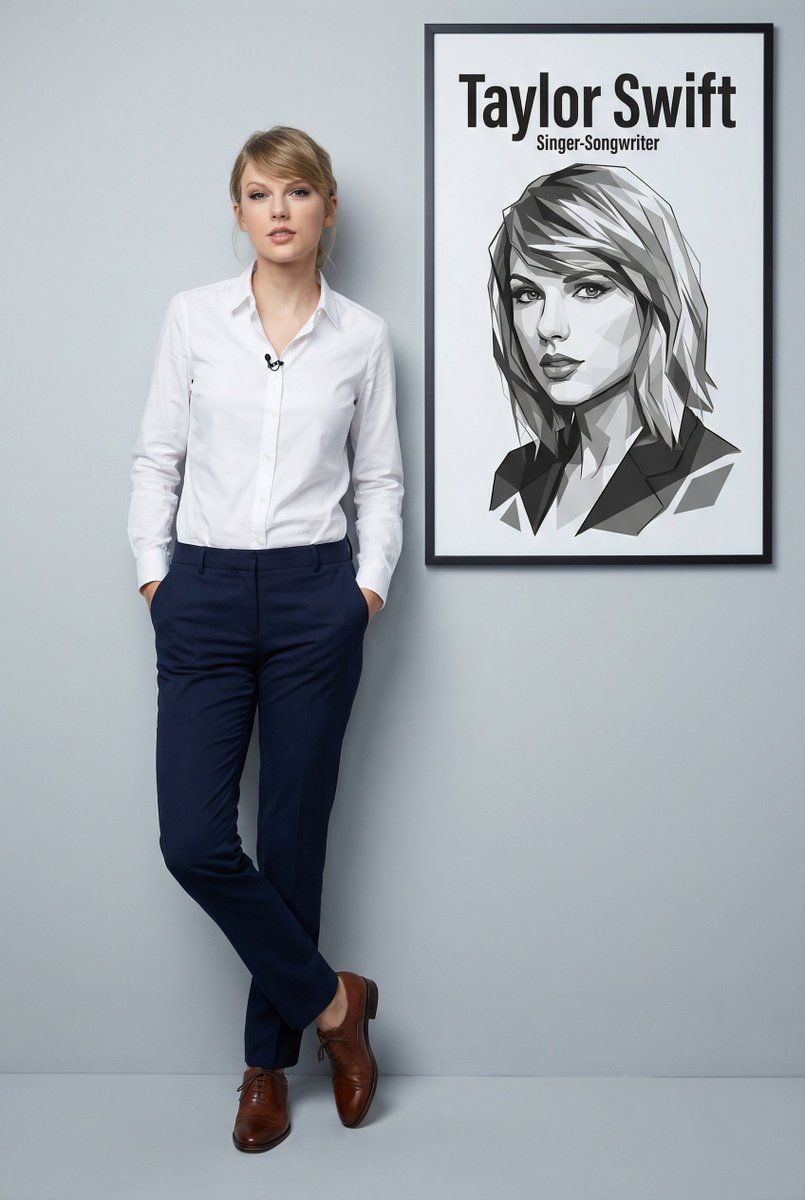
泰勒·斯威夫特 (Taylor Swift) 的超逼真全身肖像,带图形叠加
Enlarge

泰勒·斯威夫特 (Taylor Swift) 的超逼真全身肖像,带图形叠加

Prompt
"Ultra-realistic 8K full body portrait of {argument name="subject name" default="Taylor Swift"} , wearing a clean and pressed white social shirt with folded collar and a small lapel microphone, dark navy-blue dress pants and polished brown social shoes. Casually and unpretentiously leaning against a smooth light gray studio wall; hands are in pockets and one leg is crossed over the other, with relaxed and confident body language. Add to the wall next to them a prominent vector portrait in black and white of their face and bust - with sharp lines and angles, overlapping polygonal shapes and a minimalist modern graphic style, right below the information: “Taylor Swift”, and below the name: “Singer-Songwriter”. 2:3 dimension.”
Category
创意图片
Model
Nano Banana Pro
Creator
PSS
Views0
Source ID
1f6d8847-8726-4ec3-b681-dab6da4fa8a9
Published
Mar 8, 2026

Guide

About "泰勒·斯威夫特 (Taylor Swift) 的超逼真全身肖像,带图形叠加"

What is this prompt for?

"泰勒·斯威夫特 (Taylor Swift) 的超逼真全身肖像,带图形叠加" AI image prompt for Nano Banana Pro (创意图片). 生成一张泰勒·斯威夫特 (Taylor Swift) 的超现实 8K 全身肖像的提示,她身着职业装,斜靠在灰色摄影棚的墙壁上。独特的元素是要求在墙壁上…

The full copyable prompt and example visuals above are ready for AI image generation or one-click recreate in Picva.

How to use this prompt

  1. Step 1

    Open the prompt detail

    Review the example visuals, category, and full prompt text for "泰勒·斯威夫特 (Taylor Swift) 的超逼真全身肖像,带图形叠加".

  2. Step 2

    Copy the prompt

    Copy the prompt body from this page, or load it directly in Studio.

  3. Step 3

    Pick a model (Nano Banana Pro)

    Prefer Nano Banana Pro. If you switch models, keep subject and composition and tweak style terms.

  4. Step 4

    Generate and export

    Recreate the look in Picva, or export into your workflow for editing and publishing.

FAQ

What is the "泰勒·斯威夫特 (Taylor Swift) 的超逼真全身肖像,带图形叠加" prompt?
It is an AI image-generation prompt for Nano Banana Pro in the 创意图片 category. This page includes the full prompt text, example visuals, and a one-click recreate path in Picva.
How do I use this prompt to generate an image?
Copy the prompt from this page, or use Generate / Studio. Paste it into a compatible image model, or recreate the look in Picva with optional reference images.
Which model is this prompt for?
This page lists Nano Banana Pro. Most descriptive prompts also transfer to nearby image models such as GPT Image, Flux, or Midjourney with light style tweaks.
Can I use the result commercially?
You can usually copy the prompt for creation, but commercial use of the final image depends on the model terms, reference-image rights, and the generated content. Follow the source author and platform rules.






