14

Split Identity 乙烯基玩具引擎
Enlarge

Split Identity 乙烯基玩具引擎

Prompt
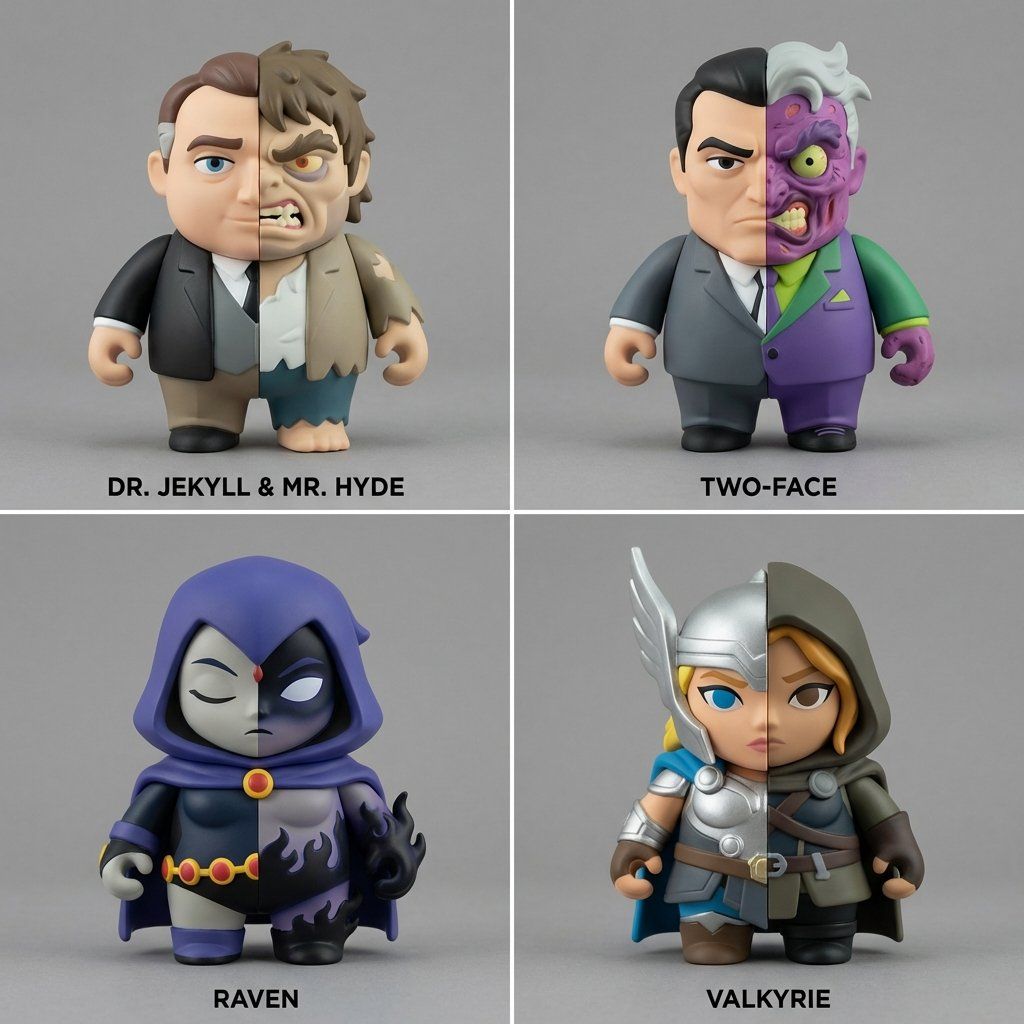
Do this for a random character: <instruction> Split Identity Vinyl Toy Engine:
Input A is a Character with duality.

Select 4 lesser-known characters with internal conflict.

Sculpt each toy split vertically or horizontally into two contrasting halves.

Each half represents a different narrative state.

Layout:

2x2 grid, toys centered, perfectly symmetrical framing, name underneath

Style Stack:
Anchor: [Split vinyl art toy]::3.5
Morphology: Bulbous toy proportions, clean bisected geometry::3
Material: Soft vinyl, contrasting matte colors::2.5
Render: Product photography lighting, neutral backdrop::1
Negative: [organic gore, realism, asymmetry]::-1
Category
创意图片
Model
Nano Banana Pro
Creator
Gadgetify
Views0
Source ID
f4ba8f93-d97b-4ed8-bd46-d96cc20e2bed
Published
Mar 8, 2026

Guide

About "Split Identity 乙烯基玩具引擎"

What is this prompt for?

"Split Identity 乙烯基玩具引擎" AI image prompt for Nano Banana Pro (创意图片). 一个复杂且结构化的提示,旨在生成一个 2x2 的乙烯基艺术玩具网格,每个玩具都代表着具有二元性的“分裂身份”。它指定了艺术风格(球状玩具比例,干净的二等分几何形状)、材质(软乙烯基…

The full copyable prompt and example visuals above are ready for AI image generation or one-click recreate in Picva.

How to use this prompt

  1. Step 1

    Open the prompt detail

    Review the example visuals, category, and full prompt text for "Split Identity 乙烯基玩具引擎".

  2. Step 2

    Copy the prompt

    Copy the prompt body from this page, or load it directly in Studio.

  3. Step 3

    Pick a model (Nano Banana Pro)

    Prefer Nano Banana Pro. If you switch models, keep subject and composition and tweak style terms.

  4. Step 4

    Generate and export

    Recreate the look in Picva, or export into your workflow for editing and publishing.

FAQ

What is the "Split Identity 乙烯基玩具引擎" prompt?
It is an AI image-generation prompt for Nano Banana Pro in the 创意图片 category. This page includes the full prompt text, example visuals, and a one-click recreate path in Picva.
How do I use this prompt to generate an image?
Copy the prompt from this page, or use Generate / Studio. Paste it into a compatible image model, or recreate the look in Picva with optional reference images.
Which model is this prompt for?
This page lists Nano Banana Pro. Most descriptive prompts also transfer to nearby image models such as GPT Image, Flux, or Midjourney with light style tweaks.
Can I use the result commercially?
You can usually copy the prompt for creation, but commercial use of the final image depends on the model terms, reference-image rights, and the generated content. Follow the source author and platform rules.