20

品牌产品数字广告
Enlarge

Example images

品牌产品数字广告

Prompt
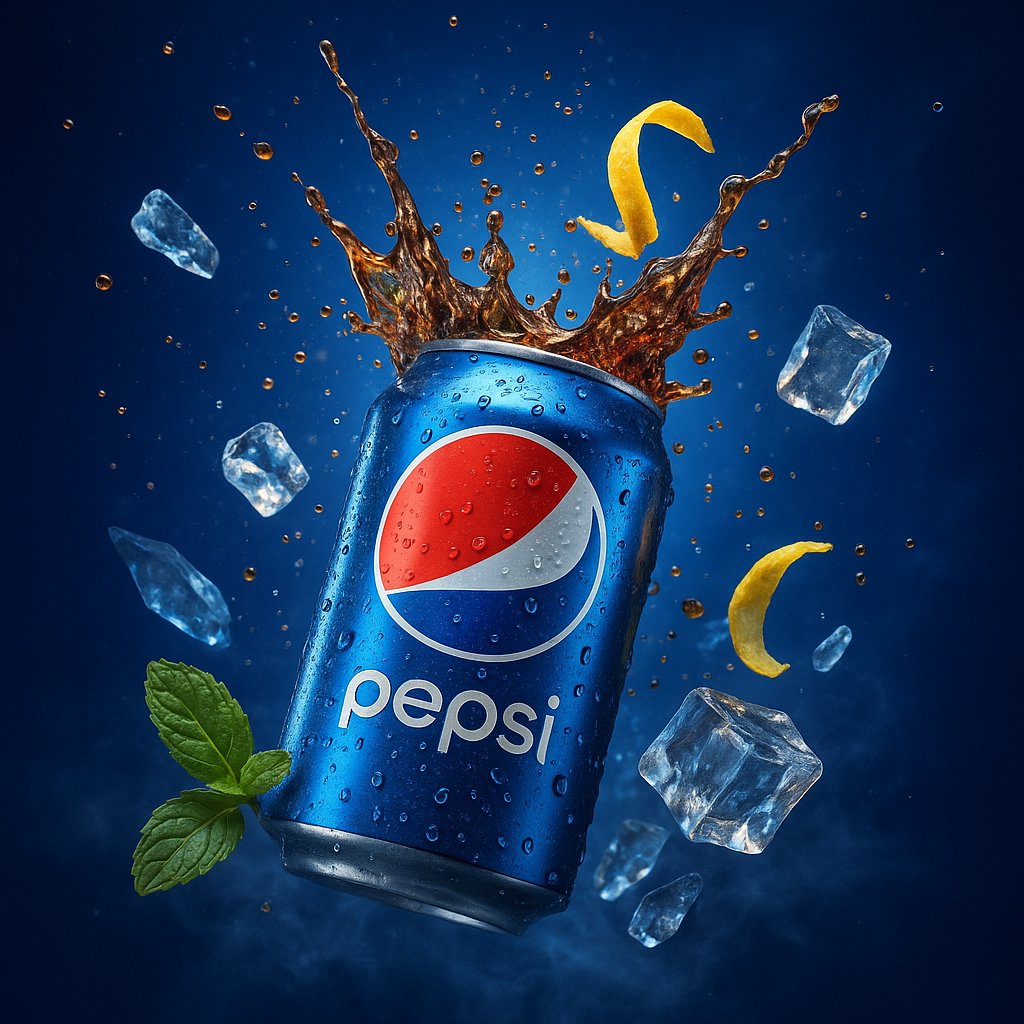
A hyper-realistic, ultra-detailed 3D digital advertisement showcasing a Pepsi can bursting open at its center, sending a refreshing splash of carbonated cola into the air, with effervescent bubbles and ice cubes flying outward. The can’s metallic surface is rendered with sharp, photorealistic textures, complete with condensation droplets, light reflections, and subtle scratches. Surrounding the scene are cold, translucent ice shards and a twist of lemon zest caught mid-motion, adding a vibrant contrast. The background features a deep electric blue gradient with cinematic volumetric lighting and soft lens flares. Green mint leaves and misty vapors add a refreshing, natural accent. The entire scene is rendered in 4K UHD using advanced global illumination, HDR lighting, and realistic shadows. The composition evokes premium beverage advertising with a dramatic tone, created using tools like Unreal Engine + Octane Render for maximum visual impact.
Category
创意图片
Model
Nano Banana Pro
Views11
Source ID
648940bb-7a2a-4844-aca3-09874313fa58
Published
Dec 27, 2025

Guide

About "品牌产品数字广告"

What is this prompt for?

"品牌产品数字广告" AI image prompt for Nano Banana Pro (创意图片). 创意图片 Copy it on Picva and recreate the look in one click.

The full copyable prompt and example visuals above are ready for AI image generation or one-click recreate in Picva.

How to use this prompt

  1. Step 1

    Open the prompt detail

    Review the example visuals, category, and full prompt text for "品牌产品数字广告".

  2. Step 2

    Copy the prompt

    Copy the prompt body from this page, or load it directly in Studio.

  3. Step 3

    Pick a model (Nano Banana Pro)

    Prefer Nano Banana Pro. If you switch models, keep subject and composition and tweak style terms.

  4. Step 4

    Generate and export

    Recreate the look in Picva, or export into your workflow for editing and publishing.

FAQ

What is the "品牌产品数字广告" prompt?
It is an AI image-generation prompt for Nano Banana Pro in the 创意图片 category. This page includes the full prompt text, example visuals, and a one-click recreate path in Picva.
How do I use this prompt to generate an image?
Copy the prompt from this page, or use Generate / Studio. Paste it into a compatible image model, or recreate the look in Picva with optional reference images.
Which model is this prompt for?
This page lists Nano Banana Pro. Most descriptive prompts also transfer to nearby image models such as GPT Image, Flux, or Midjourney with light style tweaks.
Can I use the result commercially?
You can usually copy the prompt for creation, but commercial use of the final image depends on the model terms, reference-image rights, and the generated content. Follow the source author and platform rules.