20

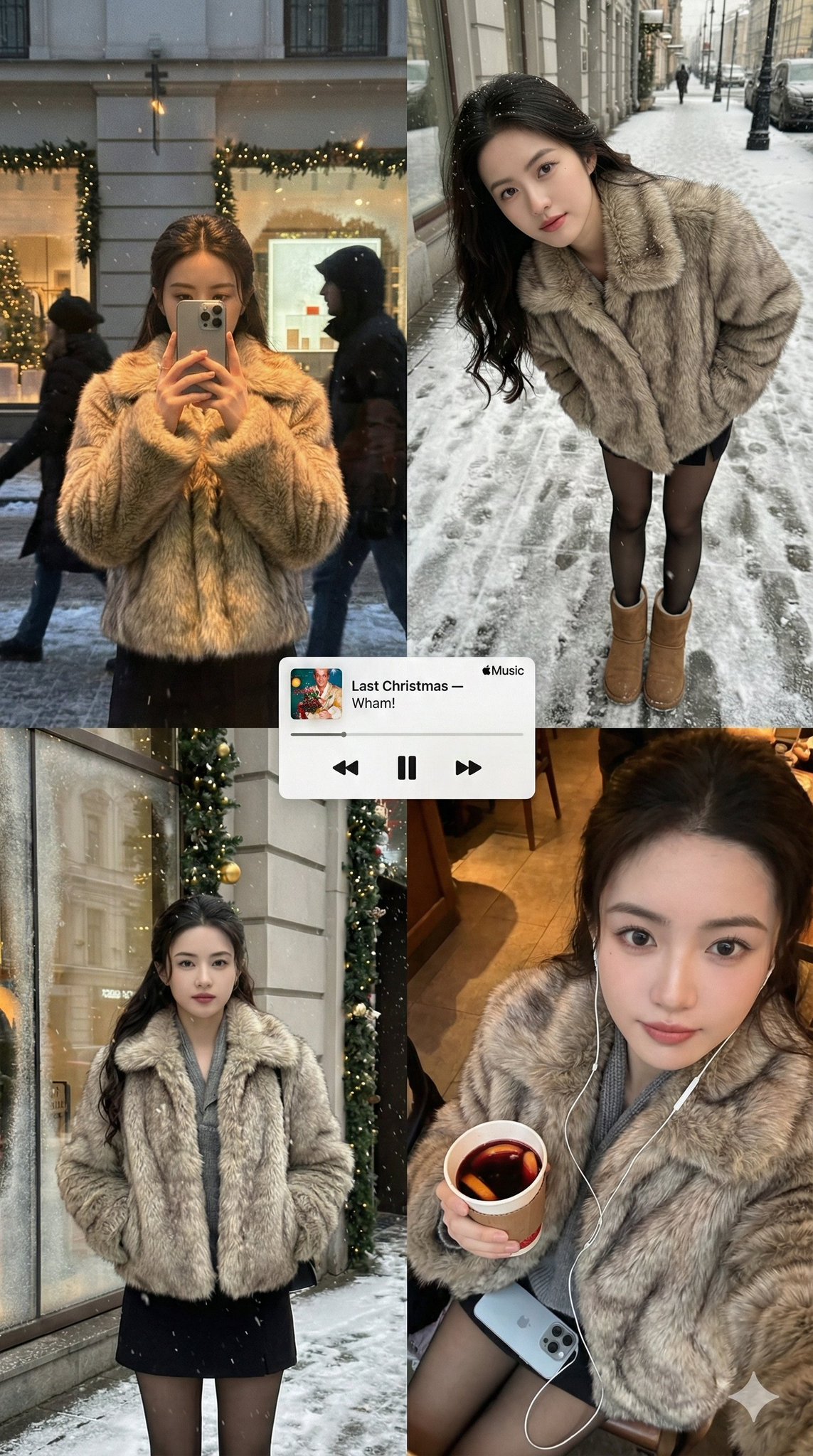
雪景下的精灵
Enlarge

Example images

雪景下的精灵

Prompt
{ "image_generation_request": { "meta_protocols": { "reference_adherence": { “说明”:“请严格按照提供的照片进行面部参照。” “公差”: “零偏差” “参数”:“以100%的准确度保留面部比例、皮肤纹理、表情和身份特征。” "stylization_constraint": "不要对脸部特征进行风格化或改变。"       }, "format_style": "编辑冬季海报风格的多面板拼贴画", "aesthetic_quality": "自发的 iPhone 摄影(抓拍、温馨、写实)", "global_textures": "柔和的雪花,细腻的模拟颗粒感,轻微的手持拍摄瑕疵"     }, "consistent_elements": { "subject_wardrobe": { “外套”: “短款人造毛皮外套” 腿部服饰:黑色紧身裤, “鞋类”:“经典 UGG 靴子”, "style_notes": "简约、舒适、极具冬日气息"       }, "primary_device": { “型号”:“iPhone 17 Pro Max”, “颜色”: “银色”, “用法”:“由主体在相关框架中持有”       }, "color_palette": [ “温暖的琥珀色”, “柔和的红色”, “松树绿” “柔和的冬日灰色”       ]     }, "layout_configuration": { "panel_1_top_left": { "scene_type": "黄昏时分的商店橱窗反光照片", "lighting_and_atmosphere": "淡淡的圣诞彩灯、花环、磨砂玻璃边缘、毛皮上的暖色调高光", “subject_action”: “拿着手机部分遮住脸部” "optical_effects": "掠过的轮廓、层叠的反射、柔和的重影、自然的玻璃曲率扭曲"       }, "panel_2_top_right": { "scene_type": "超广角街景人像(雪中的人行道/圣诞市场)", "camera_angle": "近距离,向下倾斜", “subject_pose”: “随意地向前倾,双手插在外套口袋里” "可见性检查": "黑色紧身裤和 UGG 靴子清晰可见", "motion_dynamics": "带有轻微运动模糊的飘雪", 镜头特性: “微妙的透视变形,以增强手持拍摄的真实感”       }, "panel_3_bottom_right": { "scene_type": "亲密俯视自拍", “照明”:“温暖的街道或咖啡馆照明”, "props": { "held_item": "外带节日饮品(咖啡或热红酒)", “配件”:“可见的有线耳机”         }, "texture_focus": "清晰细腻的毛皮纹理和冬季面料", “氛围”:“柔和的颗粒感增强了怀旧的假日氛围”       }     }, "graphic_overlay": { "element": "极简 Apple Music 风格的迷你播放器", "content": "流行圣诞歌曲(例如,'Last Christmas' 或 'All I Want for Christmas Is You')", “风格”:“渲染效果平整干净,没有阴影”, “位置”:“漂浮在拼贴画的中心”     }   } }
Category
creative_scene
Model
Nano Banana Pro
Views6
Source ID
0febbb38-bc84-4285-841b-32f73efedaed
Published
Dec 27, 2025

Guide

About "雪景下的精灵"

What is this prompt for?

"雪景下的精灵" AI image prompt for Nano Banana Pro (creative_scene). creative_scene Copy it on Picva and recreate the look in one click.

The full copyable prompt and example visuals above are ready for AI image generation or one-click recreate in Picva.

How to use this prompt

  1. Step 1

    Open the prompt detail

    Review the example visuals, category, and full prompt text for "雪景下的精灵".

  2. Step 2

    Copy the prompt

    Copy the prompt body from this page, or load it directly in Studio.

  3. Step 3

    Pick a model (Nano Banana Pro)

    Prefer Nano Banana Pro. If you switch models, keep subject and composition and tweak style terms.

  4. Step 4

    Generate and export

    Recreate the look in Picva, or export into your workflow for editing and publishing.

FAQ

What is the "雪景下的精灵" prompt?
It is an AI image-generation prompt for Nano Banana Pro in the creative_scene category. This page includes the full prompt text, example visuals, and a one-click recreate path in Picva.
How do I use this prompt to generate an image?
Copy the prompt from this page, or use Generate / Studio. Paste it into a compatible image model, or recreate the look in Picva with optional reference images.
Which model is this prompt for?
This page lists Nano Banana Pro. Most descriptive prompts also transfer to nearby image models such as GPT Image, Flux, or Midjourney with light style tweaks.
Can I use the result commercially?
You can usually copy the prompt for creation, but commercial use of the final image depends on the model terms, reference-image rights, and the generated content. Follow the source author and platform rules.