14

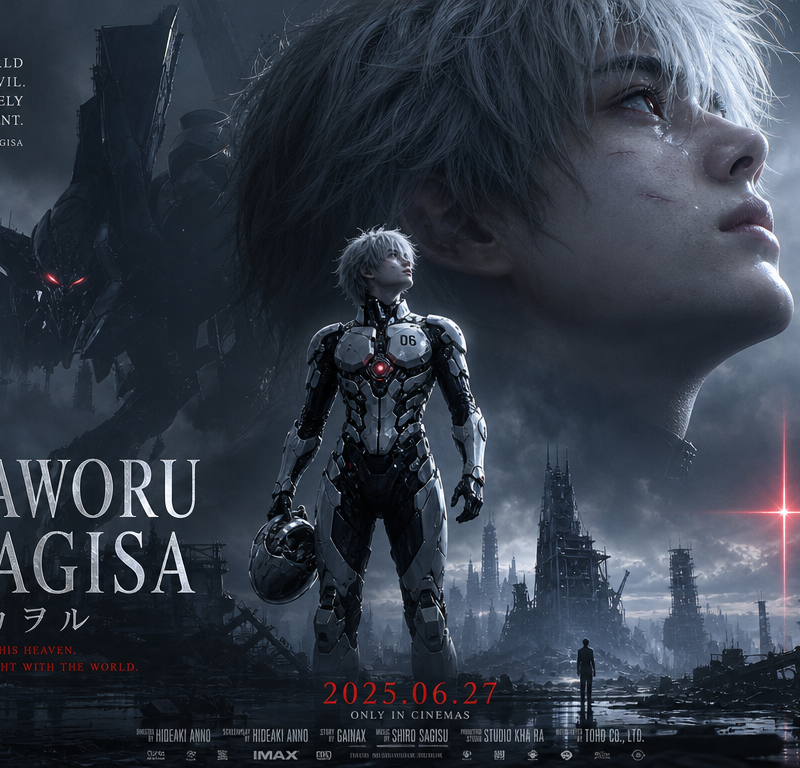
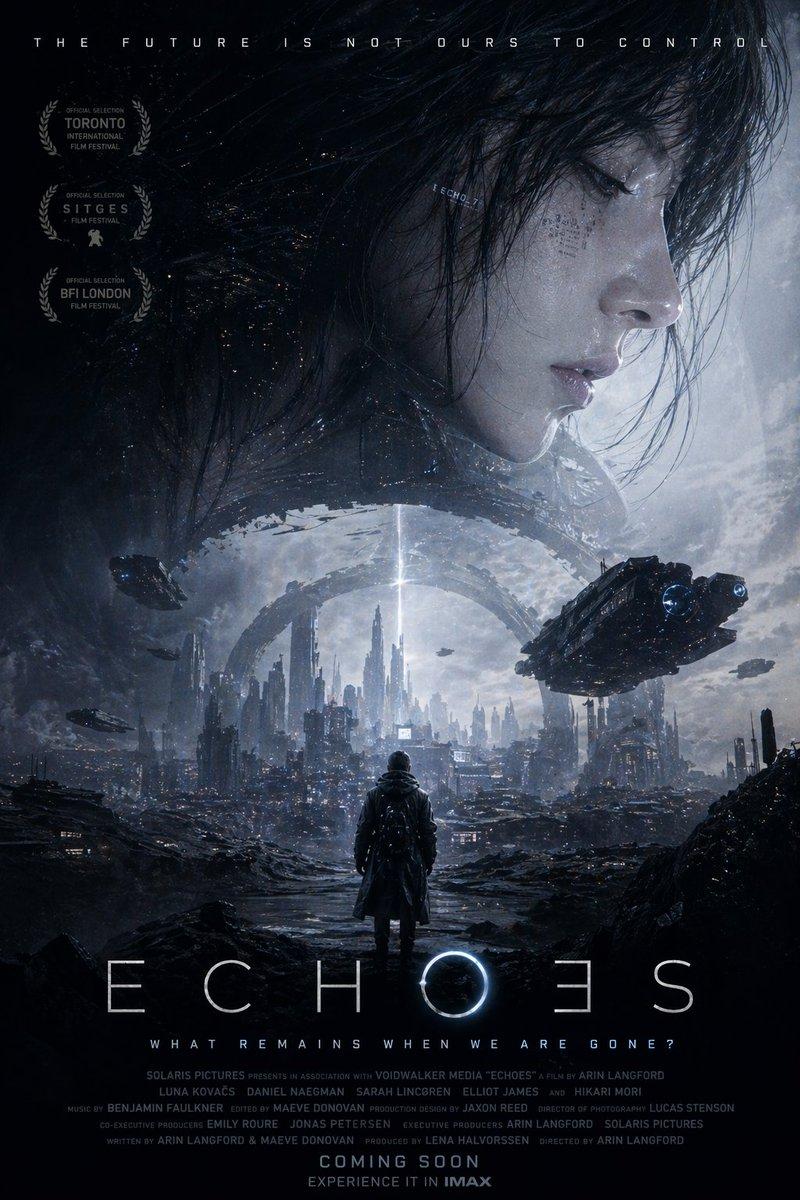
生成一张 9:16 竖版高级科幻机甲电影角色海报,真人电影质感,院线 IMAX 主视觉风格。 角色是一位银白色凌乱短发的年轻男性机甲驾驶员,皮肤苍白细腻,五官清
Enlarge

Example images

生成一张 9:16 竖版高级科幻机甲电影角色海报,真人电影质感,院线 IMAX 主视觉风格。 角色是一位银白色凌乱短发的年轻男性机甲驾驶员,皮肤苍白细腻,五官清

Prompt
生成一张 9:16 竖版高级科幻机甲电影角色海报,真人电影质感,院线 IMAX 主视觉风格。

角色是一位银白色凌乱短发的年轻男性机甲驾驶员,皮肤苍白细腻,五官清冷俊美,眼神孤独、温柔、坚定,微微仰头望向远方。右上方占据画面大面积的是他的巨大侧脸特写,皮肤有真实湿润高光和轻微战斗痕迹,发丝被冷色侧逆光勾亮。

画面中下部是同一角色的全身主视觉,他穿着黑白银色高光反射的未来感驾驶服,白色陶瓷装甲、黑色橡胶连接结构、暗银金属机械细节、红色胸口发光核心,胸前有细小编号“06”。他站在废墟中,手持未来感头盔,姿态冷静、英雄式、孤独而神圣。

背景是末世机甲战场:破碎城市、倾倒钢铁结构、残破塔楼、湿润反光地面、风暴云和大片连续体积雾。左后方有一台巨大的黑色生物机械人形机甲半隐藏在烟雾中,只露出红色发光眼睛和锋利轮廓。远处地平线上有一道克制的红色十字形光柱,带有宗教感与灾难感。底部有一个很小的人类剪影站在废墟中仰望远方,形成巨大尺度对比。

整体色调为冷银、深蓝灰、黑色、少量深红点缀;色彩比普通末世海报更鲜明、更高级,但保持低饱和电影感。高对比,强边缘光,湿润皮肤高光,装甲反射,大片柔和体积雾,复杂但干净的层次。

加入高级电影海报排版:大标题“KAWORU NAGISA”,日文副标题“渚カヲル”,左侧英文短句,底部上映日期和电影海报式小字。文字作为精致视觉排版元素,复古衬线体,白银色与红色搭配,克制高级。

不要卡通感,不要低幼,不要普通动漫立绘,不要干净棚拍背景,不要社交媒体水印,不要二维码。不要粒子特效,不要火星,不要飞散灰尘,不要红色小光点,不要白色芝麻点,不要漂浮碎屑,不要重胶片颗粒。空气保持干净,只使用大片连续烟雾和柔和体积雾。
Category
Posters & Typography
Model
GPT Image 2
Creator
xie underwood
Source language
zh-CN
Views479
Source ID
2210
Published
Apr 25, 2026
Studio

Guide

About "生成一张 9:16 竖版高级科幻机甲电影角色海报,真人电影质感,院线 IMAX 主视觉风格。 角色是一位银白色凌乱短发的年轻男性机甲驾驶员,皮肤苍白细腻,五官清"

What is this prompt for?

"生成一张 9:16 竖版高级科幻机甲电影角色海报,真人电影质感,院线 IMAX 主视觉风格。 角色是一位银白色凌乱短发的年轻男性机甲驾驶员,皮肤苍白细腻,五官清" AI image prompt for GPT Image 2 (Posters & Typography). 生成一张 9:16 竖版高级科幻机甲电影…

The full copyable prompt and example visuals above are ready for AI image generation or one-click recreate in Picva.

How to use this prompt

  1. Step 1

    Open the prompt detail

    Review the example visuals, category, and full prompt text for "生成一张 9:16 竖版高级科幻机甲电影角色海报,真人电影质感,院线 IMAX 主视觉风格。 角色是一位银白色凌乱短发的年轻男性机甲驾驶员,皮肤苍白细腻,五官清".

  2. Step 2

    Copy the prompt

    Copy the prompt body from this page, or load it directly in Studio.

  3. Step 3

    Pick a model (GPT Image 2)

    Prefer GPT Image 2. If you switch models, keep subject and composition and tweak style terms.

  4. Step 4

    Generate and export

    Recreate the look in Picva, or export into your workflow for editing and publishing.

FAQ

What is the "生成一张 9:16 竖版高级科幻机甲电影角色海报,真人电影质感,院线 IMAX 主视觉风格。 角色是一位银白色凌乱短发的年轻男性机甲驾驶员,皮肤苍白细腻,五官清" prompt?
It is an AI image-generation prompt for GPT Image 2 in the Posters & Typography category. This page includes the full prompt text, example visuals, and a one-click recreate path in Picva.
How do I use this prompt to generate an image?
Copy the prompt from this page, or use Generate / Studio. Paste it into a compatible image model, or recreate the look in Picva with optional reference images.
Which model is this prompt for?
This page lists GPT Image 2. Most descriptive prompts also transfer to nearby image models such as GPT Image, Flux, or Midjourney with light style tweaks.
Can I use the result commercially?
You can usually copy the prompt for creation, but commercial use of the final image depends on the model terms, reference-image rights, and the generated content. Follow the source author and platform rules.