Create an ultra-realistic black-and-white high-fashion editorial photograph in a
Prompt
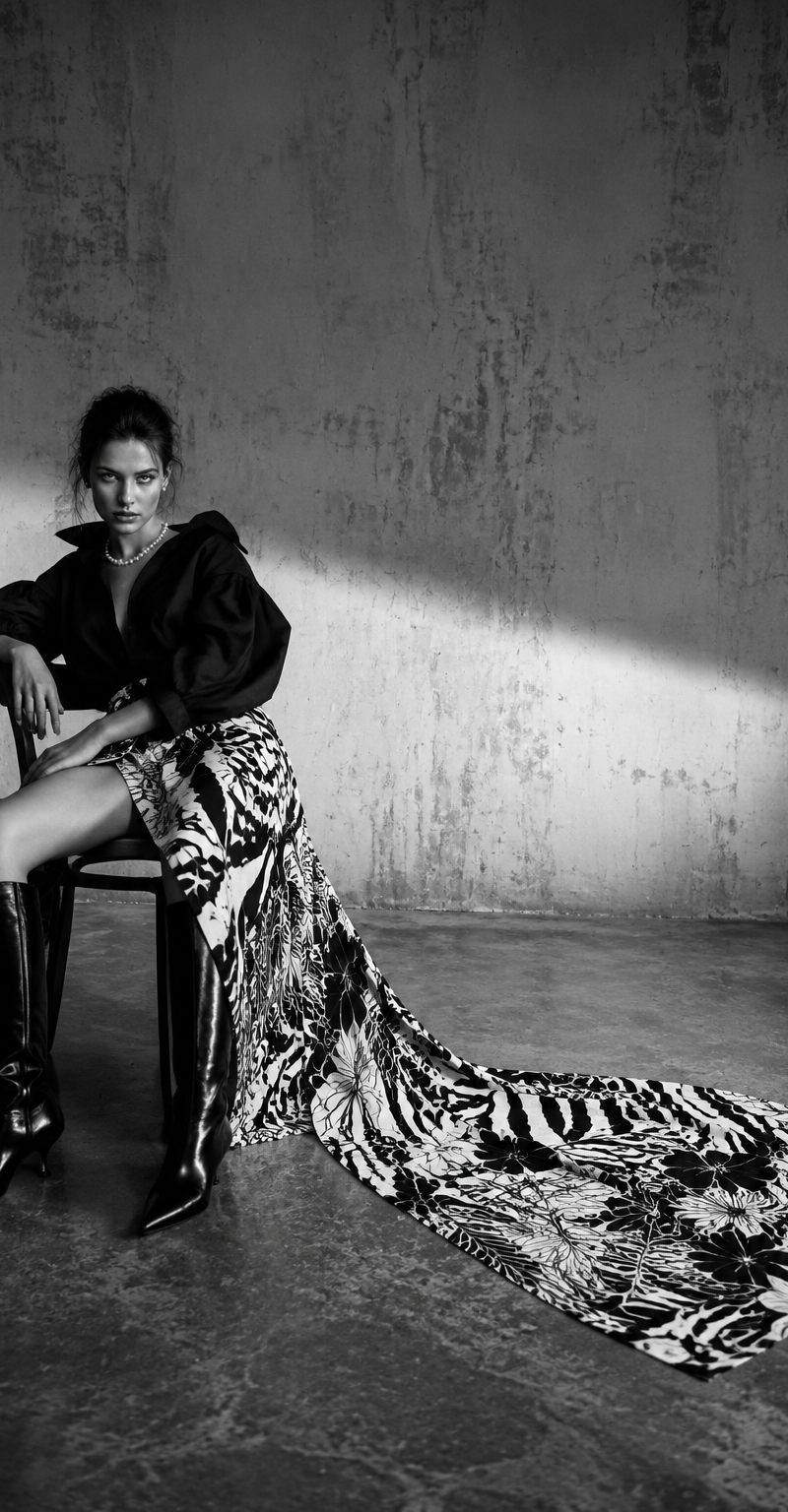
Create an ultra-realistic black-and-white high-fashion editorial photograph in a wide cinematic studio composition. The scene features an adult female fashion model seated on a simple dark wooden chair positioned on the far left side of the frame, leaving a large amount of empty negative space on the right.The model has a confident, intense, slightly moody expression and looks directly toward the camera. Her pose is dramatic and sculptural: seated with her torso leaning slightly back and to one side, shoulders angled, head tilted subtly, one leg extended outward to the left, and the other leg bent downward. Her posture should feel elegant, rebellious, and editorial, with elongated body lines and strong fashion attitude.Wardrobe: a dark oversized high-fashion blouse or jacket with voluminous sleeves and soft draped fabric, paired with a bold patterned skirt or long trailing fabric panel. The fabric should fall from the chair and extend across the polished concrete floor toward the center-right of the image, creating a dramatic flowing train. The pattern should be high contrast in black and white, mixing abstract floral, zebra, and botanical motifs. Add tall glossy black leather boots with pointed toes and slight heels. Include a short pearl necklace around the neck for a refined luxury accent.Environment: minimal industrial studio with a raw textured concrete wall and polished concrete floor. The wall should have subtle scratches, plaster texture, stains, and worn surface imperfections. The floor should show faint reflections, scuff marks, and realistic concrete texture. No furniture except the chair. No props except the clothing and chair.Lighting: cinematic monochrome lighting with a bright soft-edged beam of light crossing diagonally across the background and floor from left-center toward the right side. Use soft shadows, gentle tonal gradients, and controlled contrast. The model should be partially lit with dramatic highlights on the boots, face, fabric folds, and pearl necklace. The background should remain minimal and atmospheric.Camera and composition: wide horizontal editorial framing, 16:9 aspect ratio, model placed in the left third of the frame, large empty space on the right. Shot from a low-to-mid camera height using a 28mm or 35mm fashion editorial lens. Deep enough focus to show the model, chair, trailing fabric, wall texture, and floor detail. High-resolution luxury magazine photography, cinematic realism, professional black-and-white grading, subtle film grain, crisp details, natural skin texture, realistic fabric folds, glossy boot reflections, museum-quality fashion editorial aesthetic.Negative prompt:No color, no busy background, no extra people, no modern furniture, no logos, no text, no watermark, no cartoon, no CGI, no plastic skin, no over-smoothed face, no distorted anatomy, no extra fingers, no broken hands, no unnatural legs, no awkward chair pose, no clutter, no harsh overexposure, no low-resolution texture, no blurry subject, no glamour studio backdrop, no fantasy elements.
- Category
- Charts & Infographics
- Model
- GPT Image 2
- Creator
- xie underwood
- Source language
- en
- Source ID
- 28765
- Published
- Jun 15, 2026
Views48