20

定制硬币展示
Enlarge

Example images

定制硬币展示

Prompt
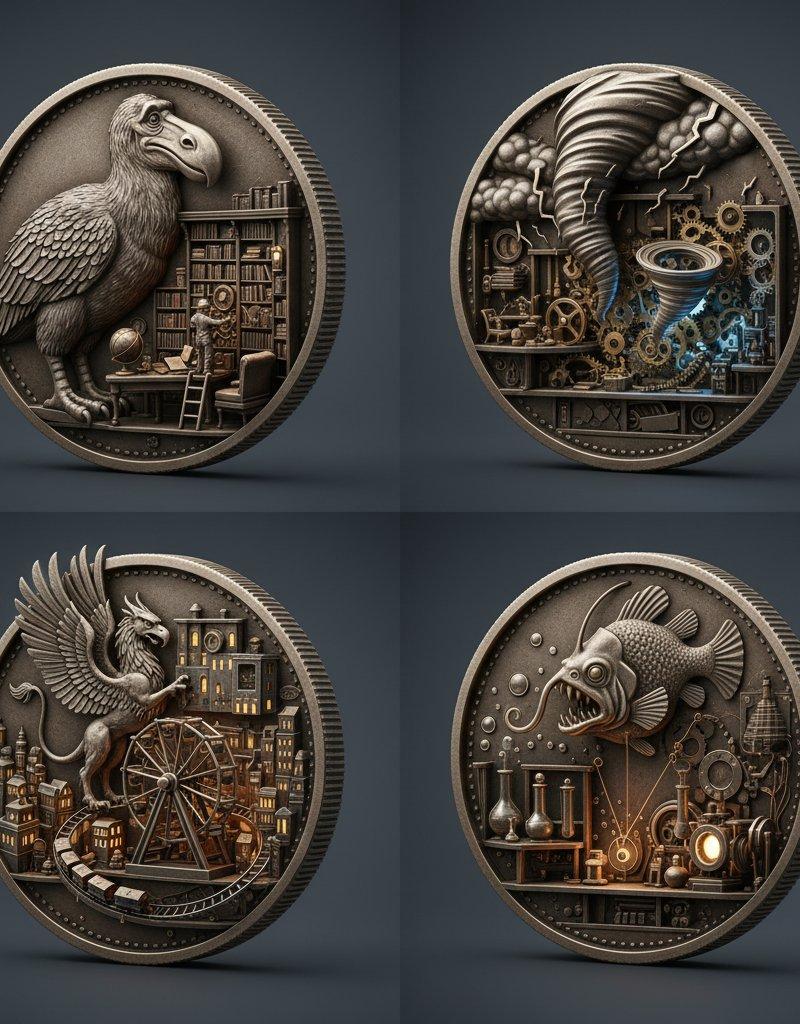
Since custom coins are in the news, here are 4 I made with Nano Banana
Prompt: A 2x2 grid of four fictional, non-legal-tender art coins shown as cutaway kinetic dioramas. [Top Left coin: Obverse = random extinct animal in high relief; Reverse = random miniature interior scene (library/workshop/temple/etc.) with tiny moving parts] [Top Right coin: Obverse = random weather phenomenon as sculpted relief; Reverse = random tiny room with gears animating the scene] [Bottom Left coin: Obverse = random mythological object; Reverse = random micro-city with a rotating element] [Bottom Right coin: Obverse = random deep-sea creature; Reverse = random laboratory with oscillating mechanism] Ultra-photoreal macro product shot, engraved metal, realistic wear, crisp rim and reeded edge, shallow depth of field, soft volumetric studio lighting, 20mm perspective, centered composition, seamless slate-gray background.
Category
Photography & Realism
Model
Nano Banana
Creator
Gadgetify
Source language
zh-CN
Views0
Source ID
custom-coins-showcase
Studio

Guide

About "定制硬币展示"

What is this prompt for?

"定制硬币展示" AI image prompt for Nano Banana (Photography & Realism). Since custom coins are in the news, here are 4 I made with Nano Banana Prompt: A 2x2 grid of…

The full copyable prompt and example visuals above are ready for AI image generation or one-click recreate in Picva.

How to use this prompt

  1. Step 1

    Open the prompt detail

    Review the example visuals, category, and full prompt text for "定制硬币展示".

  2. Step 2

    Copy the prompt

    Copy the prompt body from this page, or load it directly in Studio.

  3. Step 3

    Pick a model (Nano Banana)

    Prefer Nano Banana. If you switch models, keep subject and composition and tweak style terms.

  4. Step 4

    Generate and export

    Recreate the look in Picva, or export into your workflow for editing and publishing.

FAQ

What is the "定制硬币展示" prompt?
It is an AI image-generation prompt for Nano Banana in the Photography & Realism category. This page includes the full prompt text, example visuals, and a one-click recreate path in Picva.
How do I use this prompt to generate an image?
Copy the prompt from this page, or use Generate / Studio. Paste it into a compatible image model, or recreate the look in Picva with optional reference images.
Which model is this prompt for?
This page lists Nano Banana. Most descriptive prompts also transfer to nearby image models such as GPT Image, Flux, or Midjourney with light style tweaks.
Can I use the result commercially?
You can usually copy the prompt for creation, but commercial use of the final image depends on the model terms, reference-image rights, and the generated content. Follow the source author and platform rules.