13

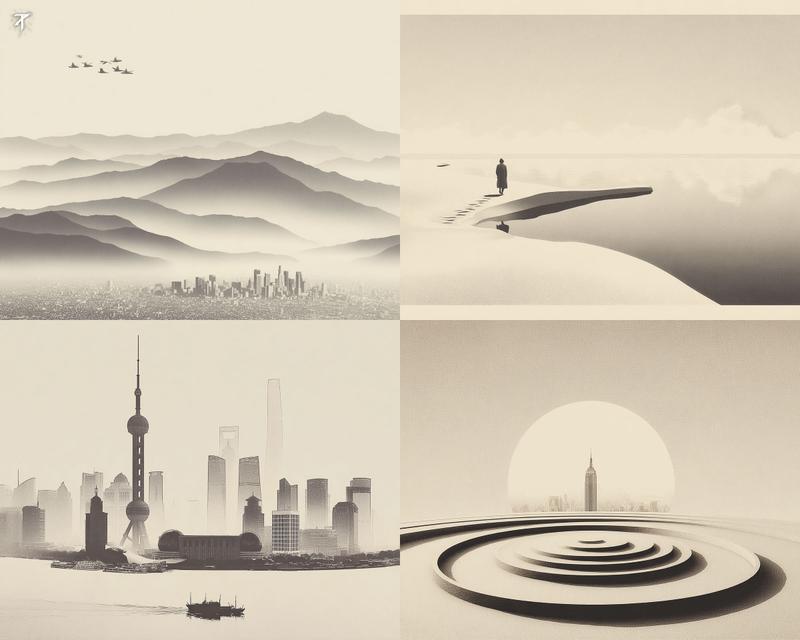
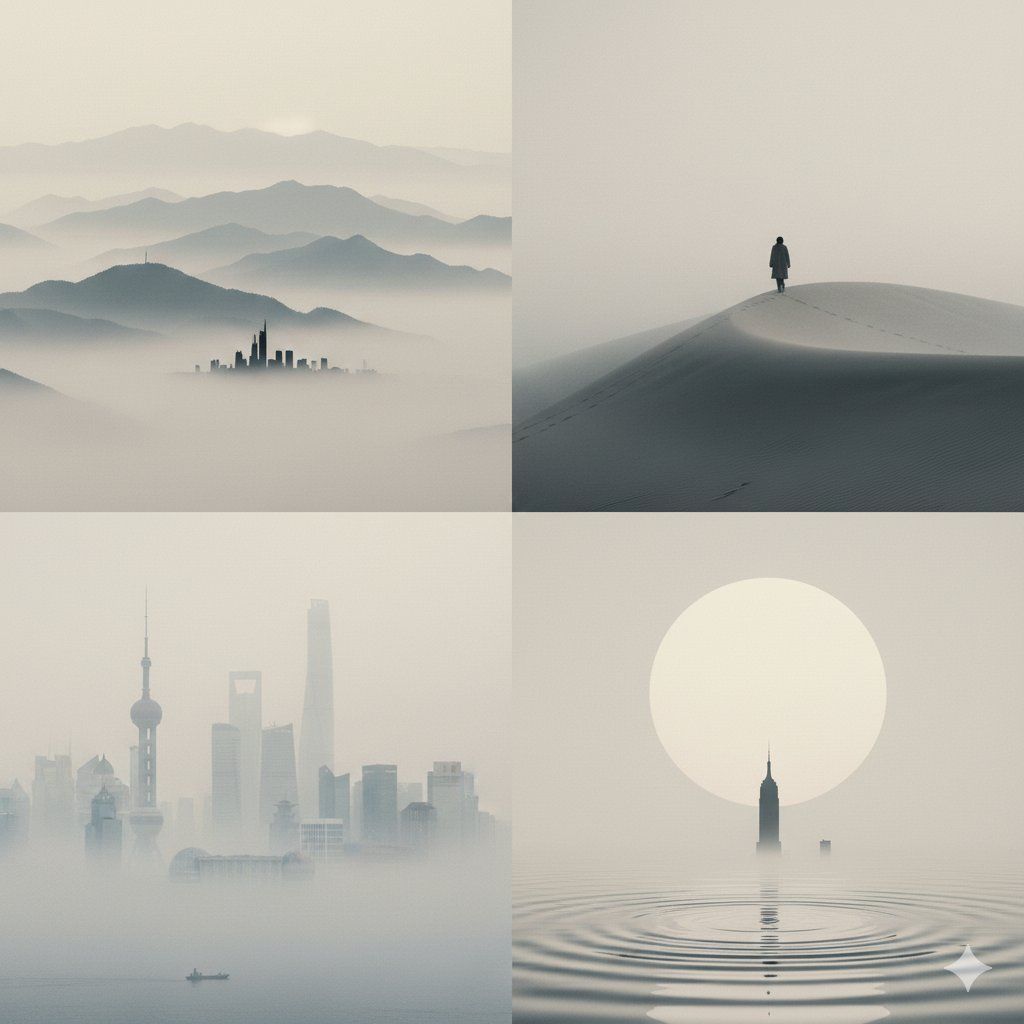
极简雾感石版画
Enlarge

极简雾感石版画

Prompt
感谢原作者 @tisch_eins 的灵感,我好像更喜欢这种风格!
极简构图 + 细腻胶片感 + 一丝中国水墨画的意境
Gemini说这是“Foggy Minimalist Lithograph” (雾感极简石版画风)
Banana Prompt👇
---
A four-panel grid featuring minimalist atmospheric art. The style is faded monochrome photography on high-quality matte paper.Texture & Tone:
Subtle film grain (not heavy noise).
Soft, creamy beige and desaturated grey tones (clean, not dirty).
Low contrast, dreamy, hazy atmosphere.The 4 Panels:
(Top Left): Layered misty mountains with a tiny, sharp silhouette of a modern city at the very bottom.
(Top Right): A lone traveler walking on a smooth sand dune into the fog. Clean lines, vast negative space.
(Bottom Left): The Shanghai skyline (Lujiazui) rising faintly from heavy river mist, ethereal and ghost-like.
(Bottom Right): Abstract zen geometry: concentric water ripples under a large pale sun, with a lone distant skyscraper.Negative Prompt:torn paper, dirt, stains, grunge, scratches, high contrast, harsh lines, blurry, messy, distorted.--ar 1:1 --v 6.0 --style raw
Category
Photography & Realism
Model
Unknown
Creator
两斤
Views0
Source ID
foggy-minimalist-lithograph

Guide

About "极简雾感石版画"

What is this prompt for?

"极简雾感石版画" AI image prompt for Unknown (Photography & Realism). 感谢原作者 @tisch_eins 的灵感,我好像更喜欢这种风格! 极简构图 + 细腻胶片感 + 一丝中国水墨画的意境 Gemini说这是“Foggy Minimalist Lithograp…

The full copyable prompt and example visuals above are ready for AI image generation or one-click recreate in Picva.

How to use this prompt

  1. Step 1

    Open the prompt detail

    Review the example visuals, category, and full prompt text for "极简雾感石版画".

  2. Step 2

    Copy the prompt

    Copy the prompt body from this page, or load it directly in Studio.

  3. Step 3

    Pick a model (Unknown)

    Prefer Unknown. If you switch models, keep subject and composition and tweak style terms.

  4. Step 4

    Generate and export

    Recreate the look in Picva, or export into your workflow for editing and publishing.

FAQ

What is the "极简雾感石版画" prompt?
It is an AI image-generation prompt for Unknown in the Photography & Realism category. This page includes the full prompt text, example visuals, and a one-click recreate path in Picva.
How do I use this prompt to generate an image?
Copy the prompt from this page, or use Generate / Studio. Paste it into a compatible image model, or recreate the look in Picva with optional reference images.
Which model is this prompt for?
This page lists Unknown. Most descriptive prompts also transfer to nearby image models such as GPT Image, Flux, or Midjourney with light style tweaks.
Can I use the result commercially?
You can usually copy the prompt for creation, but commercial use of the final image depends on the model terms, reference-image rights, and the generated content. Follow the source author and platform rules.