20

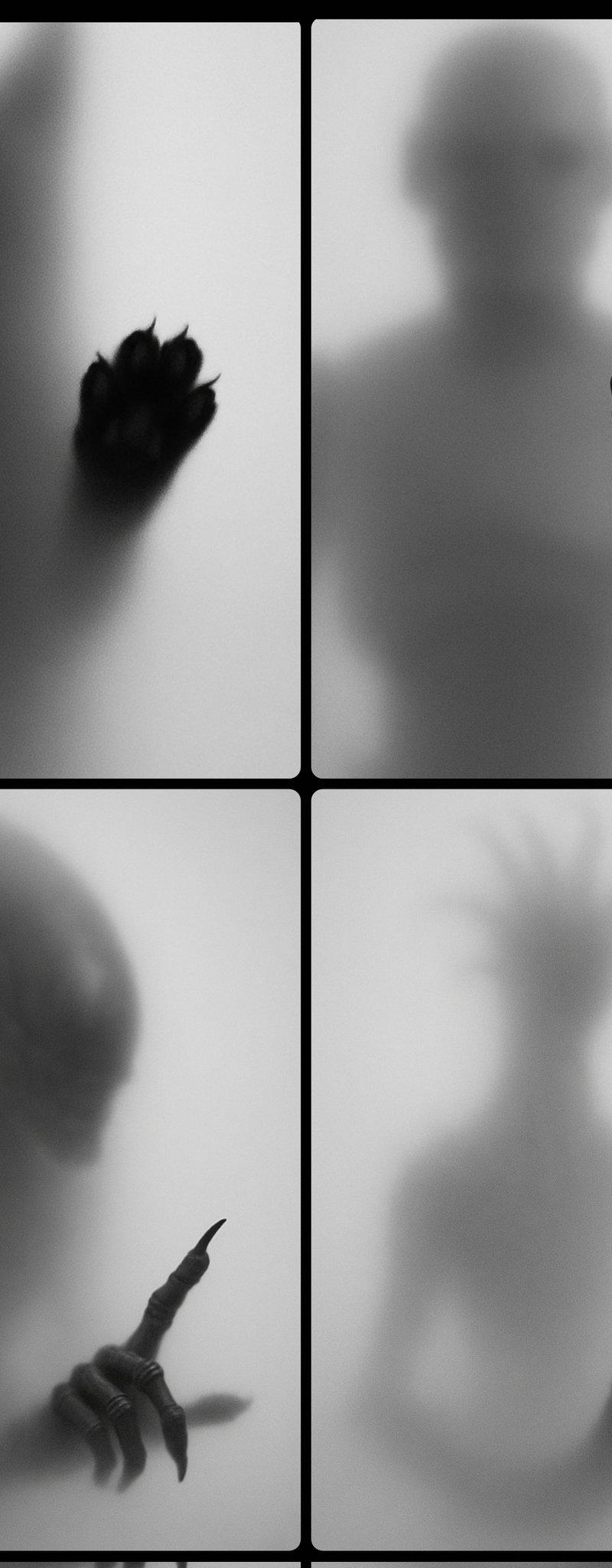
磨砂模糊剪影
Click to enlarge

Example images

Photography & RealismXCbotaiart.picsUnknown图片

磨砂模糊剪影

Prompt
A black and white photograph shows the blurred silhouette of a [SUBJECT] behind a frosted or translucent surface. The [PART] is sharply defined and pressed against the surface, creating a stark contrast with the rest of the hazy, indistinct figure. The background is a soft gradient of gray tones, enhancing the mysterious and artistic atmosphere
一张黑白照片显示了磨砂或半透明表面后面 [SUBJECT] 的模糊剪影。[PART] 轮廓分明,压在表面,与朦胧、模糊的人物的其余部分形成鲜明对比。背景是灰色调的柔和渐变,增强了神秘和艺术的氛围
Category
Photography & Realism
Model
Unknown
Creator
Umesh
Source language
zh-CN
Views0
Source ID
frosted-blur-silhouette
Studio

Guide

About "磨砂模糊剪影"

What is this prompt for?

"磨砂模糊剪影" AI image prompt for Unknown (Photography & Realism). A black and white photograph shows the blurred silhouette of a [SUBJECT] behind a frosted or tran…

The full copyable prompt and example visuals above are ready for AI image generation or one-click recreate in Picva.

How to use this prompt

  1. Step 1

    Open the prompt detail

    Review the example visuals, category, and full prompt text for "磨砂模糊剪影".

  2. Step 2

    Copy the prompt

    Copy the prompt body from this page, or load it directly in Studio.

  3. Step 3

    Pick a model (Unknown)

    Prefer Unknown. If you switch models, keep subject and composition and tweak style terms.

  4. Step 4

    Generate and export

    Recreate the look in Picva, or export into your workflow for editing and publishing.

FAQ

What is the "磨砂模糊剪影" prompt?
It is an AI image-generation prompt for Unknown in the Photography & Realism category. This page includes the full prompt text, example visuals, and a one-click recreate path in Picva.
How do I use this prompt to generate an image?
Copy the prompt from this page, or use Generate / Studio. Paste it into a compatible image model, or recreate the look in Picva with optional reference images.
Which model is this prompt for?
This page lists Unknown. Most descriptive prompts also transfer to nearby image models such as GPT Image, Flux, or Midjourney with light style tweaks.
Can I use the result commercially?
You can usually copy the prompt for creation, but commercial use of the final image depends on the model terms, reference-image rights, and the generated content. Follow the source author and platform rules.