20

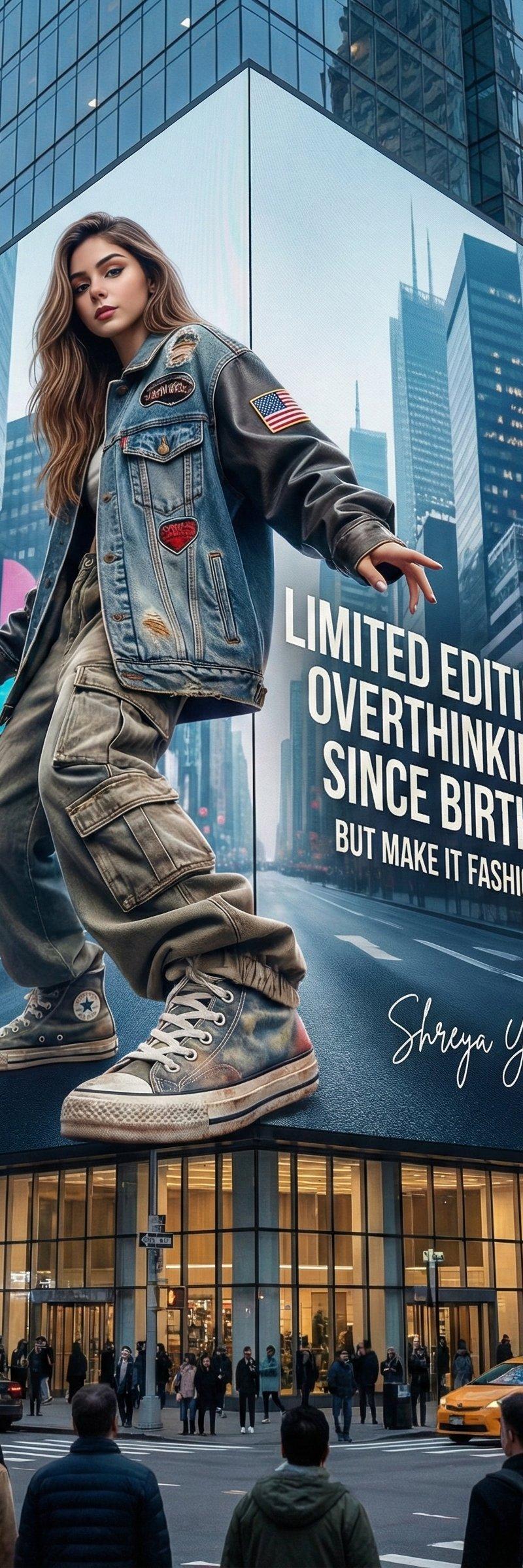
现代都市街头现代建筑侧面的巨型时尚3D广告牌
Enlarge

Example images

现代都市街头现代建筑侧面的巨型时尚3D广告牌

Prompt
Prompt 2
A giant fashion 3D billboard on the side of a modern building in a busy urban street. On the 3D billboard is a confident wo
man (from attached image) wearing a sleek, modern man styled in a fashion-forward way. SHe’s dressed in streetwear, an oversized jacket, cargo pants, random converse shoes. His pose is fierce and elegant with one foot or hand slightly outward the frame, as if the shoe or hand is come out of the 3d billboard. Next to him, bold text styled like a luxury fashion slogan reads: “LIMITED EDITION: OVERTHINKING SINCE BIRTH.” with tagline "BUT MAKE IT FASHION". The 3D billboard mixes high-fashion elegance with humorous Gen-Z energy. Photorealistic, stylish, culturally modern, and meme-inspired. vertical 3:4.
Signature: Shreya Yadav
Category
Photography & Realism
Model
Unknown
Creator
Shreya Yadav
Source language
zh-CN
Views0
Source ID
giant-fashion-3d-billboard-on-a-modern-building-in-a-busy-urban-street
Studio

Guide

About "现代都市街头现代建筑侧面的巨型时尚3D广告牌"

What is this prompt for?

"现代都市街头现代建筑侧面的巨型时尚3D广告牌" AI image prompt for Unknown (Photography & Realism). Prompt 2 A giant fashion 3D billboard on the side of a modern building in a busy…

The full copyable prompt and example visuals above are ready for AI image generation or one-click recreate in Picva.

How to use this prompt

  1. Step 1

    Open the prompt detail

    Review the example visuals, category, and full prompt text for "现代都市街头现代建筑侧面的巨型时尚3D广告牌".

  2. Step 2

    Copy the prompt

    Copy the prompt body from this page, or load it directly in Studio.

  3. Step 3

    Pick a model (Unknown)

    Prefer Unknown. If you switch models, keep subject and composition and tweak style terms.

  4. Step 4

    Generate and export

    Recreate the look in Picva, or export into your workflow for editing and publishing.

FAQ

What is the "现代都市街头现代建筑侧面的巨型时尚3D广告牌" prompt?
It is an AI image-generation prompt for Unknown in the Photography & Realism category. This page includes the full prompt text, example visuals, and a one-click recreate path in Picva.
How do I use this prompt to generate an image?
Copy the prompt from this page, or use Generate / Studio. Paste it into a compatible image model, or recreate the look in Picva with optional reference images.
Which model is this prompt for?
This page lists Unknown. Most descriptive prompts also transfer to nearby image models such as GPT Image, Flux, or Midjourney with light style tweaks.
Can I use the result commercially?
You can usually copy the prompt for creation, but commercial use of the final image depends on the model terms, reference-image rights, and the generated content. Follow the source author and platform rules.