时尚摄影:超高清人物一致性
Prompt
Prompt:
4K hyper-detailed fashion photograph featuring hyper-realistic rendering.
**Crucial Character Consistency:** The character featured is precisely the same person shown in reference images ,
maintaining consistent facial features, hair style, and body structure across all shots.
{
 "core_structure": {
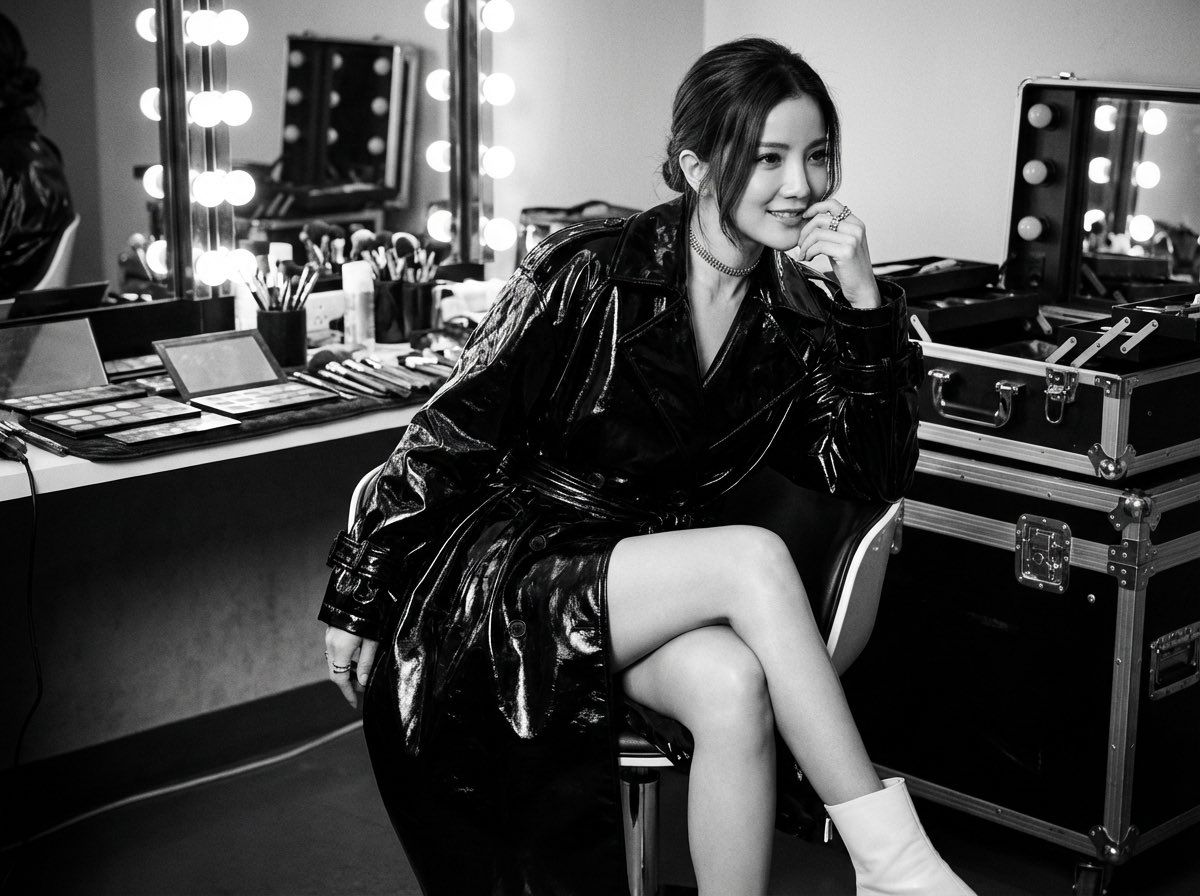
 "description": "一张时尚杂志编辑风格的照片,展示了一位女性在后台化妆间休息的场景,光影对比强烈。",
 "elements": [
 {
 "object": "主体女性",
 "attributes": [
 "坐在现代风格椅子上",
 "翘着二郎腿",
 "右手举在脸旁",
 "目光看向镜头外笑而不语",
 "长直发"
 ]
 },
 {
 "object": "服装与配饰",
 "attributes": [
 "超大号黑色风衣",
 "光泽感强烈",
 "纯白色踝靴",
 "项圈项链",
 "戒指"
 ]
 },
 {
 "object": "环境背景",
 "attributes": [
 "杂乱的化妆台",
 "散落的眼影盘和刷子",
 "带灯泡的好莱坞式化妆镜",
 "多个重型金属航空箱(flight cases)"
 ]
 }
 ]
 },
 "style_definition": {
 "primary_style": "monochrome fashion editorial | cinematic photography",
 "rendering_quality": "hyperrealistic | high-resolution | detailed textures",
 "surface_textures": [
 "glossy vinyl reflecting light",
 "textured snakeskin",
 "metallic case hardware",
 "matte skin finish"
 ],
 "lighting": "dramatic studio lighting | high contrast chiaroscuro | directional light from vanity bulbs"
 },
 "technical_specifications": {
 "camera_settings": {
 "depth_of_field": "medium depth of field, subject sharp, background slightly softened",
 "focal_length": "50mm to 85mm portrait lens",
 "aperture": "f/2.8 - f/4",
 "exposure": "metered for highlights on the leather coat, creating deep shadows"
 },
 "resolution": "professional quality | 4K minimum",
 "rendering": [
 "high dynamic range",
 "no color noise"
 ],
 "physics_accuracy": [
 "realistic drape of heavy vinyl fabric",
 "accurate reflections on glossy surfaces"
 ]
 },
 "material_properties": {
 "skin_textures": [
 "smooth but detailed in monochrome",
 "natural finish"
 ],
 "fabric_details": [
 "highly reflective vinyl/leather",
 "detailed scales on snakeskin boots"
 ],
 "surfaces": [
 "scratched metal on flight cases",
 "plastic makeup palettes",
 "glass mirror bulbs"
 ],
 "transparency": [
 "clear glass bulbs"
 ]
 },
 "environmental_factors": {
 "atmosphere": [
 "backstage clutter",
 "quiet intensity",
 "studio interior"
 ],
 "time_season": [
 "artificial studio lighting",
 "timeless fashion"
 ],
 "particles": [
 "clean air",
 "no visible dust"
 ]
 },
 "composition_controls": {
 "perspective": "eye-level photograph",
 "framing": "editorial magazine layout with space for text at bottom",
 "subject_placement": "central but angled pose, anchored by surrounding equipment"
 },
 "quality_keywords": {
 "include": [
 "black and white",
 "high fashion",
 "dramatic lighting",
 "luxurious textures",
 "editorial feel",
 "sharp focus"
 ],
 "avoid": [
 "color",
 "flat lighting",
 "low resolution",
 "blurry textures"
 ],
 "reference": [
 "Vogue editorial standards",
 "professional studio photography"
 ]
 }
}- Category
- Photography & Realism
- Model
- Unknown
- Creator
- 烟花老师(一支烟花)
- Source language
- zh-CN
- Source ID
- hyper-detailed-fashion-photography-character-consistency
Views0


