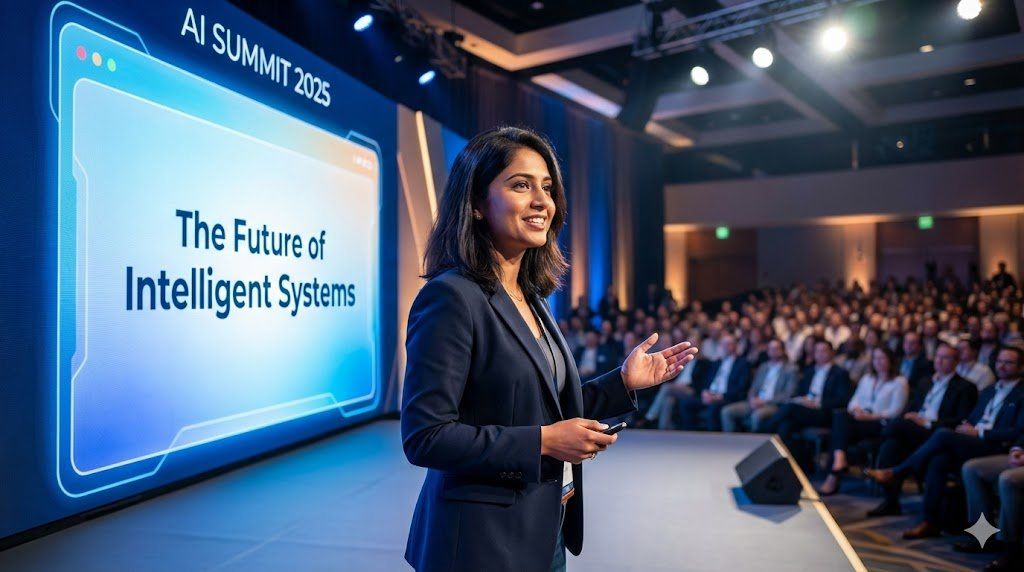
图像生成模板分析
Prompt
The Ultimate Master Prompt (Copy & Use)
Here's the complete Nano Banana Pro JSON template that combines all 9 tips.
Copy this, customize it, and generate perfect images every time:
THE MASTER PROMPT TEMPLATE:
{
"generation_mode": "thinking|standard",
"output_specifications": {
"resolution": "1K|2K|4K",
"aspect_ratio": "16:9|1:1|9:16|custom",
"quality_priority": "speed|balanced|quality"
},
"scene_description": {
"primary_subject": "[main focus of image]",
"environment": "[setting and background]",
"atmosphere": "[mood and feeling]",
"style": "[visual aesthetic]",
"time_of_day": "[if relevant]"
},
"camera_controls": {
"angle": "[camera perspective]",
"focal_length": "[lens type - wide/standard/telephoto]",
"depth_of_field": "[shallow/deep, what\'s in focus]",
"composition": "[rule of thirds/centered/golden ratio/etc]"
},
"lighting_setup": {
"primary_light": {
"type": "[natural/studio/dramatic/soft]",
"direction": "[where light comes from]",
"intensity": "[bright/moderate/moody]"
},
"shadows": "[deep/subtle/minimal]",
"color_temperature": "[warm/cool/neutral]",
"special_effects": "[rim light/backlighting/etc if needed]"
},
"color_grading": {
"overall_tone": "[vibrant/muted/monochrome/etc]",
"color_palette": ["primary color", "secondary color", "accent color"],
"mood": "[emotional impact of colors]"
},
"text_elements": [
{
"text_content": "[exact text to render]",
"position": "[location in image]",
"font_style": "[typography description]",
"size": "[relative size]",
"color": "[text color]",
"effects": "[glow/shadow/3D/etc]",
"language": "[if not English]"
}
],
"reference_images": [
{
"image_id": 1,
"purpose": "style reference|composition reference|color reference|character reference",
"extract_elements": ["specific elements to copy"],
"apply_to": "[where to use these elements]",
"transfer_intensity": "[0-100%]"
}
],
"characters": [
{
"character_id": 1,
"detailed_description": "[ethnicity, age, gender, facial features, hair, expression]",
"clothing": "[detailed outfit description]",
"pose": "[body position and gesture]",
"position_in_scene": "[spatial placement]",
"consistency_reference": "[image_id if maintaining across multiple generations]"
}
],
"grounding": {
"enabled": true|false,
"search_queries": ["facts to verify"],
"data_requirements": ["specific information needed"],
"accuracy_priority": "high|medium"
},
"style_constraints": {
"artistic_style": "[photorealistic/illustration/3D render/watercolor/etc]",
"inspiration": "[specific artists or movements if relevant]",
"must_avoid": ["elements to exclude"]
},
"technical_requirements": {
"intended_use": "[social media/print/web/presentation]",
"safe_zones": "[areas to keep clear for text/cropping]",
"brand_guidelines": ["colors/fonts/logos to include"]
},
"consistency_requirements": {
"maintain_across_series": true|false,
"locked_elements": ["elements that must stay identical"],
"variable_elements": ["what can change between generations"]
}
}
Use this master template for ANY image generation task. Just fill in your specific details.
Perfect images. Every time. No more wasted generations.- Category
- Photography & Realism
- Model
- Nano Banana Pro
- Creator
- Louis Gleeson
- Source language
- zh-CN
- Source ID
- image-generation-template-analysis
Views0