20

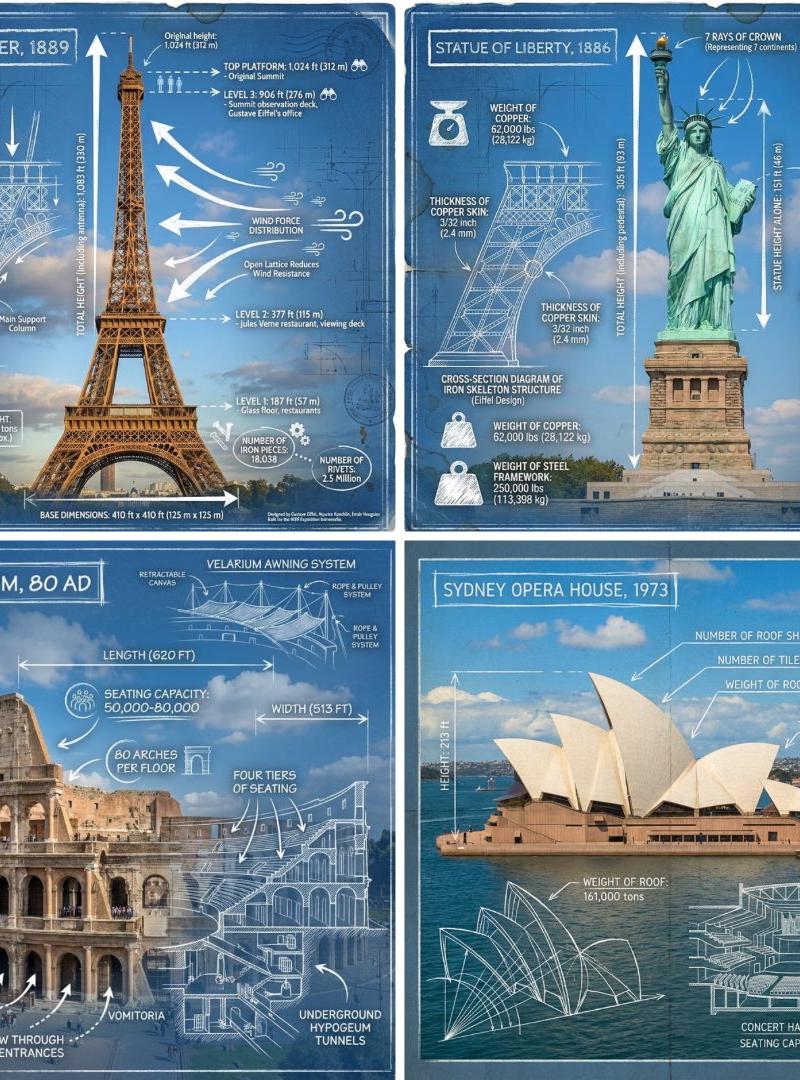
地标信息图
Click to enlarge

Example images

Photography & RealismXCbotaiart.picsUnknown图片

地标信息图

Prompt
Create an infographic image of [LANDMARK], combining a real photograph of the landmark with blueprint-style technical annotations and diagrams overlaid on the image. Include the title “[LANDMARK]” in a hand-drawn box in the corner. Add white chalk-style sketches showing key structural data, important measurements, material quantities, internal diagrams, load-flow arrows, cross-sections, floor plans, and notable architectural or engineering features. Style: blueprint aesthetic with white line drawings on the photograph, technical/architectural annotation style, educational infographic feel, with the real environment visible behind the annotations
请制作一张[地标]的信息图,将地标的真实照片与蓝图风格的技术注释和图表叠加在图像上。在角落的手绘框中注明标题“[地标]”。添加白色粉笔风格的草图,展示关键结构数据、重要尺寸、材料用量、内部结构图、荷载流向箭头、横截面图、平面图以及显著的建筑或工程特征。风格:蓝图美学,照片上叠加白色线条图,技术/建筑注释风格,具有教育信息图的感觉,注释后方可见真实环境。
Category
Photography & Realism
Model
Unknown
Creator
TechieSA
Source language
zh-CN
Views0
Source ID
landmark-infographic
Studio

Guide

About "地标信息图"

What is this prompt for?

"地标信息图" AI image prompt for Unknown (Photography & Realism). Create an infographic image of [LANDMARK], combining a real photograph of the landmark with bluepr…

The full copyable prompt and example visuals above are ready for AI image generation or one-click recreate in Picva.

How to use this prompt

  1. Step 1

    Open the prompt detail

    Review the example visuals, category, and full prompt text for "地标信息图".

  2. Step 2

    Copy the prompt

    Copy the prompt body from this page, or load it directly in Studio.

  3. Step 3

    Pick a model (Unknown)

    Prefer Unknown. If you switch models, keep subject and composition and tweak style terms.

  4. Step 4

    Generate and export

    Recreate the look in Picva, or export into your workflow for editing and publishing.

FAQ

What is the "地标信息图" prompt?
It is an AI image-generation prompt for Unknown in the Photography & Realism category. This page includes the full prompt text, example visuals, and a one-click recreate path in Picva.
How do I use this prompt to generate an image?
Copy the prompt from this page, or use Generate / Studio. Paste it into a compatible image model, or recreate the look in Picva with optional reference images.
Which model is this prompt for?
This page lists Unknown. Most descriptive prompts also transfer to nearby image models such as GPT Image, Flux, or Midjourney with light style tweaks.
Can I use the result commercially?
You can usually copy the prompt for creation, but commercial use of the final image depends on the model terms, reference-image rights, and the generated content. Follow the source author and platform rules.