18

电影场景
Enlarge

电影场景

Prompt
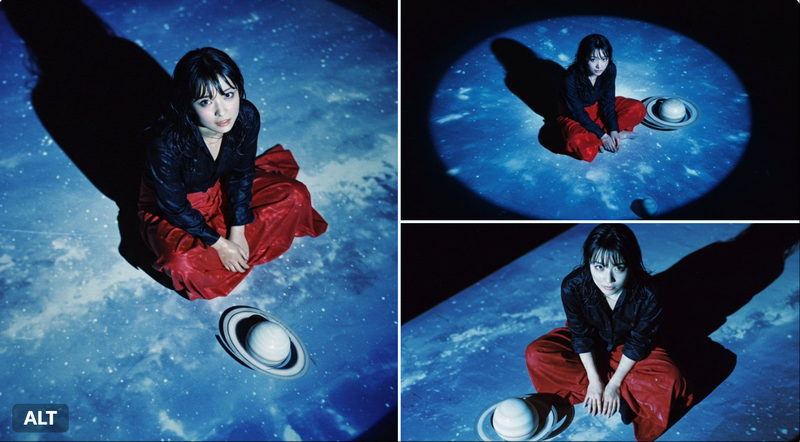
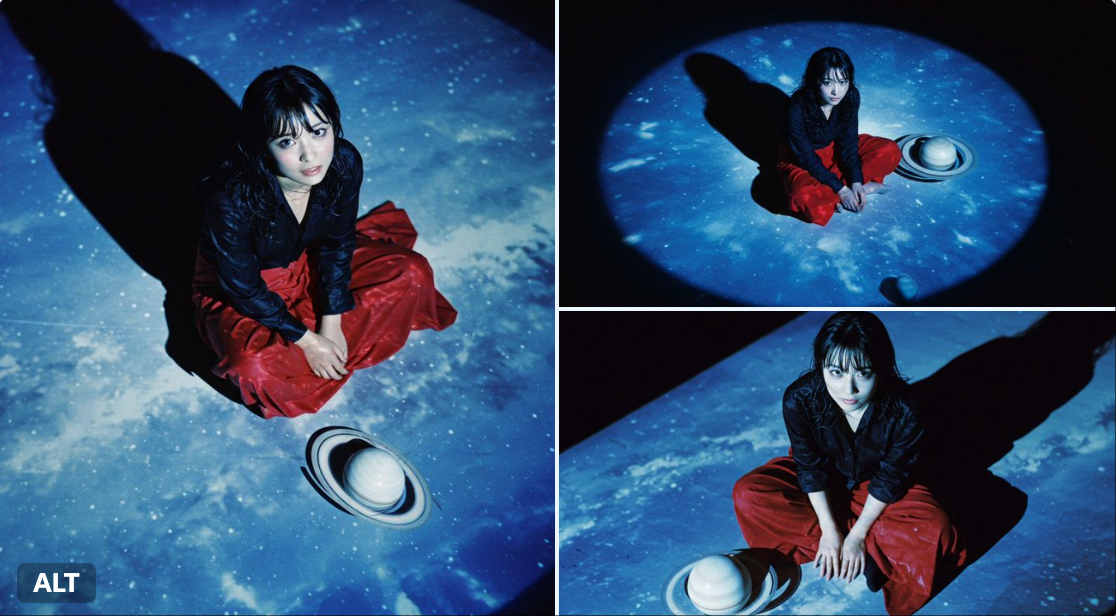
Close-up. Overhead shot from an extremely high vantage point, extremely low grain with iso100 film shadows on a Lomo LC-A. Realistic depth of field. Artistic composition. Overall bluish tones. Beautiful light and shadows. The black floor with the projected image of the blue sky that fills the screen. A very beautiful small-faced Japanese film actress with wet showy hair in a black dress shirt sitting cross-legged on the floor. She is wearing a long red skirt. Shiny black hair. Long eyelashes. Bright skin. Beautiful shining eyes. A smiling face. On the floor next to the actress is a white model of Saturn. The picture looks like a scene from a movie.
特写。从极高视角拍摄的上视图,使用 Lomo LC-A 相机拍摄,ISO100 胶片,颗粒感极低,阴影真实。艺术构图。整体偏蓝色调。光影美丽。黑色地板上投射着充满屏幕的蓝色天空图像。一位非常美丽的日本小脸女演员,穿着黑色衬衫,盘腿坐在地板上,头发湿漉漉地显眼,穿着长红色裙子。闪亮的黑发。长长的睫毛。明亮肌肤。美丽的闪亮眼睛。微笑的面容。女演员旁边的地板上有一个白色的土星模型。这张照片看起来像电影中的一个场景。
Category
UI & Interfaces
Model
Unknown
Creator
Dd41Giant
Views0
Source ID
movie-scene

Guide

About "电影场景"

What is this prompt for?

"电影场景" AI image prompt for Unknown (UI & Interfaces). Close-up. Overhead shot from an extremely high vantage point, extremely low grain with iso100 film shadow…

The full copyable prompt and example visuals above are ready for AI image generation or one-click recreate in Picva.

How to use this prompt

  1. Step 1

    Open the prompt detail

    Review the example visuals, category, and full prompt text for "电影场景".

  2. Step 2

    Copy the prompt

    Copy the prompt body from this page, or load it directly in Studio.

  3. Step 3

    Pick a model (Unknown)

    Prefer Unknown. If you switch models, keep subject and composition and tweak style terms.

  4. Step 4

    Generate and export

    Recreate the look in Picva, or export into your workflow for editing and publishing.

FAQ

What is the "电影场景" prompt?
It is an AI image-generation prompt for Unknown in the UI & Interfaces category. This page includes the full prompt text, example visuals, and a one-click recreate path in Picva.
How do I use this prompt to generate an image?
Copy the prompt from this page, or use Generate / Studio. Paste it into a compatible image model, or recreate the look in Picva with optional reference images.
Which model is this prompt for?
This page lists Unknown. Most descriptive prompts also transfer to nearby image models such as GPT Image, Flux, or Midjourney with light style tweaks.
Can I use the result commercially?
You can usually copy the prompt for creation, but commercial use of the final image depends on the model terms, reference-image rights, and the generated content. Follow the source author and platform rules.