17

食谱信息图制作
Enlarge

食谱信息图制作

Prompt
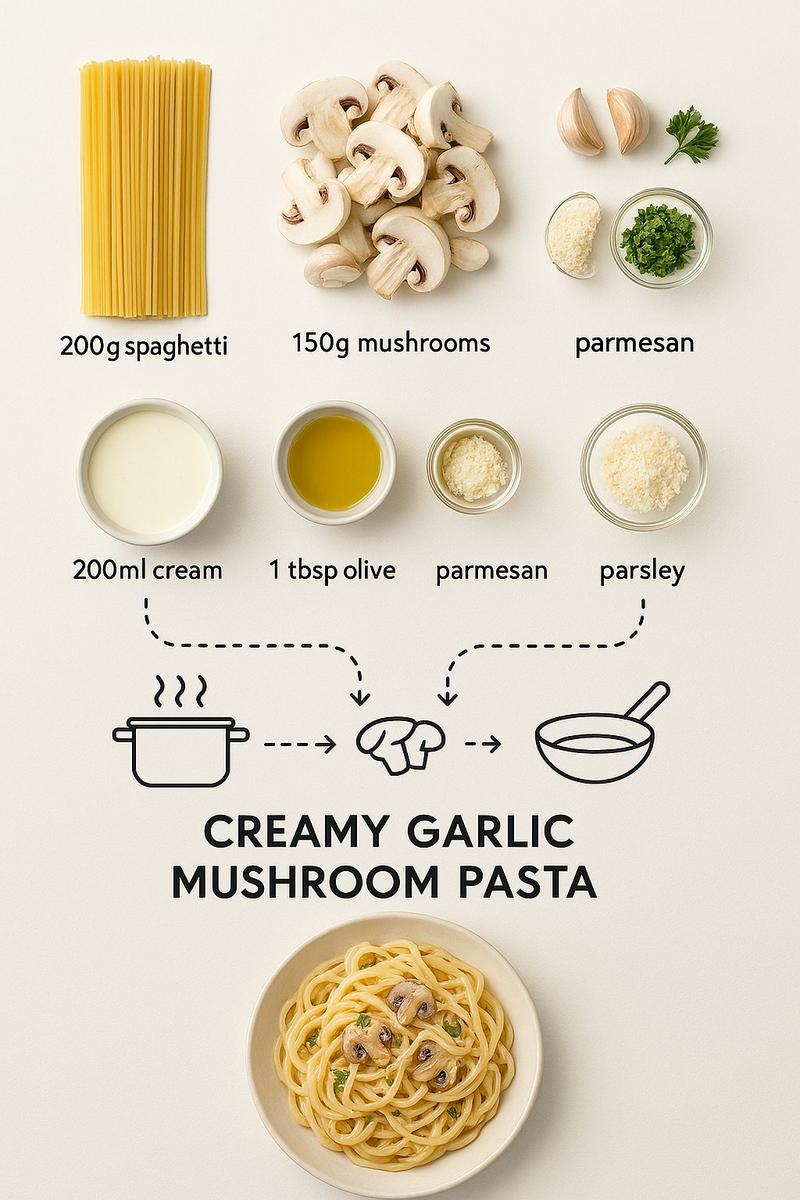
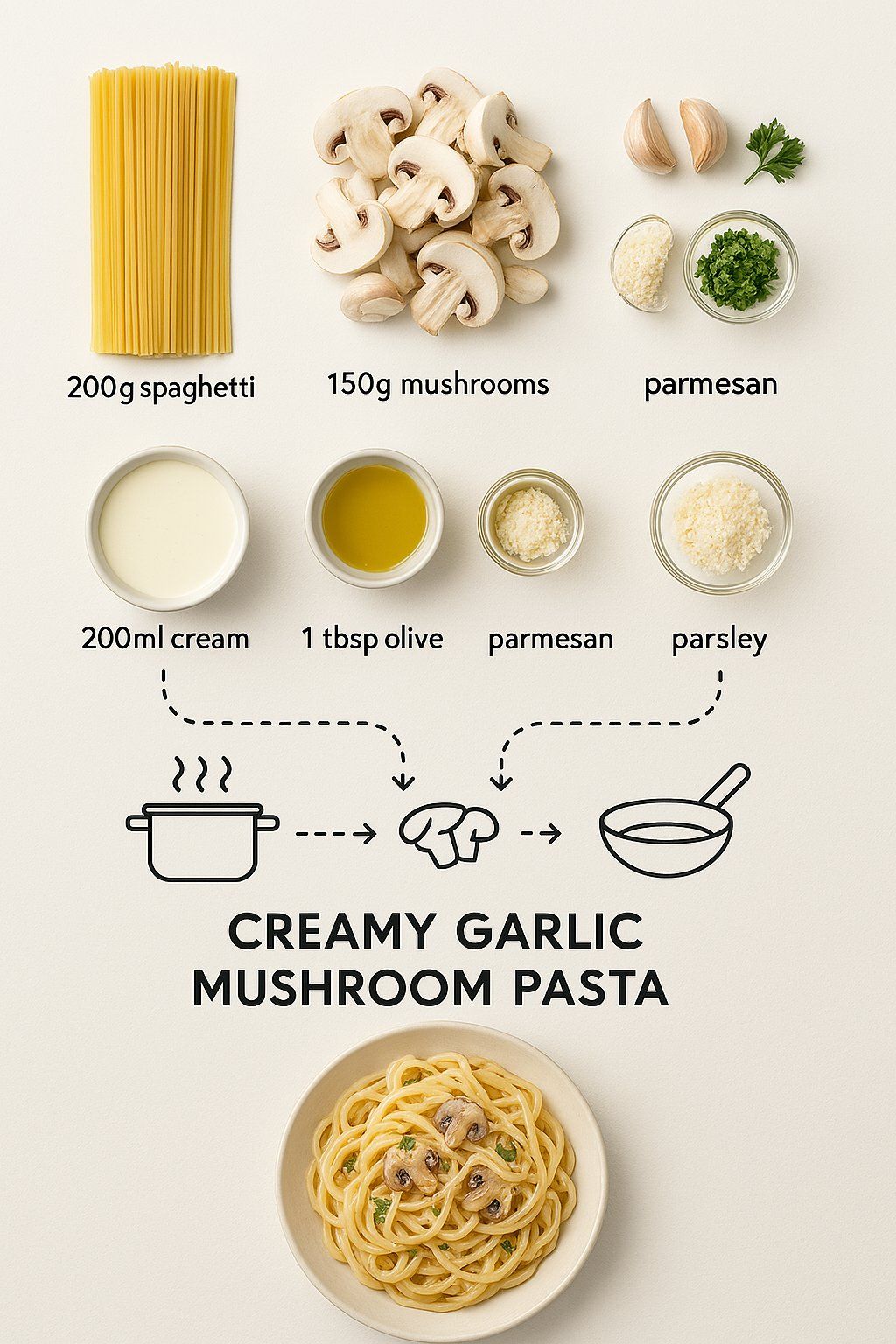
Create step-by-step recipe infographic for creamy garlic mushroom pasta, top-down view, minimal style on white background, ingredient photos labeled: "200g spaghetti", "150g mushrooms", "3 garlic cloves", "200ml cream", "1 tbsp olive oil", "parmesan", "parsley", dotted lines showing process steps with icons (boiling pot, sauté pan, mixing), final plated pasta shot at the bottom
奶油大蒜蘑菇意面分步食谱信息图制作要求\n呈现视角:俯视角度\n设计风格:简约风格,白色背景\n食材配图及标注:需包含“200克意大利面”“150克蘑菇”“3瓣大蒜”“200毫升淡奶油”“1汤匙橄榄油”“帕玛森奶酪”“欧芹”的图片,并分别标注对应文字\n制作步骤展示:用虚线标注制作流程,搭配图标(煮锅、煎锅、搅拌)说明各步骤\n成品呈现:在底部展示最终装盘的意面图片
Category
Photography & Realism
Model
Unknown
Creator
Ege
Views0
Source ID
recipe-infographic-creation

Guide

About "食谱信息图制作"

What is this prompt for?

"食谱信息图制作" AI image prompt for Unknown (Photography & Realism). Create step-by-step recipe infographic for creamy garlic mushroom pasta, top-down view, minimal…

The full copyable prompt and example visuals above are ready for AI image generation or one-click recreate in Picva.

How to use this prompt

  1. Step 1

    Open the prompt detail

    Review the example visuals, category, and full prompt text for "食谱信息图制作".

  2. Step 2

    Copy the prompt

    Copy the prompt body from this page, or load it directly in Studio.

  3. Step 3

    Pick a model (Unknown)

    Prefer Unknown. If you switch models, keep subject and composition and tweak style terms.

  4. Step 4

    Generate and export

    Recreate the look in Picva, or export into your workflow for editing and publishing.

FAQ

What is the "食谱信息图制作" prompt?
It is an AI image-generation prompt for Unknown in the Photography & Realism category. This page includes the full prompt text, example visuals, and a one-click recreate path in Picva.
How do I use this prompt to generate an image?
Copy the prompt from this page, or use Generate / Studio. Paste it into a compatible image model, or recreate the look in Picva with optional reference images.
Which model is this prompt for?
This page lists Unknown. Most descriptive prompts also transfer to nearby image models such as GPT Image, Flux, or Midjourney with light style tweaks.
Can I use the result commercially?
You can usually copy the prompt for creation, but commercial use of the final image depends on the model terms, reference-image rights, and the generated content. Follow the source author and platform rules.