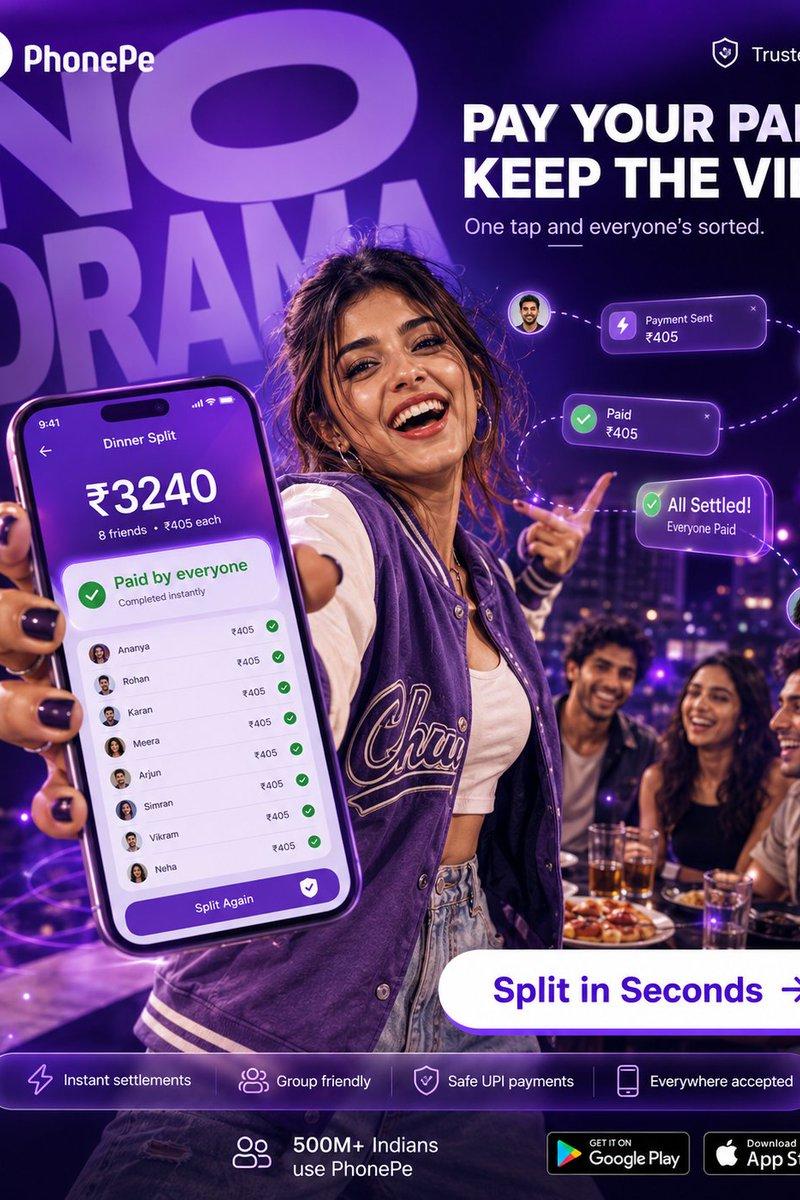
PhonePe 分摊账单派对广告
Prompt
Goal: Create a polished vertical social media advertisement for {argument name="brand name" default="PhonePe"}, promoting instant group bill splitting for UPI payments with a bold party/nightlife energy.

Canvas: Square 1:1 digital ad, high-resolution, deep purple and neon violet color palette, glossy fintech campaign style, dramatic depth of field. Background is a rooftop restaurant or lounge at night with city lights, purple bokeh, and a group of friends at a dinner table.

Layout: Top left show the PhonePe logo mark and wordmark in white. Top right show a small shield icon with the text "Trusted UPI". Behind the subject, place huge oversized semi-transparent purple typography reading "NO DRAMA" tilted slightly and filling the upper-left background. On the upper-right, place the main headline in bold white uppercase: "PAY YOUR PART. KEEP THE VIBE." with the subheading below: "One tap and everyone’s sorted." Add a short decorative underline under the subheading.

Main subject: A young woman in the foreground stands confidently at a party table, wearing a purple varsity jacket over a white crop top and light denim jeans, with black nail polish. She holds a large smartphone close to the camera in her left hand, making it the dominant foreground object, while pointing playfully with her other hand. Her face should be covered by a flat rectangular anonymization block in a natural skin-tone brown, and the visible faces of three seated friends in the background should also be covered by similar rectangular skin-tone blocks. Keep the pose, outfit, and lighting stylish and youthful.

Phone screen: Show a purple PhonePe-style bill split interface titled "Dinner Split". At the top display the time "9:41". Large amount: "₹3240". Under it: "8 friends • ₹405 each". A green success card reads "Paid by everyone" and "Completed instantly". Below it, show exactly 8 itemized friend rows, each with a tiny circular avatar, name, amount "₹405", and a green checkmark: 1) Ananya, 2) Rohan, 3) Karan, 4) Meera, 5) Arjun, 6) Simran, 7) Vikram, 8) Neha. At the bottom of the screen, add a purple rounded button labeled "Split Again" with a white shield/check icon.

Floating UI elements: Add exactly 3 glowing purple transaction cards connected by dotted curved lines and small circular avatar bubbles: 1) "Payment Sent ₹405" with a lightning icon, 2) "Paid ₹405" with a green check icon, 3) "All Settled! Everyone Paid" with a green check icon. Make them hover around the subject’s pointing hand on the right side.

Call to action: Near the lower-right center, place a large white pill-shaped button with purple text "Split in Seconds" and a right arrow icon.

Bottom information bar: Add one translucent rounded purple strip containing exactly 4 feature capsules/icons from left to right: 1) lightning icon with "Instant settlements", 2) group icon with "Group friendly", 3) shield icon with "Safe UPI payments", 4) phone icon with "Everywhere accepted". Beneath or beside it show a small group icon with "500M+ Indians use PhonePe". At the bottom right, include exactly 2 app store badges: "GET IT ON Google Play" and "Download on the App Store".

Side text: Along the left edge, add small vertical white text reading "PHONEPE • SPLIT BILLING • SOCIAL PAY • 2026".

Visual style: Premium hyper-realistic advertising composite, cinematic purple rim lighting, glossy UI overlays, neon glow, energetic nightlife mood, sharp foreground phone, blurred background friends and city lights, crisp readable typography.

Constraints: Use the exact visible counts: 8 friend rows on the phone, 3 floating payment cards, 4 bottom feature items, 2 store badges, and 4 anonymized face blocks total. Avoid extra logos, extra payment cards, or extra feature pills.- Category
- Charts & Infographics
- Model
- GPT Image 2
- Creator
- Shah
- Source language
- en
- Source ID
- 20339
- Published
- May 14, 2026
Views3