电影摄影构图分析帧
Prompt
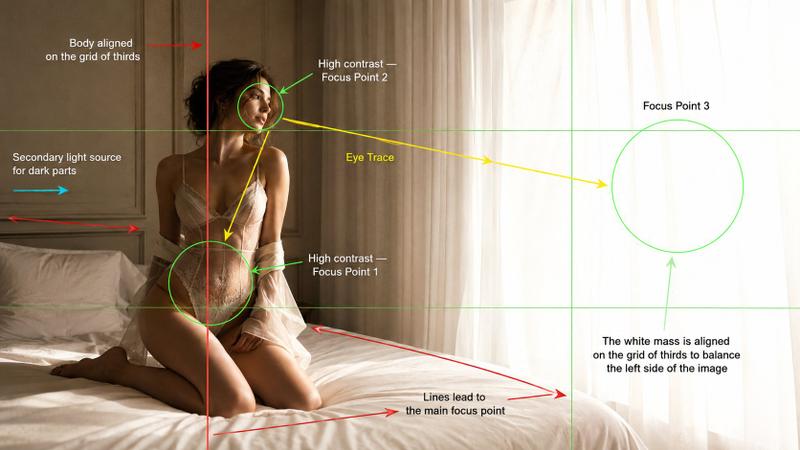
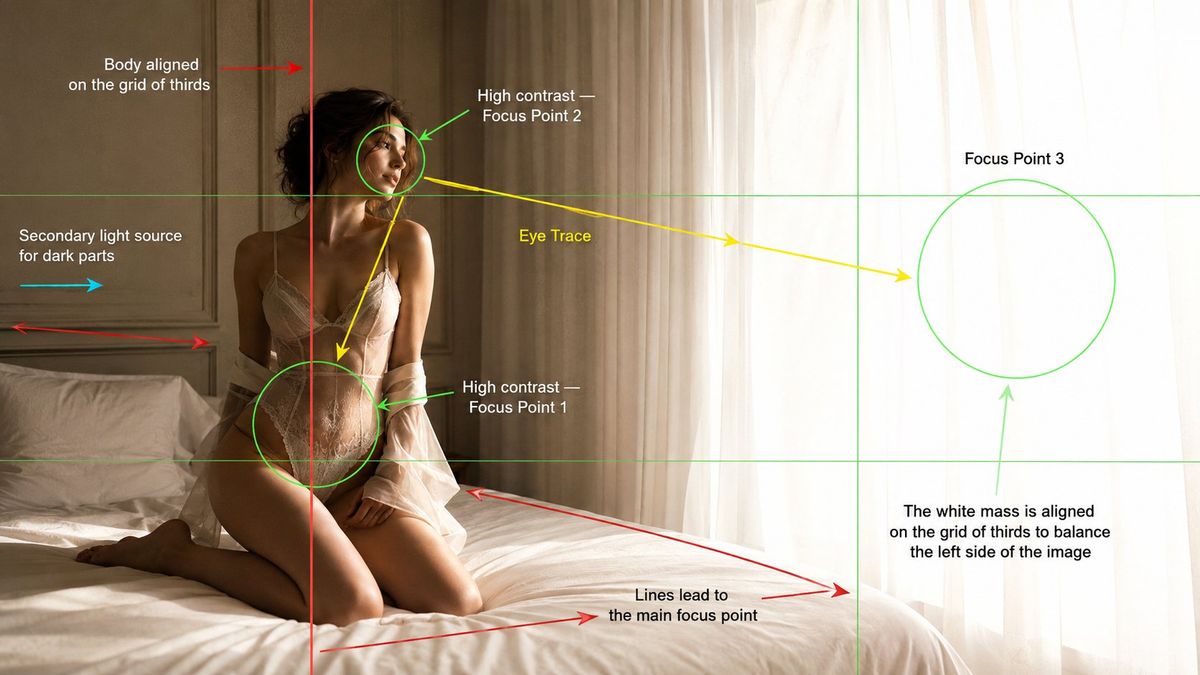
Create a cinematic fashion editorial photograph in a {argument name="location" default="bright minimal bedroom"}, presented as a cinematography composition analysis frame.

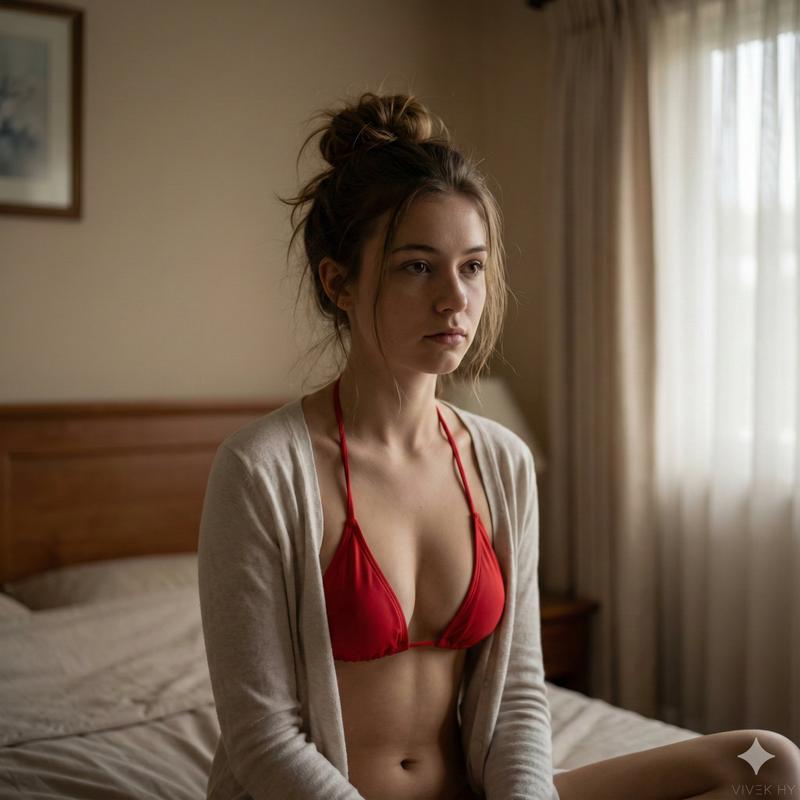
Main Image: A {argument name="model" default="young adult female model"} kneeling on a soft white bed beside a large window with sheer white curtains. She is positioned on the left third of the frame, body aligned with the vertical rule-of-thirds grid line. Her body leans slightly backward, facing toward the glowing window light with a calm, distant, introspective expression. The right side of the image is filled with a large bright white luminous mass from overexposed daylight through sheer curtains, balancing the darker subject on the left.

Lighting: Strong natural window light from the right side creates high contrast on the model’s face, upper body, waist, and silhouette. Add subtle secondary fill light from the left side to reveal shadow areas without flattening the contrast. Warm hazy morning atmosphere, soft highlights, realistic skin texture, gentle shadows, soft bloom near the curtains.

Composition Overlay: Add visible cinematography composition guide graphics over the image, like a film school analysis frame.

Include:
- Rule of thirds grid lines in thin green.
- A red vertical line showing the model’s body aligned on the left rule of thirds grid.
- Green circular focus markers around:
 1. Waist and hip area as Focus Point 1.
 2. Face area as Focus Point 2.
 3. Bright curtain/window mass as Focus Point 3.
- Yellow eye-trace arrows moving from the face to the waist/hip, then toward the glowing window.
- Red leading-line arrows following the bed edge and wall panel lines toward the main focus point.
- A cyan arrow showing secondary fill light coming from the left side.
- Text labels placed cleanly around the frame:
 “Body aligned on the grid of thirds”
 “High contrast Focus Point 2”
 “Eye Trace”
 “Focus Point 3”
 “High contrast Focus Point 1”
 “Secondary light source for dark parts”
 “Lines lead to the main focus point”
 “The white mass is aligned on the grid of thirds to balance the left side of the image”

Style: Luxury fashion editorial photography, soft cinematic realism, {argument name="color palette" default="warm beige and white"} color palette, minimal bedroom, cream wall panels, white bedding, sheer curtains, subtle film grain, shallow depth of field, elegant composition, educational cinematography breakdown overlay.

Camera: 35mm lens, medium wide framing, eye level camera angle, 16:9 widescreen.- Category
- Charts & Infographics
- Model
- GPT Image 2
- Creator
- BMX
- Source ID
- 24767
- Published
- Jun 8, 2026
Views0