GPT Image 2 推理海报
Prompt
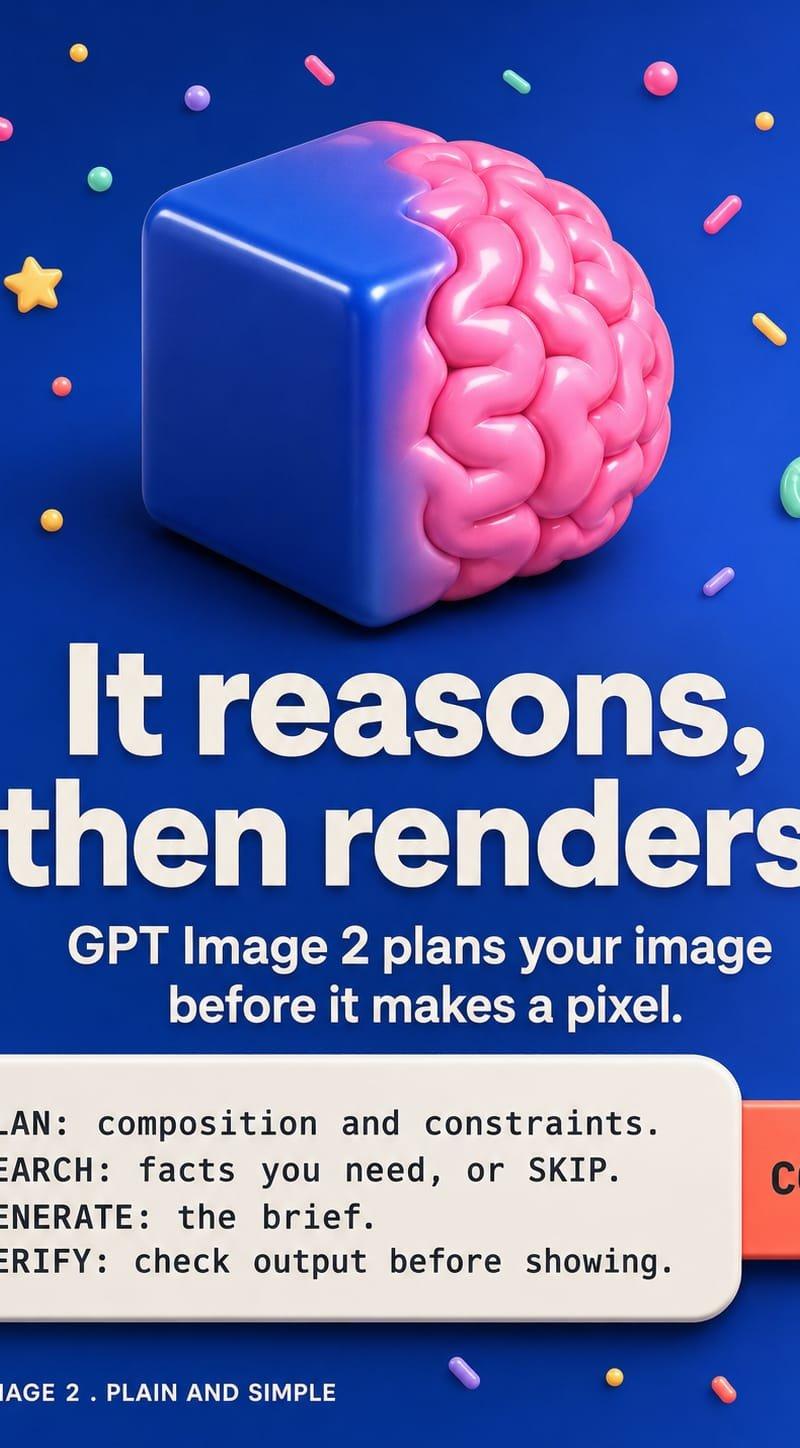
Goal: Create a polished vertical promotional poster for {argument name="product name" default="GPT Image 2"} explaining that the image model thinks before rendering, using a playful 3D toy-like visual style.

Canvas: 4:5 vertical social media poster, deep cobalt-blue background with a subtle radial glow and soft vignette, high-resolution glossy 3D render aesthetic.

Main visual: Center the top half around a surreal 3D object: a rounded glossy royal-blue cube fused with a shiny pink brain hemisphere protruding from the cube's right side. The cube is angled slightly so the front-left face and top are visible, with soft studio highlights, rounded edges, and a grounded shadow. The brain should look like inflated candy or silicone, with rounded folds, bright pink highlights, and a soft magenta glow where it meets the cube.

Decorative elements: Scatter exactly 34 small floating candy/confetti objects around the poster, avoiding the main text area. Include these visible types: 1 yellow star, 2 curved jellybean shapes, 11 short capsule sprinkles, 11 small spheres/dots, 4 larger glossy balls, 3 tiny round dots, and 2 partial edge sprinkles. Use pink, yellow, mint green, purple, orange, white, and red, with soft shadows and glossy highlights.

Text layout: Use bold white sans-serif typography, centered. Large headline in the middle: “{argument name="headline text" default="It reasons, then renders."}” on two lines, very heavy weight, clean geometric sans serif, slight shadow for contrast. Beneath it, smaller bold subtitle: “{argument name="subtitle text" default="GPT Image 2 plans your image before it makes a pixel."}” on two centered lines.

Instruction card: At the lower third, place a rounded off-white command-card panel with a subtle drop shadow, like a copyable prompt box. On the right side, attach a coral-red rounded rectangular button partially behind the card, labeled “COPY” in dark bold text. Inside the card, show exactly 4 monospaced lines in dark charcoal: “PLAN: composition and constraints.”, “SEARCH: facts you need, or SKIP.”, “GENERATE: the brief.”, “VERIFY: check output before showing.”

Footer: Bottom-left, add a tiny white line-art dog/mascot icon followed by the text “{argument name="footer label" default="GPT IMAGE 2 · PLAIN AND SIMPLE"}” in small uppercase white sans serif. Bottom-right, add the progress text “{argument name="progress text" default="1 / 7"}”.

Visual style: Bright modern 3D advertising, glossy plastic materials, candy colors, rounded friendly forms, strong contrast, crisp typography, soft realistic shadows, no photorealistic people, no watermark, no extra text.- Category
- Charts & Infographics
- Model
- GPT Image 2
- Creator
- The House of Curiosity
- Source language
- en
- Source ID
- 25689
- Published
- Jun 14, 2026
Views0