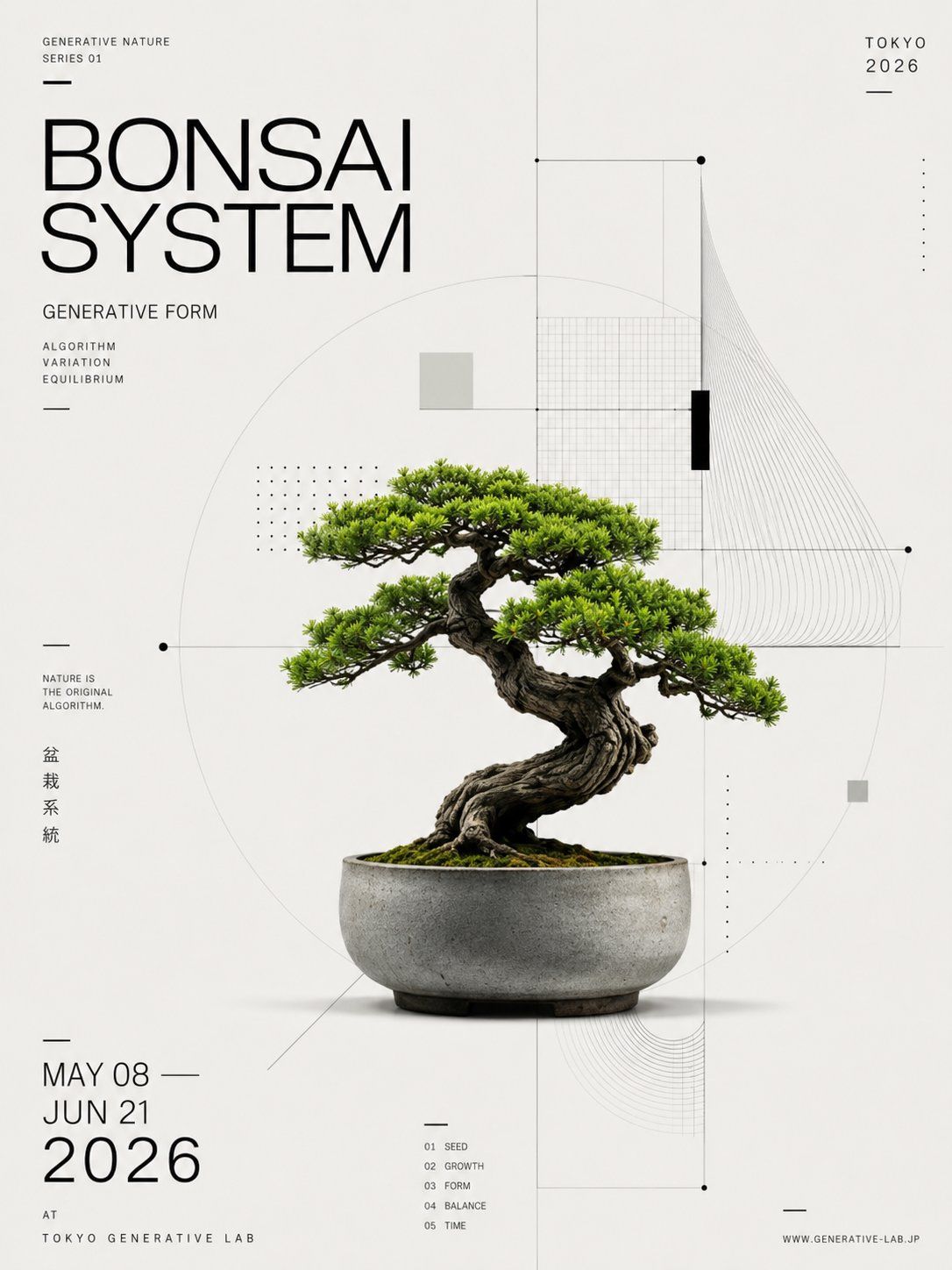
生成式盆景展览海报
Prompt
Goal: Create a minimalist Swiss-style exhibition poster for a generative nature bonsai show, centered on a realistic bonsai tree in a ceramic pot, combining botanical photography with precise algorithmic diagram graphics.

Canvas: Vertical poster, 3:4 aspect ratio, off-white warm paper background with generous negative space, crisp print-design finish.

Main subject: A single mature bonsai tree, photorealistic, placed slightly below center. The tree has a thick twisted dark brown trunk, exposed roots, dense bright green pine-like foliage arranged in layered horizontal pads, moss-covered soil, and a shallow round gray concrete ceramic pot with subtle stains and shadow. The bonsai should look like a premium product photograph integrated into a design poster.

Typography: Use thin modern sans-serif uppercase typography, black and dark gray only. The main headline at upper left reads “{argument name="headline text" default="BONSAI SYSTEM"}” in very large thin letters over two lines. Above it, small text reads “GENERATIVE NATURE” and “SERIES 01”. Below the headline, write “GENERATIVE FORM”, then a small three-line list: “ALGORITHM”, “VARIATION”, “EQUILIBRIUM”. On the upper right, write “{argument name="city and year" default="TOKYO 2026"}”. On the lower left, write the event dates as three stacked lines: “{argument name="event dates" default="MAY 08 / JUN 21 / 2026"}”, with 2026 much larger. Under that, add “AT” and “TOKYO GENERATIVE LAB”. Near the left middle, add the small slogan “NATURE IS THE ORIGINAL ALGORITHM.” Add vertical Japanese text beside it: “盆栽系統”. At bottom center, include exactly 5 tiny numbered index labels: “01 SEED”, “02 GROWTH”, “03 FORM”, “04 BALANCE”, “05 TIME”. At bottom right, include “WWW.GENERATIVE-LAB.JP”.

Geometric layout: Overlay a delicate technical diagram system in very light gray and black around the bonsai. Include exactly 1 large faint circle centered behind the tree, exactly 1 vertical centerline running from top to bottom, exactly 1 horizontal line crossing the composition through the foliage area, exactly 2 small black circular nodes on the horizontal line, exactly 1 rectangular grid panel in the upper right behind the foliage, exactly 1 fan of many thin curved contour lines sweeping down from the upper right, exactly 1 smaller nested curved-line corner motif near the lower right, exactly 2 dotted matrix blocks made of tiny black dots, exactly 2 small pale gray square blocks, and exactly 1 narrow solid black vertical rectangle near the upper-right grid.

Layout details: The poster should feel mathematically composed and editorial, with the bonsai occupying the center-lower area and the typography aligned to strict margins. Use thin divider strokes and short horizontal rules as accents. Maintain a clean monochrome graphic system with the only strong color being the green bonsai foliage.

Visual style: High-end museum poster, Japanese design influence, Bauhaus/Suisse typography, generative algorithm diagram aesthetics, precise vector overlays, subtle paper texture, photorealistic plant and pot, no clutter.

Constraints: Keep all text sharp and legible, do not add extra plants or people, do not add a watermark, use exactly one bonsai tree and one pot, preserve the sparse off-white background and black geometric design language.- Category
- Charts & Infographics
- Model
- GPT Image 2
- Creator
- Roku|AI × BizDev
- Source ID
- 25709
- Published
- Jun 14, 2026
Views0







