18

时尚信息图概念设计表
Enlarge

时尚信息图概念设计表

Prompt
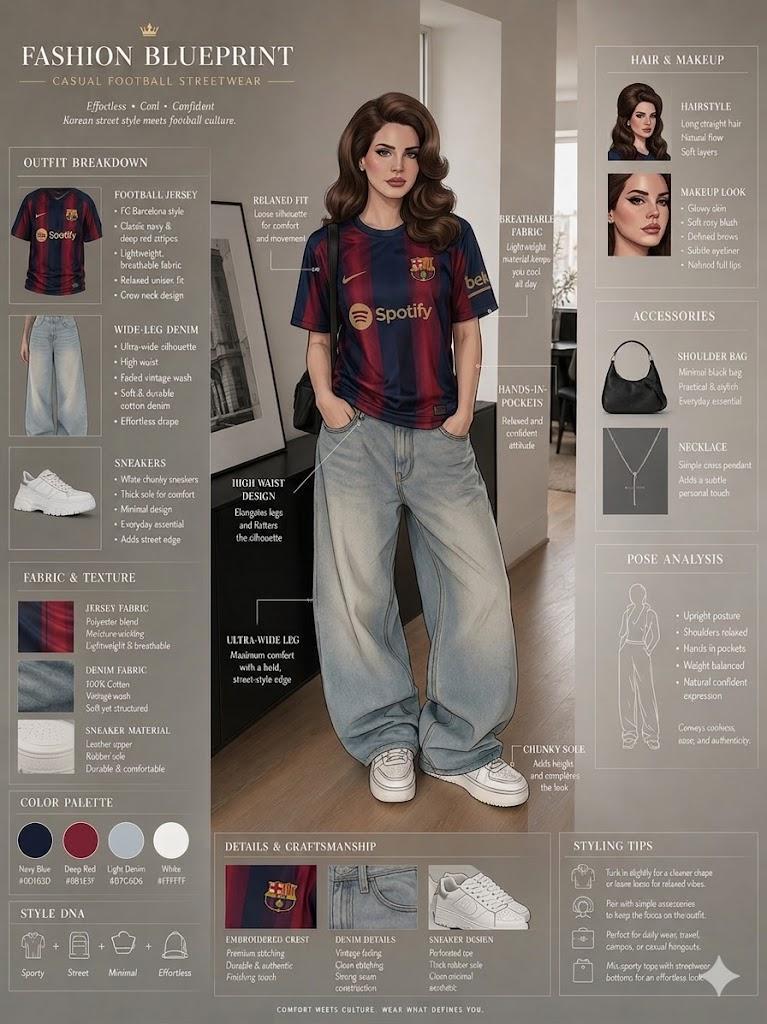
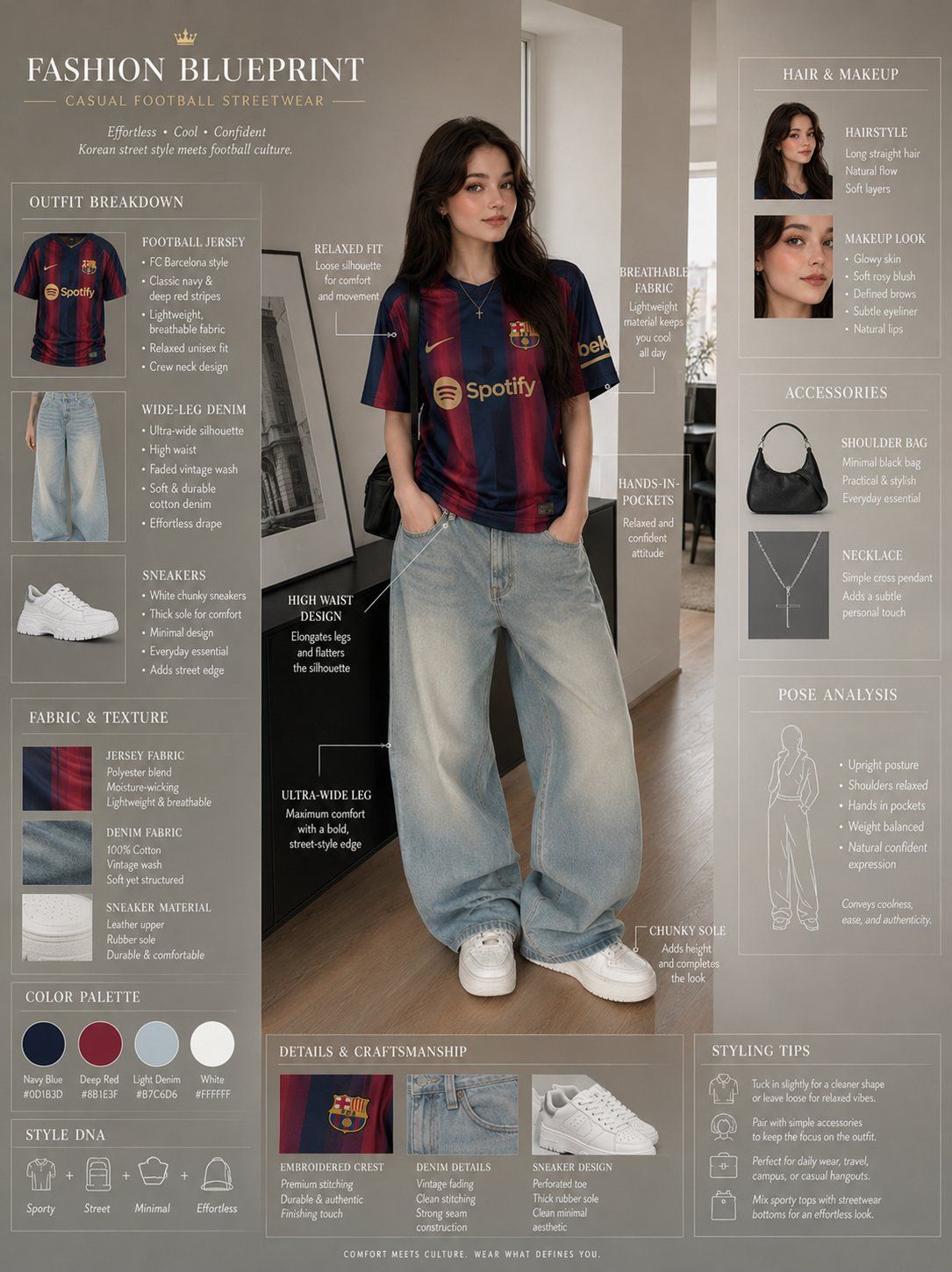
Fashion blueprint sheet of a stylish young woman in casual {argument name="team style" default="football-inspired"} streetwear, full-body front view with detailed outfit annotations and styling callout labels. Long straight dark hair, soft natural makeup, relaxed smile, navy and deep-red striped {argument name="jersey style" default="FC Barcelona-style"} football jersey, oversized faded blue {argument name="pants type" default="ultra-wide-leg denim jeans"}, white chunky sneakers, black shoulder bag, hands tucked casually into pockets, minimalist indoor setting with modern décor, effortless Korean street-fashion aesthetic.

Surrounding the model are fashion infographic elements, jersey fabric notes, denim texture descriptions, footwear breakdowns, accessory callouts, pose analysis, styling tips, cinematic soft lighting, clean editorial composition, ultra detailed, professional fashion concept sheet, 8k.
Category
Charts & Infographics
Model
GPT Image 2
Views0
Source ID
25796
Published
Jun 15, 2026

Guide

About "时尚信息图概念设计表"

What is this prompt for?

"时尚信息图概念设计表" AI image prompt for GPT Image 2 (Charts & Infographics). 一份高度详细的时尚蓝图提示词,用于制作融合技术注释与韩系美学影响的街头风格概念设计表。 Copy it on Picva and recreate the look in one…

The full copyable prompt and example visuals above are ready for AI image generation or one-click recreate in Picva.

How to use this prompt

  1. Step 1

    Open the prompt detail

    Review the example visuals, category, and full prompt text for "时尚信息图概念设计表".

  2. Step 2

    Copy the prompt

    Copy the prompt body from this page, or load it directly in Studio.

  3. Step 3

    Pick a model (GPT Image 2)

    Prefer GPT Image 2. If you switch models, keep subject and composition and tweak style terms.

  4. Step 4

    Generate and export

    Recreate the look in Picva, or export into your workflow for editing and publishing.

FAQ

What is the "时尚信息图概念设计表" prompt?
It is an AI image-generation prompt for GPT Image 2 in the Charts & Infographics category. This page includes the full prompt text, example visuals, and a one-click recreate path in Picva.
How do I use this prompt to generate an image?
Copy the prompt from this page, or use Generate / Studio. Paste it into a compatible image model, or recreate the look in Picva with optional reference images.
Which model is this prompt for?
This page lists GPT Image 2. Most descriptive prompts also transfer to nearby image models such as GPT Image, Flux, or Midjourney with light style tweaks.
Can I use the result commercially?
You can usually copy the prompt for creation, but commercial use of the final image depends on the model terms, reference-image rights, and the generated content. Follow the source author and platform rules.