20

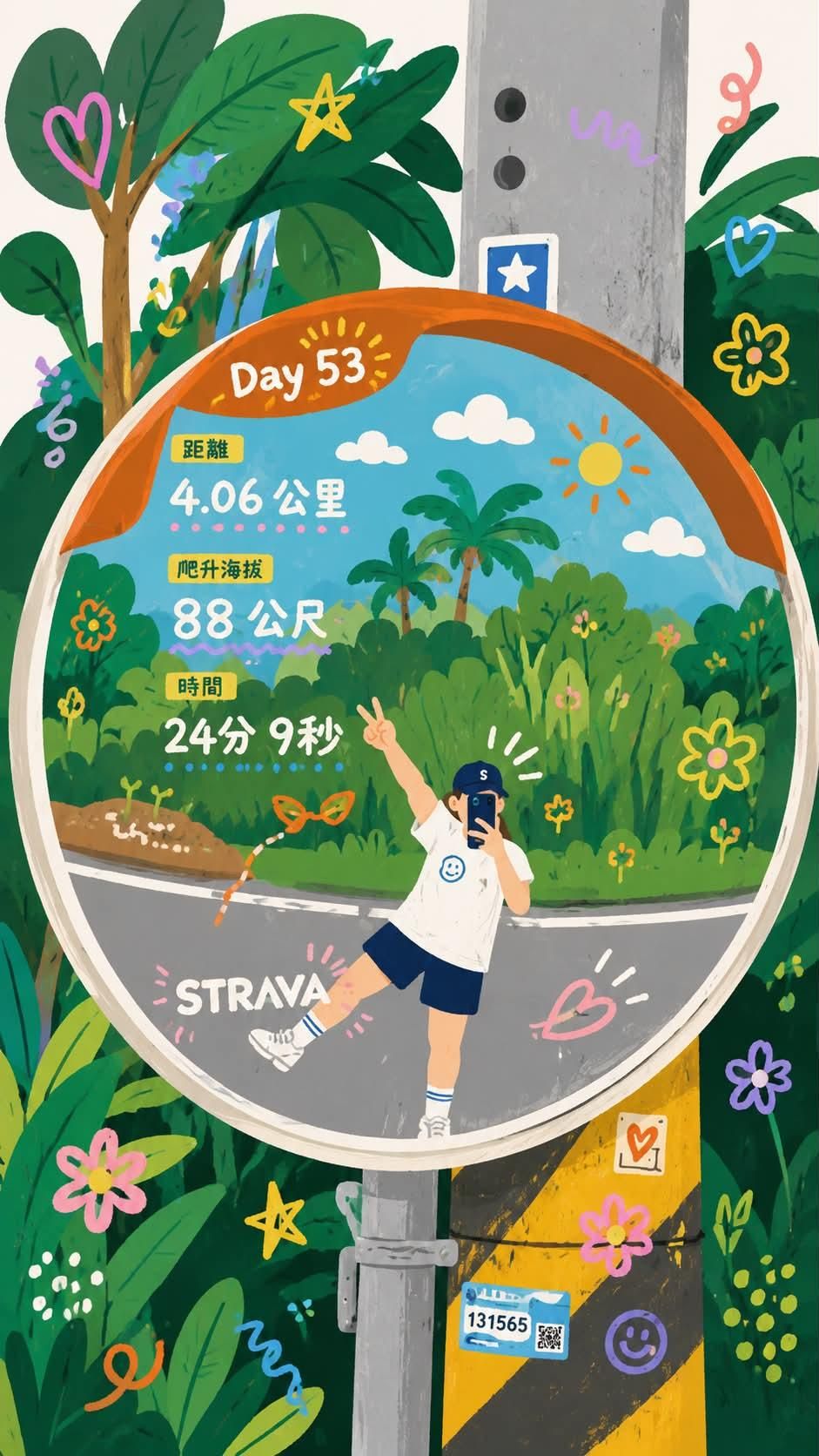
故事书风格旅行日志插画
Enlarge

故事书风格旅行日志插画

Prompt
Transform the uploaded photo into a {argument name="illustration style" default="whimsical hand-painted storybook illustration"}. Keep the exact pose, perspective, convex traffic mirror reflection, road, utility pole, and surrounding tropical greenery. Reimagine the mirror reflection as a vibrant illustrated world with lush jungle plants, palm trees, flowers, butterflies, doodle hearts, stars, swirls, smiling sun, fluffy clouds, and colorful hand-drawn decorations. The person is transformed into a cute cartoon character wearing {argument name="outfit" default="a white t-shirt, navy shorts, white socks, and a blue cap"}, posing playfully with one leg raised and a peace sign. Integrate fitness-tracker statistics inside the mirror in a charming infographic style: {argument name="activity statistics" default="“Day 53”, “4.06 km”, “88 m”, “24 min 9 sec”"}. Bright pastel colors, textured gouache paint, children's book aesthetic, whimsical doodles, clean outlines, cozy and cheerful mood, highly detailed foliage, playful travel journal style, Strava-inspired adventure artwork, vibrant greens, oranges, blues, and pinks, ultra-detailed illustration, masterpiece, kawaii aesthetic, editorial quality, vertical composition, 4k.
Category
Charts & Infographics
Model
GPT Image 2
Creator
Taaruk
Views0
Source ID
26428
Published
Jun 21, 2026

Guide

About "故事书风格旅行日志插画"

What is this prompt for?

"故事书风格旅行日志插画" AI image prompt for GPT Image 2 (Charts & Infographics). 一个综合性提示词,可将旅行照片转化为充满奇趣的故事书插画,并融合运动数据统计。 Copy it on Picva and recreate the look in one cl…

The full copyable prompt and example visuals above are ready for AI image generation or one-click recreate in Picva.

How to use this prompt

  1. Step 1

    Open the prompt detail

    Review the example visuals, category, and full prompt text for "故事书风格旅行日志插画".

  2. Step 2

    Copy the prompt

    Copy the prompt body from this page, or load it directly in Studio.

  3. Step 3

    Pick a model (GPT Image 2)

    Prefer GPT Image 2. If you switch models, keep subject and composition and tweak style terms.

  4. Step 4

    Generate and export

    Recreate the look in Picva, or export into your workflow for editing and publishing.

FAQ

What is the "故事书风格旅行日志插画" prompt?
It is an AI image-generation prompt for GPT Image 2 in the Charts & Infographics category. This page includes the full prompt text, example visuals, and a one-click recreate path in Picva.
How do I use this prompt to generate an image?
Copy the prompt from this page, or use Generate / Studio. Paste it into a compatible image model, or recreate the look in Picva with optional reference images.
Which model is this prompt for?
This page lists GPT Image 2. Most descriptive prompts also transfer to nearby image models such as GPT Image, Flux, or Midjourney with light style tweaks.
Can I use the result commercially?
You can usually copy the prompt for creation, but commercial use of the final image depends on the model terms, reference-image rights, and the generated content. Follow the source author and platform rules.