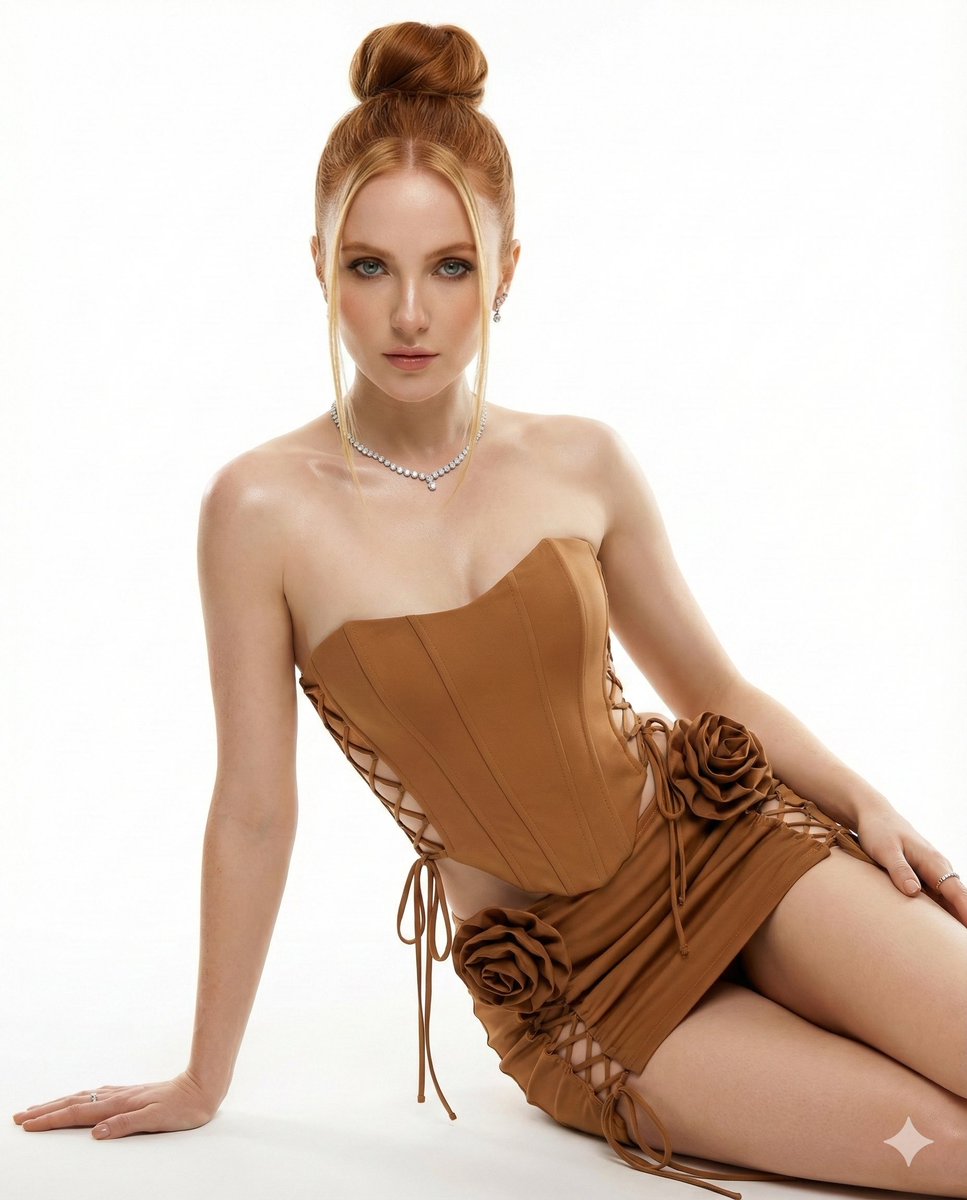
{"image_specification":{"reference_id":"Figure 1","mode":"100% Virtual Reality","base_settings":{...
提示词
{"image_specification":{"reference_id":"Figure 1","mode":"100% Virtual Reality","base_settings":{"focus":"Face Reference, Ear, Nose, Mouth","proportion":"+++","consistency":"Keep face 100% unchanged"},"technical_specs":{"medium":"Professional studio photography","resolution":"32k sharp, HD level","lighting":"Bright lights shining on model, realistic shadows, luster fascination","background":"Clean bright white background"},"subject":{"model_attributes":{"skin":"Healthy focus, succulent skin, luster","body_features":"Clear clavicle, beautiful shoulder, tapered neck","hair":{"color":"Blond","style":"Tall boxing bun in middle of head, heart-shaped","details":"Two thin straight tresses, moisturizing texture","bangs":false},"expression":{"gaze":"Looking straight at the camera","emotion":"Seductive and alluring glint","makeup":"Twinkle Petch Slash"}},"pose":{"type":"Sitting position","action":"One arm pushing the floor","style":"Professional model posing, presenting torso luster"}},"attire_and_accessories":{"dress_code":{"top":"Caramel strapless top or corset, style reinforces shape","bottom":"Matching very short skirt or corset-dress style","details":["Cross-ties on front and sides","Large floral decoration made of hip-level brown cloth (adds volume and romantic feelings)"]},"jewelry":["Fancy diamond necklace","Tiny diamond earrings","Small ring"]}}}- 分类
- 创意图片
- 模型
- Nano Banana Pro
- 来源作者
- Pixshop
- 来源 ID
- 57d9a842-2161-44e8-991c-06e9669f597f
- 发布时间
- 2026年1月14日
浏览量6


















