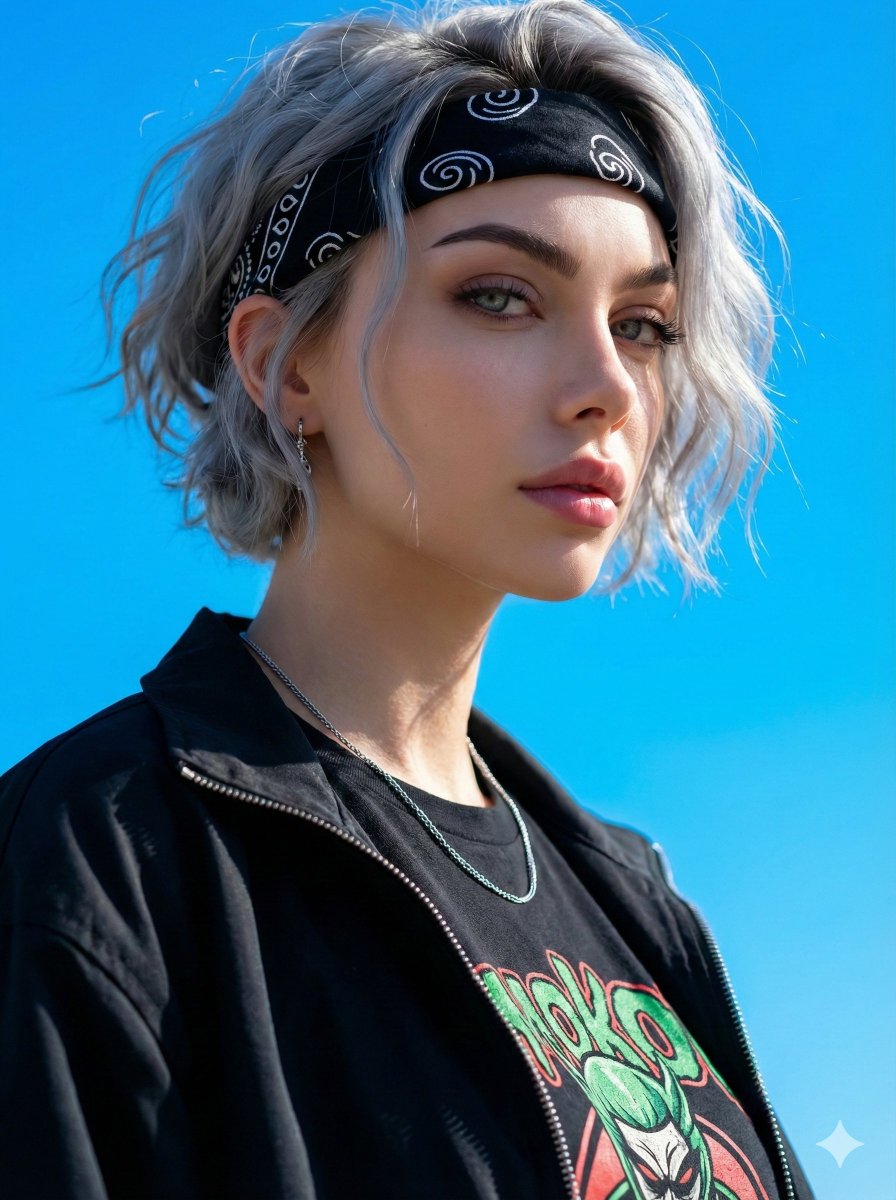
{"objective":"Generate an image based on a detailed character portrait description.","image_gener...
提示词
{"objective":"Generate an image based on a detailed character portrait description.","image_generation_prompt":{"subject":{"gender":"female","portrait_type":"close-up","angle":"side angle","aesthetic":"edgy, modern, mysterious, confident, slightly provocative"},"appearance":{"hair":{"color":"light gray","length":"short","texture":"wavy","style":"modern, slightly messy, partially covering forehead"},"face":{"skin_tone":"fair","features":"sharp","eyebrows":"straight, neat, dark","lips":"naturally pink with a slight sheen"},"expression":"calm but intense"},"clothing_and_accessories":{"headwear":"black bandana with white swirl patterns","outfit":{"jacket":"black zip-up jacket, left open","inner_shirt":"black T-shirt with green and red graphic art on the chest"},"jewelry":{"neck":"thin silver chain","ear":"small silver earring"}},"lighting_and_background":{"lighting":"front light highlighting facial features and outfit","background":"bright blue sky"},"style":{"vibe":"striking and stylish","focus":"expression and trendy fashion details","mood":"modern and edgy"},"aspect_ratio":"3:4"},"response_format":"Use this JSON object as the structure for an image generation model prompt."}- 分类
- creative_scene
- 模型
- Nano Banana Pro
- 来源作者
- Pixshop
- 来源 ID
- b7ab0320-778b-45e6-b36e-b9ecb26cac48
- 发布时间
- 2026年1月14日
浏览量0


















