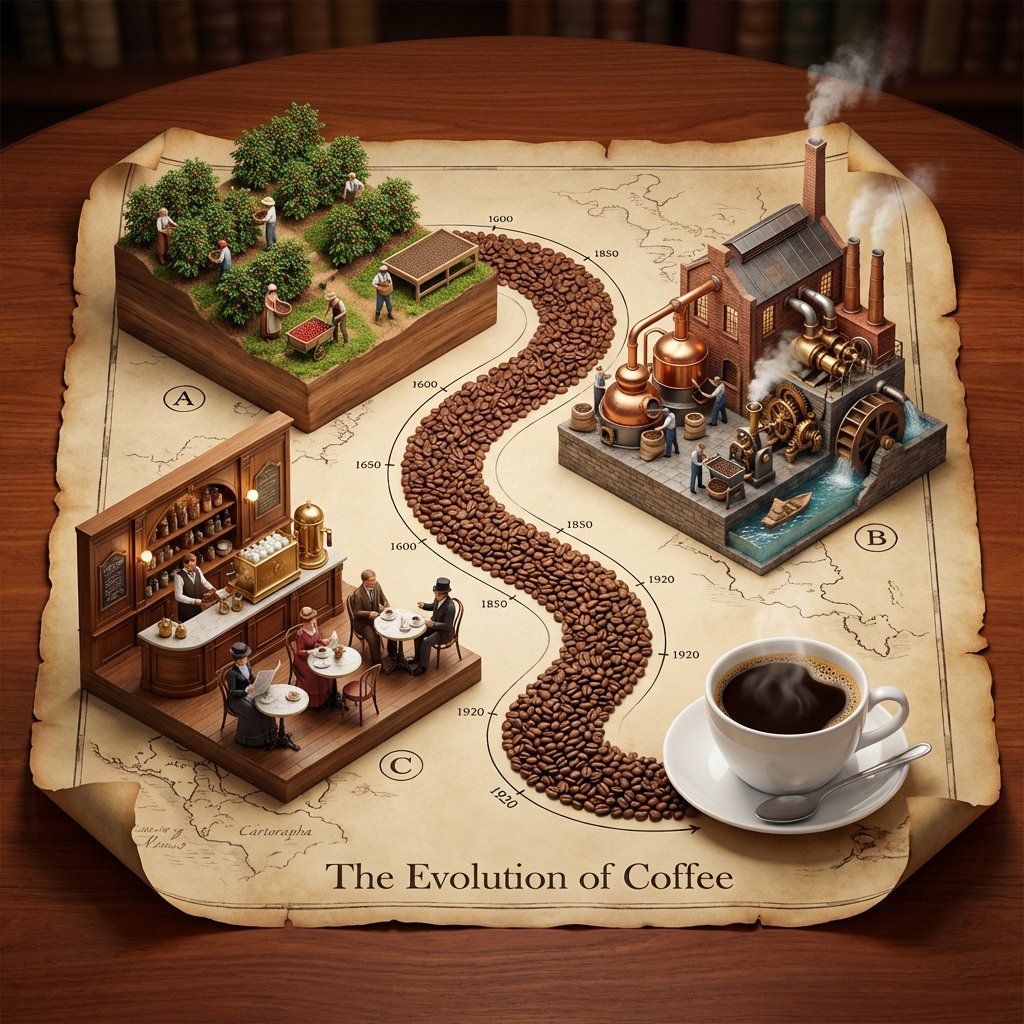
产品演进等距 3D 透视模型提示
提示词
Input Variable:   [INSERT TOPIC] (e.g., The History of Bread, The Making of Whiskey, The Story of Silk, The Evolution of Paper)

  System Instruction:
Generate a hyper-realistic, isometric 3D diorama displayed on an unrolled antique map. Use the following logic to procedurally generate the scene:

  1.  Deconstruction:
      Analyze the Input:   Break the topic into   3 Phases of Production   (From Nature to Consumption).
      The Material Path:   Identify the raw unit of the topic (e.g., Coffee Beans, Wheat Grains, Silk Cocoons, Wood Chips). This material will form the physical "Road" connecting the scenes.

  2. Container (The Chart):
      The Object:   A large, textured   Parchment Scroll   with curled edges, unrolled on a rich Mahogany wooden table.
      The Layout:   An   "S-Curve" Path   winds through the center of the scroll, connecting three distinct raised platforms.
      The Timeline:   Delicate black ink timeline markers (dates like 1600, 1850, 1920) run alongside the path.

  3.  Vignettes (The Production Line):
  CRITICAL:   Do not generate Sci-Fi. Stick to   Historic and Modern Classic   aesthetics.

 Top Left - The Source):
         Concept:  The Agricultural or Raw Origin.
         Visuals:  Rows of crops, a mine, or a forest growing directly out of a wooden block base.
         Figures:  Tiny farmers or laborers in period-appropriate rustic clothing harvesting the raw material.

 Top Right - The Industry):
         Concept:  The Processing and Refinement (Industrial Revolution Era).
         Visuals:  A factory or mill with   Copper Stills, Brass Gears, Smokestacks, or Water Wheels  .
         Figures:  Workers operating machinery, steam rising from vents.

 Bottom Left - The Experience):
         Concept:  The Final Consumption (The "Golden Age").
         Visuals:  A warm, inviting interior. A Victorian Pub, a Parisian Cafe, a Tailor Shop, or a Library.
         Figures:  Patrons enjoying the finished product in a social setting.

  4. The "Hero" Object (Bottom Right):
    Instead of a fourth building, the path ends at a   Life-Sized "Hero" Object   sitting on the paper.
         (e.g., A perfect porcelain Cup of Coffee, A Loaf of Sourdough, A Crystal Whiskey Tumbler).

  5. Visual Syntax:
      The Path:   The road connecting the buildings is NOT dirt or asphalt. It is a   River of the Raw Material   (e.g., A road paved with Coffee Beans or Wheat grains).
      Typography:   An elegant Serif Header at the bottom: "The Evolution of [Input]".
      Lighting:   Warm, indoor "Library" lighting. Soft shadows, rich wood tones, no harsh neons.

Output: ONE image, 1:1 Aspect Ratio, Isometric Diorama, "Anno 1800" Strategy Game Aesthetic, High Texture,- 分类
- 创意图片
- 模型
- Nano Banana Pro
- 来源作者
- Gadgetify
- 来源 ID
- 348d9bc8-06cf-4700-a6ad-393ab677818a
- 发布时间
- 2026年3月8日
浏览量0

















