{ "subject": { "description": "Young woman viewed through a smartphone screen he
提示词
{
 "subject": {
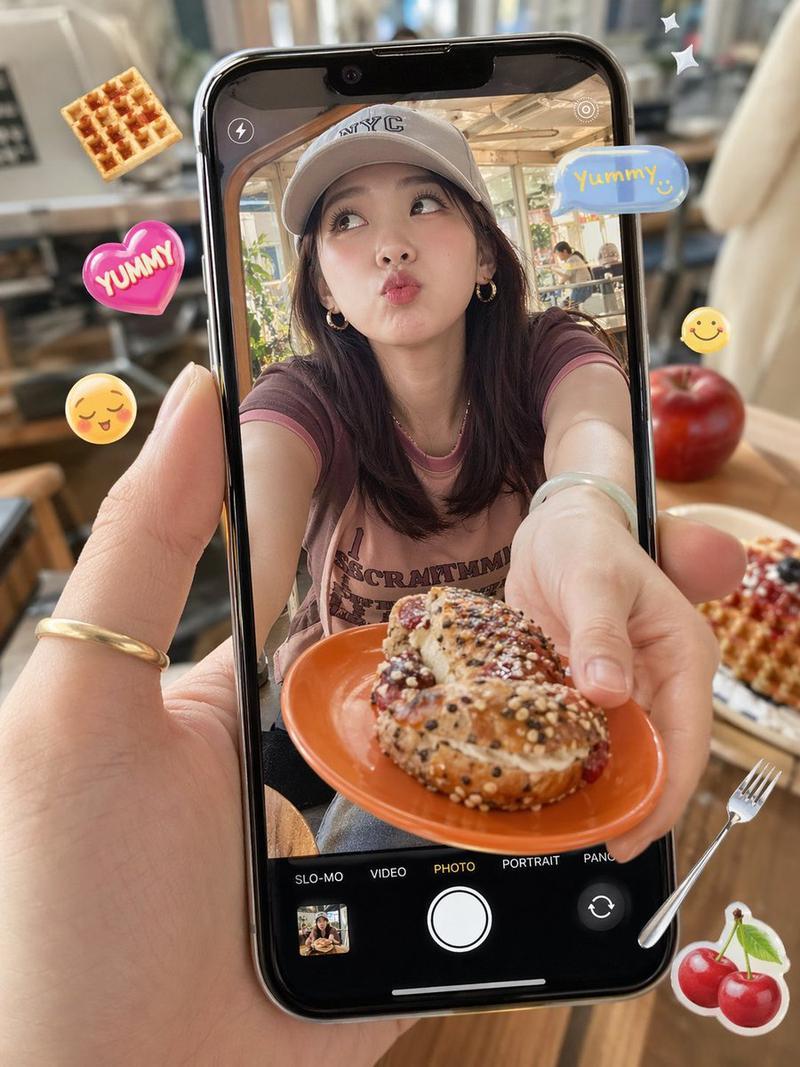
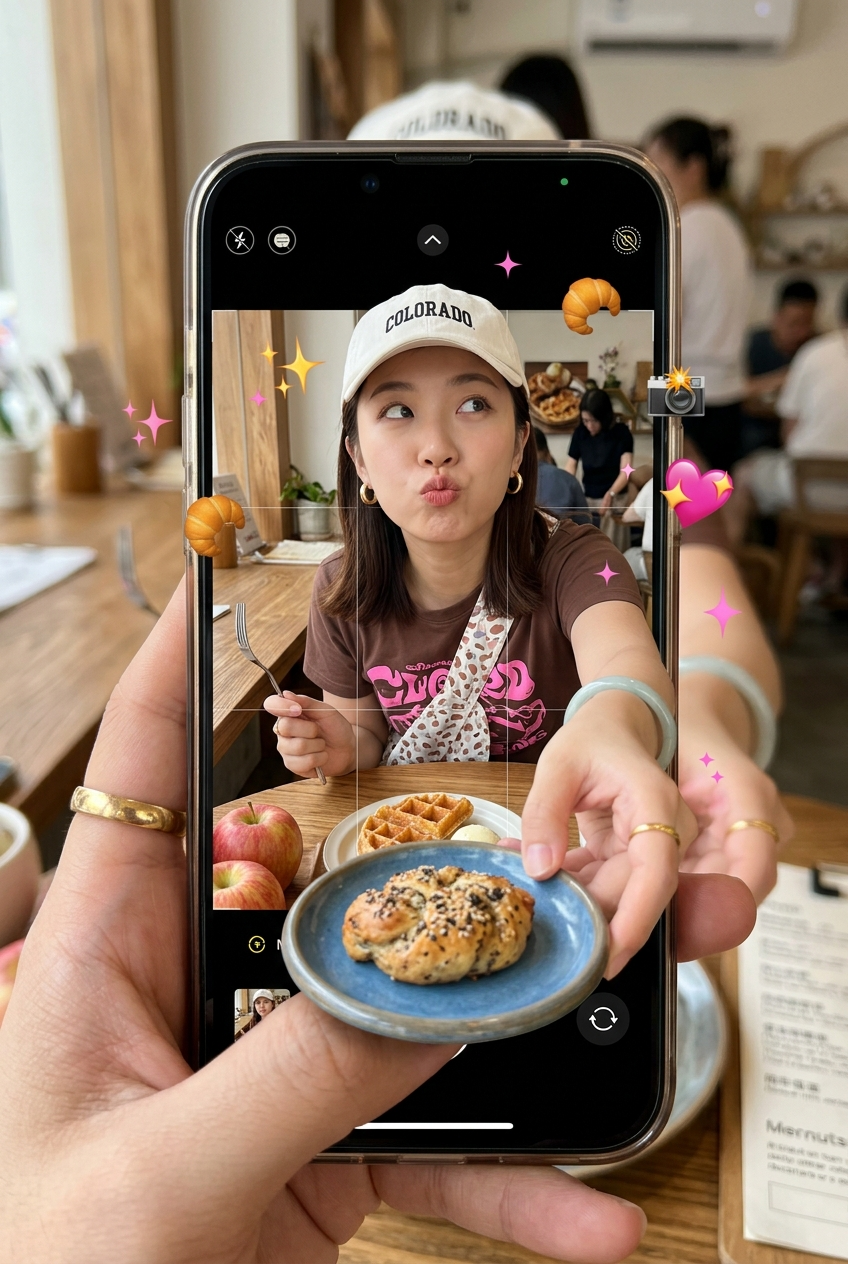
 "description": "Young woman viewed through a smartphone screen held by a first-person hand, surreal meta-composition.",
 "mirror_rules": "Screen acts as a portal; subject's hands and food break the 2D screen boundary.",
 "age": "20s",
 "expression": {
 "eyes": { "look": "playful", "energy": "distracted", "direction": "looking up and away" },
 "mouth": { "position": "pouting", "energy": "quirky" },
 "overall": "casual, cheeky"
 },
 "face": { "preserve_original": true, "makeup": "Light natural East Asian cafe aesthetic, subtle blush." }
 },
 "hair": { "color": "dark brown", "style": "straight, shoulder-length", "effect": "smooth, casual drape" },
 "body": {
 "frame": "slim", "waist": "hidden", "chest": "partially hidden", "legs": "hidden",
 "skin": { "visible_areas": "face, neck, forearms, hands", "tone": "light warm beige", "texture": "smooth, matte", "lighting_effect": "soft diffused indoor daylight" }
 },
 "pose": { "position": "leaning forward", "base": "seated at table", "overall": "reaching outward towards the camera lens" },
 "clothing": {
 "top": { "type": "t-shirt with bib/apron", "color": "brown and pink", "details": "casual graphic text", "effect": "fitted" },
 "bottom": { "type": "hidden", "color": "null", "details": "null" }
 },
 "accessories": {
 "headwear": "white baseball cap with 'COLORADO' text",
 "jewelry": "gold hoop earrings, jade bangle, gold ring on foreground hand",
 "device": "smartphone held by foreground hand showing iOS camera UI",
 "prop": "blue plate with seeded pastry breaking 4th wall, digital food stickers scattered"
 },
 "photography": {
 "camera_style": "POV mobile phone snapshot with surreal 3D edit",
 "angle": "high-angle POV",
 "shot_type": "medium close-up inside phone, macro foreground",
 "aspect_ratio": "3:4",
 "texture": "sharp digital inside screen, blurred physical background outside",
 "lighting": "bright, even cafe daylight",
 "depth_of_field": "shallow outside phone, sharp inside phone and on pop-out elements"
 },
 "background": {
 "setting": "cafe table", "wall_color": "null",
 "elements": ["wooden table", "apples", "waffle", "fork", "digital emojis"],
 "atmosphere": "bustling, surreal, social-media heavy",
 "lighting": "bright indoor natural light"
 },
 "the_vibe": {
 "energy": "surreal, playful Gen-Z edit", "mood": "lighthearted", "aesthetic": "kawaii mixed with casual cafe",
 "authenticity": "highly edited meta-photo grounded in real elements", "intimacy": "friend POV", "story": "sharing a quirky meal online",
 "caption_energy": "POV: the food is jumping out of the screen!"
 },
 "constraints": {
 "must_keep": ["POV hand holding phone", "camera UI visible", "3D pop-out plate breaking screen boundary", "floating digital stickers", "pouting expression"],
 "avoid": ["standard portrait", "missing meta-layer", "perfectly aligned frames"]
 },
 "negative_prompt": ["flat composition", "missing smartphone", "no 3D effect", "missing camera UI", "serious face", "hyper-realistic studio lighting"]
}- 分类
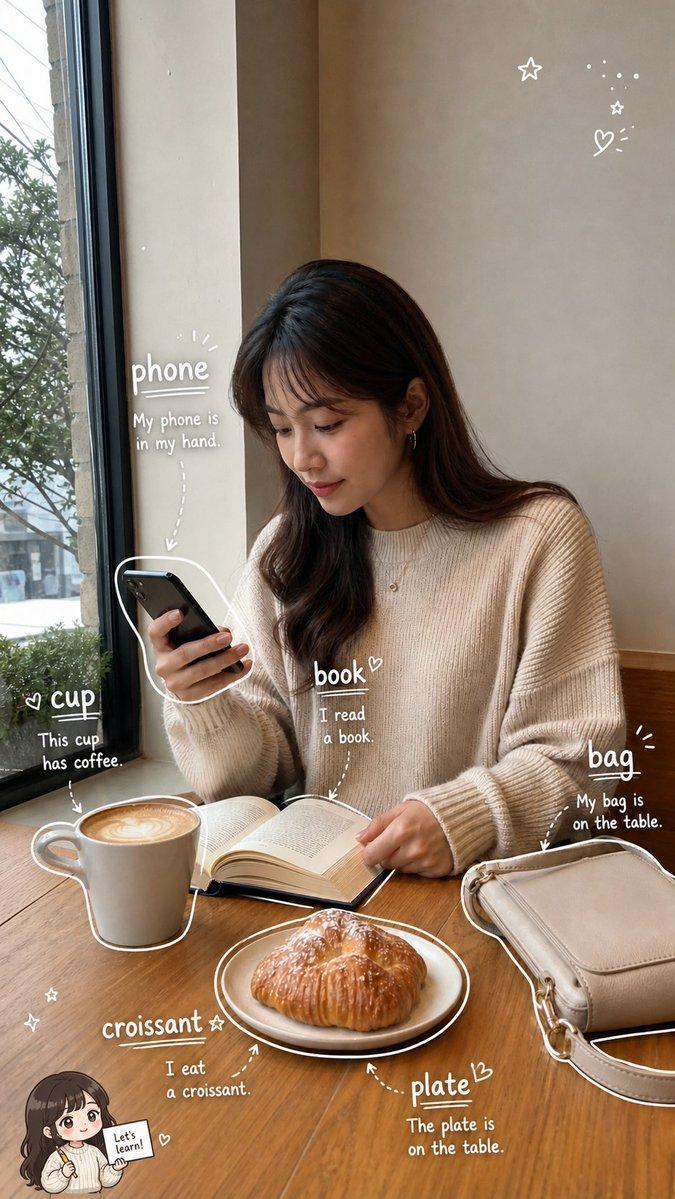
- 图表信息图
- 模型
- Nano Banana 2
- 来源作者
- xie underwood
- 来源 ID
- 1512
- 发布时间
- 2026年4月3日
浏览量190