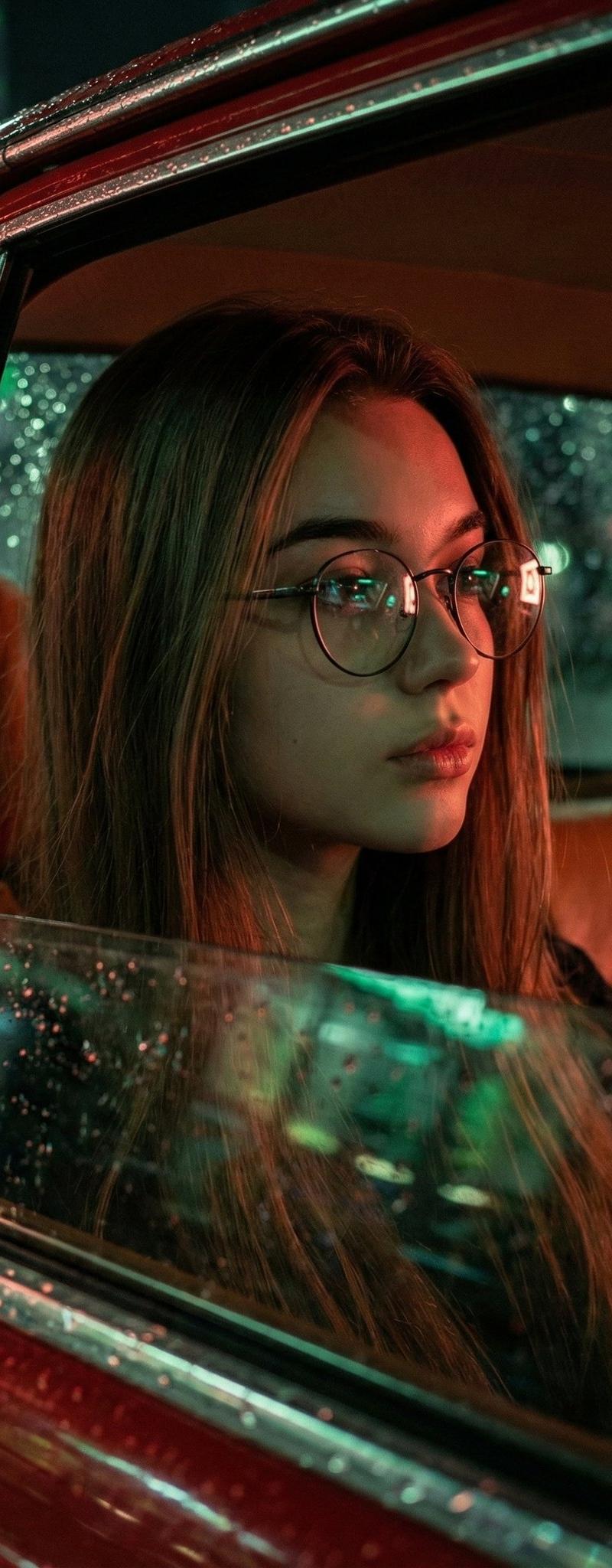
Cinematic Hyper-Realistic Portrait of a Young Woman
提示词
Google Nano banana Pro on Gemini app.
{
 "image_generation_prompt": {
 "subject": {
 "description": "Cinematic hyper-realistic portrait of a young woman",
 "pose": "Sitting slightly leaned back inside a vintage red car, gazing thoughtfully out the window",
 "appearance": "Long brown hair, natural skin texture, wearing round wire-frame glasses",
 "expression": "Calm, introspective"
 },
 "environment": {
 "setting": "Nighttime inside a vintage car",
 "interior": "Warm brown leather seats",
 "atmosphere": "Rainy night, raindrops visible on the glass, wet window reflections",
 "background": "Softly blurred glowing city lights (bokeh)"
 },
 "lighting": {
 "style": "Moody neon lighting",
 "colors": "Red and green tones",
 "details": "Cinematic highlights, subtle neon reflections on face and glasses, directional soft light"
 },
 "technical_parameters": {
 "lens": "35mm f/1.4",
 "focus": "Creamy depth of field, sharp focus on eyes",
 "quality": "8K, ultra high-resolution, hyper-detailed textures",
 "aesthetic": "Cinematic contrast, slightly desaturated, filmic grain"
 }
 }
}- 分类
- 真实摄影
- 模型
- Nano Banana Pro
- 来源作者
- 𝗦𝗮𝗻𝗶𝗮
- 原始语言
- en
- 来源 ID
- cinematic-hyper-realistic-portrait-young-woman
浏览量0