从接触式印片快速提取高分辨率单帧的方法
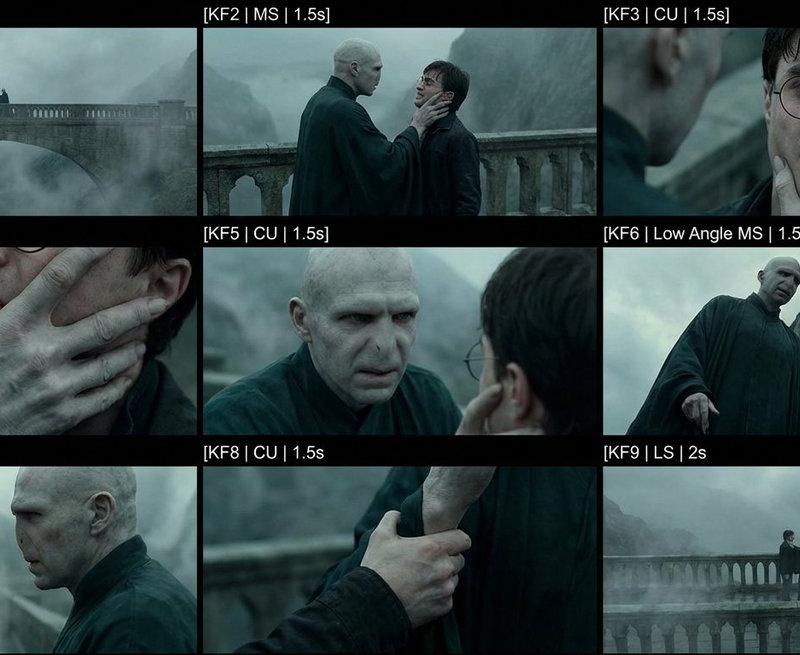
How to quickly extract high-resolution single frames from a contact sheet? My old workflow was to send the contact sheet to Nano Banana Pro and ask it to crop a specific row and column. But this often failed: 1. It could change the image size or style 2. It might keep black borders or text labels (messy crops) So we built a new tool ✅ Upload an image → choose a split format (e.g. 3×3) → one-click split After splitting, you can: Download the individual frames directly Or enable AI Upscale: we sen
- 分类
- UI 与界面
- 模型
- Nano Banana Pro
- 来源作者
- underwood
- 原始语言
- zh-CN
- 来源 ID
- how-to-quickly-extract-high-resolution-single-frames-from-a-contact-sheet
完整提示词
How to quickly extract high-resolution single frames from a contact sheet?
My old workflow was to send the contact sheet to Nano Banana Pro and ask it to crop a specific row and column.
But this often failed:
1. It could change the image size or style
2. It might keep black borders or text labels (messy crops)
So we built a new tool ✅
Upload an image → choose a split format (e.g. 3×3) → one-click split
After splitting, you can:
Download the individual frames directly
Or enable AI Upscale: we send the split images to AI, get high-resolution versions back, and then download them
This saves a huge amount of time compared to manual cropping and upscaling.
I’ve shared the link and step-by-step instructions in the comments.
多语言1
从接触式印片快速提取高分辨率单帧的方法
zh-CNHow to quickly extract high-resolution single frames from a contact sheet? My old workflow was to send the contact sheet to Nano Banana Pro and ask it to crop a specific row and column. But this often failed: 1. It could change the image size or style 2. It might keep black borders or text labels (messy crops) So we built a new tool ✅ Upload an image → choose a split format (e.g. 3×3) → one-click split After splitting, you can: Download the individual frames directly Or enable AI Upscale: we send the split images to AI, get high-resolution versions back, and then download them This saves a huge amount of time compared to manual cropping and upscaling. I’ve shared the link and step-by-step instructions in the comments.