图表信息图YouMindgpt-image-2charts-infographics
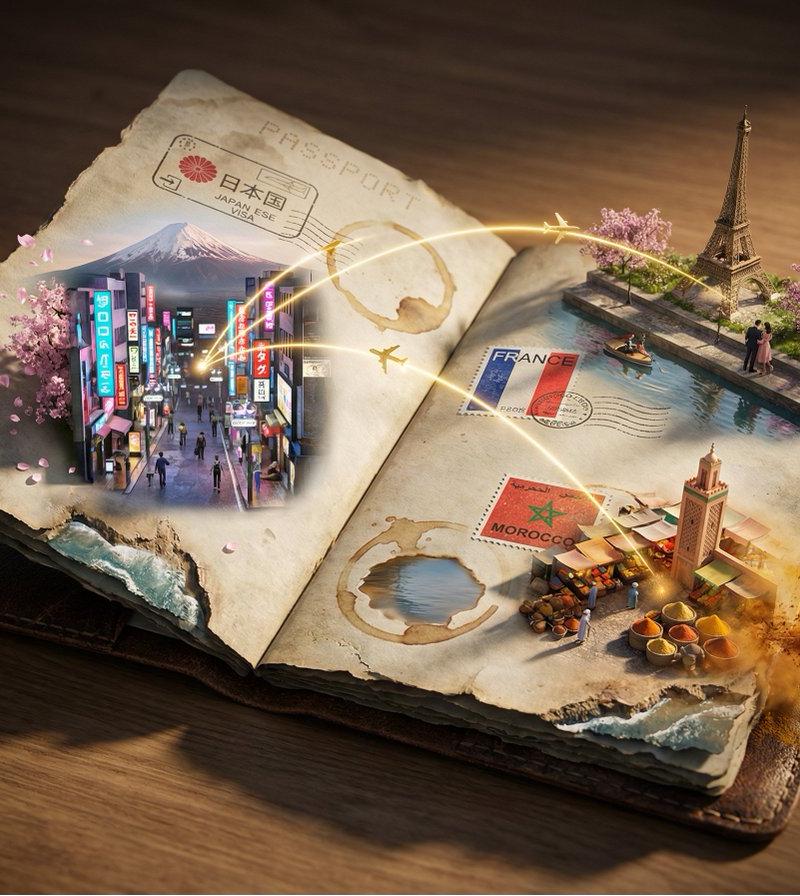
护照之旅 3D 地图集
提示词
Breathtaking 3D scene: a worn passport lays open, each visa stamp exploding into the places it represents. Every inked mark becomes a gateway—{argument name="city one" default="[CITY 1]"} emerges in miniature from one stamp with {argument name="detail one" default="[DETAIL 1]"}, {argument name="city two" default="[CITY 2]"} breaks through another with {argument name="detail two" default="[DETAIL 2]"}, {argument name="city three" default="[CITY 3]"} materializes with {argument name="detail three" default="[DETAIL 3]"}. [LANDMARK 1], [LANDMARK 2], and [LANDMARK 3] rise at different scales across the pages. Flight paths sweep overhead as radiant golden arcs weaving between all the worlds. Coffee rings transform into lakes. Frayed edges dissolve into coastlines. [ATMOSPHERIC ELEMENT 1] drifts from one destination while [ATMOSPHERIC ELEMENT 2] swirls near another. Dramatic raking light, tilt-shift depth of field, 8K, UE5, cinematic lighting. A bureaucratic document reborn as a living atlas of adventures.- 分类
- 图表信息图
- 模型
- GPT Image 2
- 来源作者
- PromptLab
- 原始语言
- en
- 来源 ID
- 24253
- 发布时间
- 2026年6月5日
浏览量455