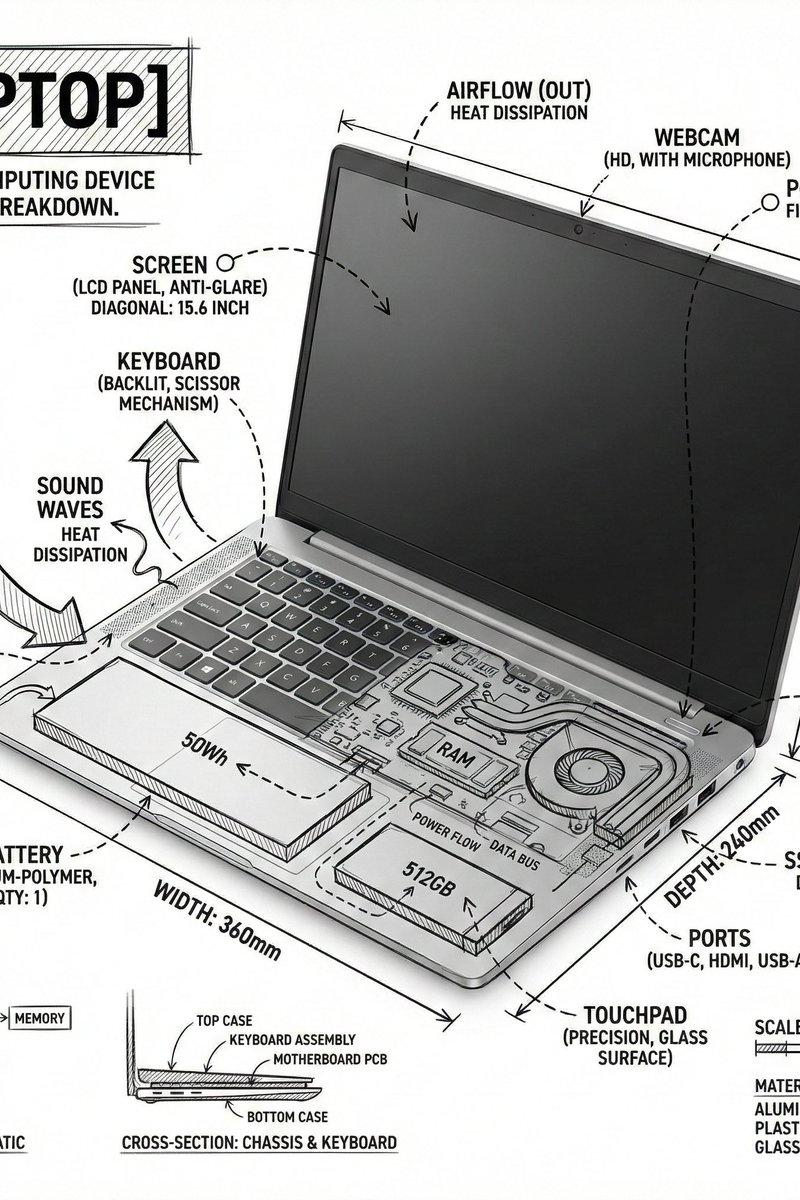
笔记本电脑技术信息图插画
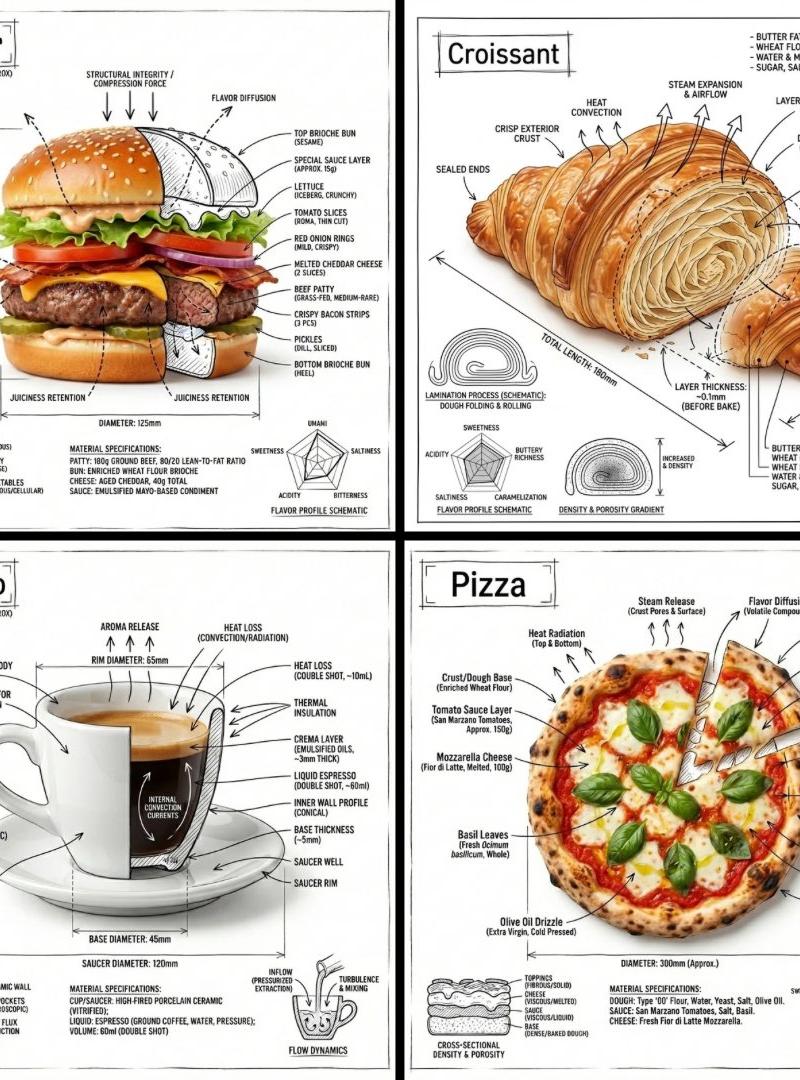
一份用于生成笔记本电脑技术拆解信息图的详细提示词,包含建筑线条风格和照片级渲染效果,呈现博物馆级的视觉美感。
- 分类
- 图表信息图
- 模型
- GPT Image 2
- 来源作者
- PromptLab
- 原始语言
- en
- 来源 ID
- 27534
- 发布时间
- 2026年7月3日
完整提示词
创建一个方形的技术信息图,主体为 {argument name="subject" default="笔记本电脑"},将逼真的产品照片或照片级渲染图与直接绘制在设备上的精确标注叠加层相结合。

使用纯 {argument name="background color" default="白色"} 的摄影棚背景和 {argument name="ink color" default="黑色"} 的墨水技术线条,呈现出建筑草图或工程手册的风格。包含:
- 关键组件标签
- 内部剖面细节或爆炸视图轮廓
- 测量值、尺寸和比例标记
- 材质说明和数量注释
- 显示功能、气流、功率流、声路、压力或其他相关系统行为的箭头
- 必要时加入简单的示意图或剖面图

将标题“LAPTOP”放置在角落的一个手绘技术标注框内。

风格与布局规则:
- 逼真的笔记本电脑必须在标注下方清晰可见
- 标注应具有草图感、技术感和建筑感
- 保持构图简洁,留白平衡
- 营造教育感,如同博物馆展板或工程手册页面

视觉风格:
极简技术插画美学,真实影像上的黑色线条,精确但略带手绘感。

调色板:
白色背景,仅使用黑色标注线和黑色文字。无其他颜色。

输出:
1080 x 1080,超清晰,针对社交媒体信息流优化,无水印。多语言2
笔记本电脑技术信息图插画
zh-CN创建一个方形的技术信息图,主体为 {argument name="subject" default="笔记本电脑"},将逼真的产品照片或照片级渲染图与直接绘制在设备上的精确标注叠加层相结合。 使用纯 {argument name="background color" default="白色"} 的摄影棚背景和 {argument name="ink color" default="黑色"} 的墨水技术线条,呈现出建筑草图或工程手册的风格。包含: - 关键组件标签 - 内部剖面细节或爆炸视图轮廓 - 测量值、尺寸和比例标记 - 材质说明和数量注释 - 显示功能、气流、功率流、声路、压力或其他相关系统行为的箭头 - 必要时加入简单的示意图或剖面图 将标题“LAPTOP”放置在角落的一个手绘技术标注框内。 风格与布局规则: - 逼真的笔记本电脑必须在标注下方清晰可见 - 标注应具有草图感、技术感和建筑感 - 保持构图简洁,留白平衡 - 营造教育感,如同博物馆展板或工程手册页面 视觉风格: 极简技术插画美学,真实影像上的黑色线条,精确但略带手绘感。 调色板: 白色背景,仅使用黑色标注线和黑色文字。无其他颜色。 输出: 1080 x 1080,超清晰,针对社交媒体信息流优化,无水印。
笔记本电脑技术信息图插画
enCreate a square technical infographic of a {argument name="subject" default="laptop"}, combining a realistic product photograph or photorealistic render with precise annotation overlays drawn directly over the device. Use a pure {argument name="background color" default="white"} studio background and {argument name="ink color" default="black"} ink technical linework, like an architectural sketch or engineering manual. Include: - Key component labels - Internal cutaway details or exploded-view outlines - Measurements, dimensions, and scale markers - Material callouts and quantity notes - Arrows showing function, airflow, power flow, sound path, pressure, or other relevant system behavior - Simple schematic or sectional diagrams where useful Place the title "LAPTOP" inside a hand-drawn technical annotation box in one corner. Style and layout rules: - The realistic laptop must remain clearly visible beneath the annotations - The annotations should feel sketched, technical, and architectural - Keep the composition clean with balanced negative space - Make it feel educational, like a museum exhibit panel or engineering manual page Visual style: Minimal technical illustration aesthetic, black linework over realistic imagery, precise but slightly hand-drawn. Color palette: White background with black annotation lines and black text only. No colors. Output: 1080 x 1080, ultra-crisp, optimized for a social feed, no watermark.