18

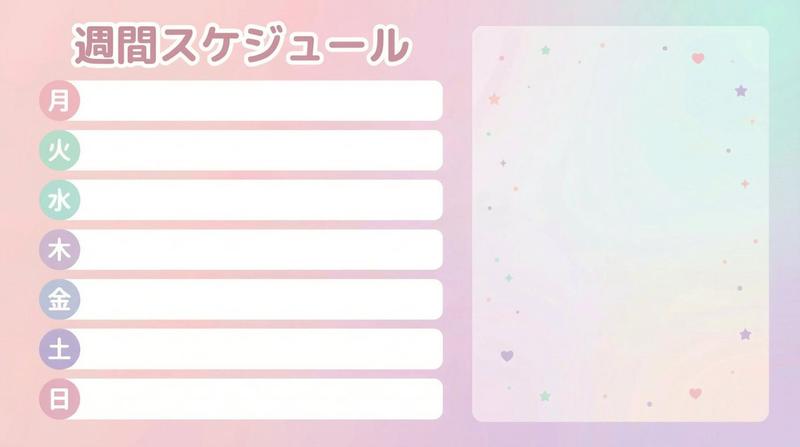
可爱粉彩风虚拟主播每周日程表
Enlarge

可爱粉彩风虚拟主播每周日程表

Prompt
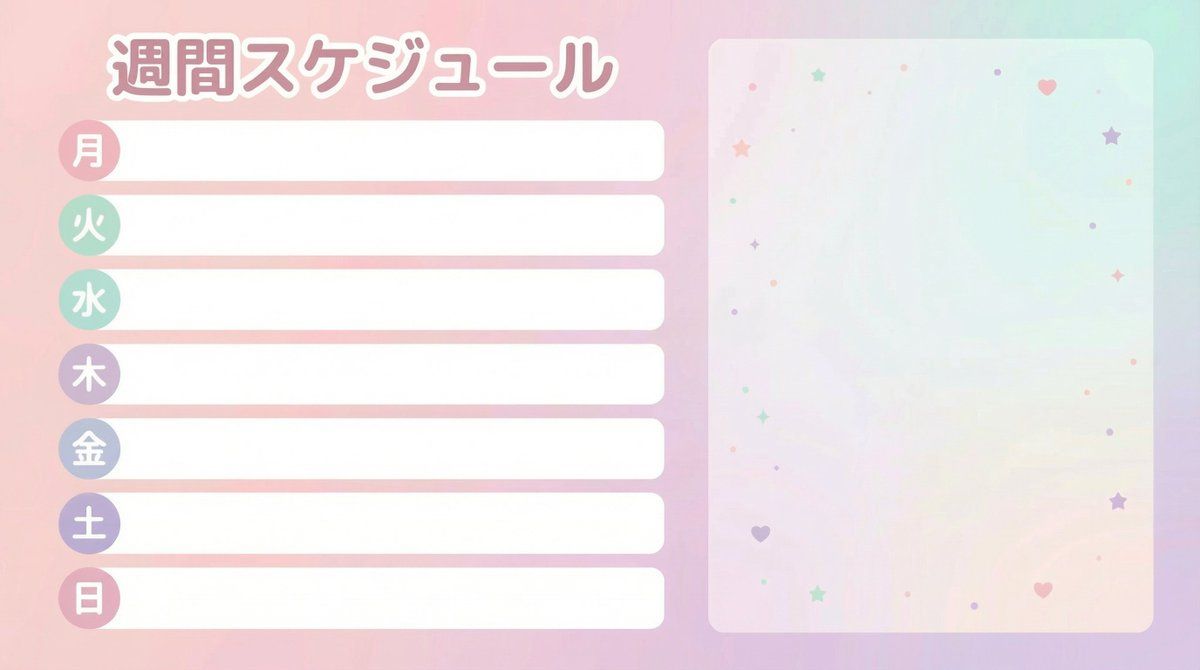
Create a "Weekly Schedule" template image for VTubers and streamers. Horizontal 16:9, size 1920x1080, flat, neat, print-like design (vector style). The overall look should be cute pastel tones (gentle colors like pale pink, mint, lavender), prioritizing readability without clutter. Layout specification: ・Place the schedule section top-aligned on the left 60% of the screen. ・7 rows (Days of the week: "Mon, Tue, Wed, Thu, Fri, Sat, Sun"). ・Each row consists of a "Day label (small round badge)" + "Horizontal blank box for writing plans." ・The blank box must be completely empty. Absolutely do not include sample text (e.g., 'Plan here', 'SAMPLE', 'MEMO', etc.). ・The right 40% of the screen is empty space for later synthesis of a standing character image. Do not draw people, animals, mascots, or silhouettes. The background should only be a faint gradient and subtle abstract patterns of small stars/hearts/dots. Text specification: ・The only text to include is "Weekly Schedule" and "Mon Tue Wed Thu Fri Sat Sun" (in Japanese). ・Do not include any other text (SNS, date range, warnings, logos, hashtags, watermarks). ・The font should be rounded Gothic style, easy to read, and legible even on a white background. Finishing: ・Ensure ample margin around the perimeter, and elements on the left and right sides do not overlap. ・No logo.
Category
Posters & Typography
Model
Nano banana pro
Views5
Source ID
8241
Published
Mar 22, 2026

Guide

About "可爱粉彩风虚拟主播每周日程表"

What is this prompt for?

"可爱粉彩风虚拟主播每周日程表" AI image prompt for Nano banana pro (Posters & Typography). 为 VTuber 和主播制作一个“每周日程表”模板图片。 横向 16:9,尺寸 1920x1080,扁平、整洁、印刷风格设计(矢量风格)。整体外观应采用可爱的柔和色…

The full copyable prompt and example visuals above are ready for AI image generation or one-click recreate in Picva.

How to use this prompt

  1. Step 1

    Open the prompt detail

    Review the example visuals, category, and full prompt text for "可爱粉彩风虚拟主播每周日程表".

  2. Step 2

    Copy the prompt

    Copy the prompt body from this page, or load it directly in Studio.

  3. Step 3

    Pick a model (Nano banana pro)

    Prefer Nano banana pro. If you switch models, keep subject and composition and tweak style terms.

  4. Step 4

    Generate and export

    Recreate the look in Picva, or export into your workflow for editing and publishing.

FAQ

What is the "可爱粉彩风虚拟主播每周日程表" prompt?
It is an AI image-generation prompt for Nano banana pro in the Posters & Typography category. This page includes the full prompt text, example visuals, and a one-click recreate path in Picva.
How do I use this prompt to generate an image?
Copy the prompt from this page, or use Generate / Studio. Paste it into a compatible image model, or recreate the look in Picva with optional reference images.
Which model is this prompt for?
This page lists Nano banana pro. Most descriptive prompts also transfer to nearby image models such as GPT Image, Flux, or Midjourney with light style tweaks.
Can I use the result commercially?
You can usually copy the prompt for creation, but commercial use of the final image depends on the model terms, reference-image rights, and the generated content. Follow the source author and platform rules.