20

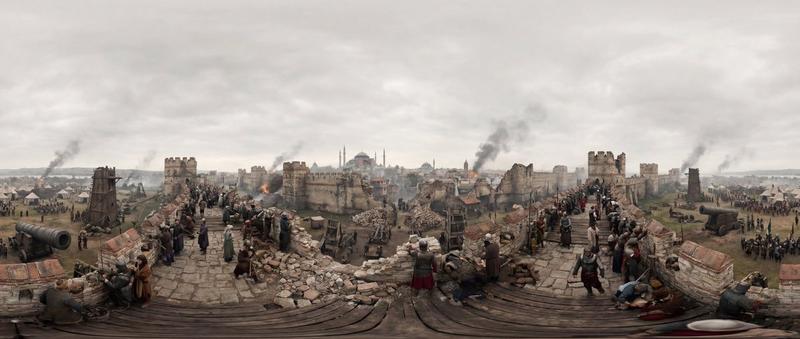
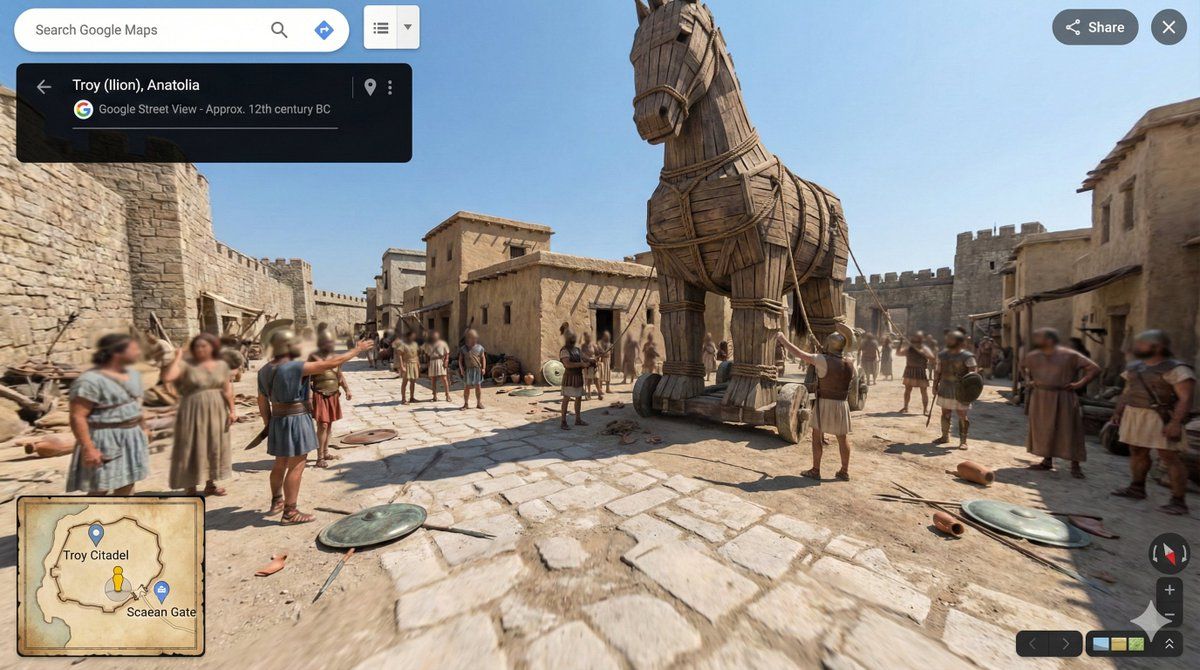
史诗级特洛伊木马入城后的全景画卷
Enlarge

史诗级特洛伊木马入城后的全景画卷

Prompt
[SCENE] = Troy, Anatolia, approx. 12th century BC. The moments after the Trojan Horse is pulled inside the city walls. Make a 360-degree equirectangular panorama in 21:9 aspect ratio. Render the scene as a full spherical panorama with correct equirectangular projection. Set the entire environment strictly based on [SCENE]. Place the camera at the exact center of the scene with a fixed viewpoint. Design the environment as a continuous, circular world with no left or right edge. Ensure the first and last horizontal edges align perfectly. Distribute architecture, people, and objects evenly around the full 360° view. Use realistic real-world lighting, materials, and physical behavior. Keep sharp focus across the entire panorama. Use uniform natural daylight with no dominant light direction. Ensure lighting intensity and color remain consistent across the full 360° panorama. Treat the environment as lit by an evenly diffused sky dome rather than a single sun source. Apply soft global shadows that do not favor any horizontal direction. Avoid directional sunlight gradients that could cause seam lighting mismatches. Avoid modern elements, UI overlays, borders, frames, cropped views, fantasy styling, or broken panorama seams.
Category
UI & Interfaces
Model
Nano Banana Pro
Creator
@aimikoda
Views2
Source ID
8672
Published
Jun 7, 2026

Guide

About "史诗级特洛伊木马入城后的全景画卷"

What is this prompt for?

"史诗级特洛伊木马入城后的全景画卷" AI image prompt for Nano Banana Pro (UI & Interfaces). [场景] = 公元前 12 世纪左右,安纳托利亚的特洛伊。特洛伊木马被拉入城墙后的片刻。 制作一个 21:9 宽高比的 360 度等距柱状全景图。 将场景渲染为具有正确等…

The full copyable prompt and example visuals above are ready for AI image generation or one-click recreate in Picva.

How to use this prompt

  1. Step 1

    Open the prompt detail

    Review the example visuals, category, and full prompt text for "史诗级特洛伊木马入城后的全景画卷".

  2. Step 2

    Copy the prompt

    Copy the prompt body from this page, or load it directly in Studio.

  3. Step 3

    Pick a model (Nano Banana Pro)

    Prefer Nano Banana Pro. If you switch models, keep subject and composition and tweak style terms.

  4. Step 4

    Generate and export

    Recreate the look in Picva, or export into your workflow for editing and publishing.

FAQ

What is the "史诗级特洛伊木马入城后的全景画卷" prompt?
It is an AI image-generation prompt for Nano Banana Pro in the UI & Interfaces category. This page includes the full prompt text, example visuals, and a one-click recreate path in Picva.
How do I use this prompt to generate an image?
Copy the prompt from this page, or use Generate / Studio. Paste it into a compatible image model, or recreate the look in Picva with optional reference images.
Which model is this prompt for?
This page lists Nano Banana Pro. Most descriptive prompts also transfer to nearby image models such as GPT Image, Flux, or Midjourney with light style tweaks.
Can I use the result commercially?
You can usually copy the prompt for creation, but commercial use of the final image depends on the model terms, reference-image rights, and the generated content. Follow the source author and platform rules.