16

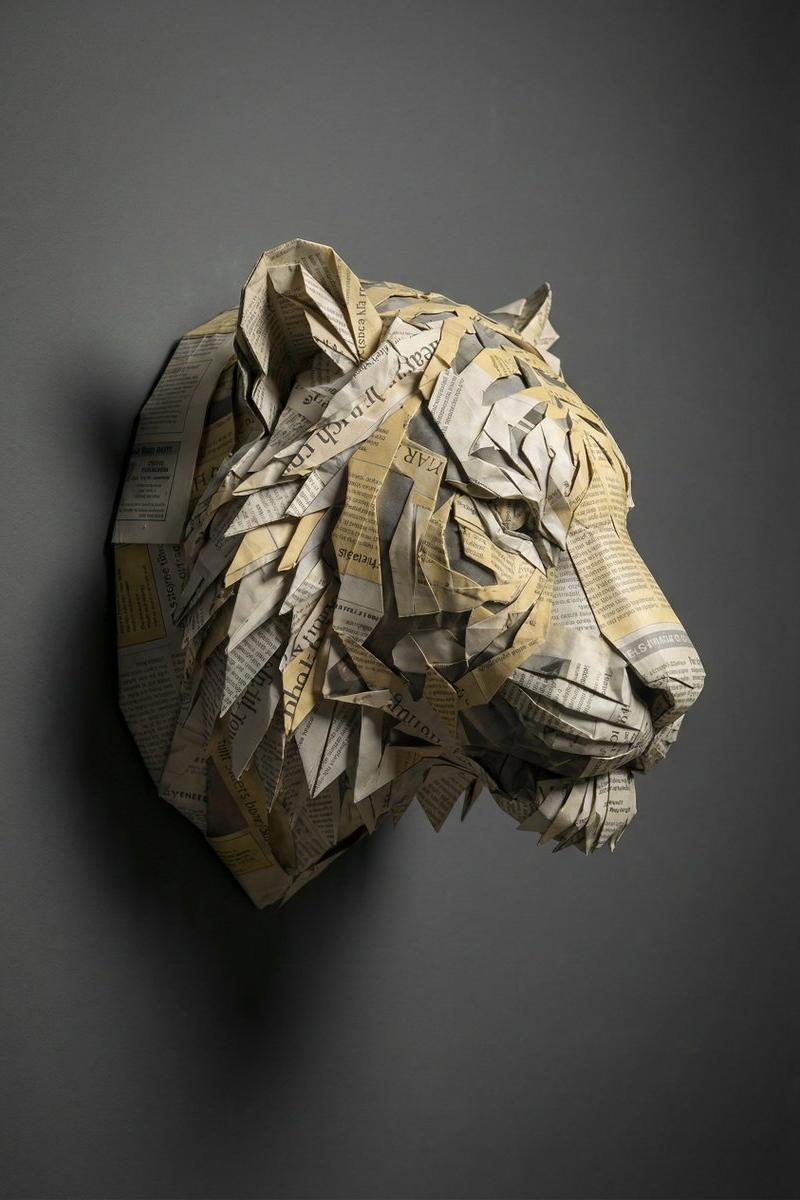
层叠报纸构建的爱因斯坦深邃侧颜雕塑
Enlarge

Example images

层叠报纸构建的爱因斯坦深邃侧颜雕塑

Prompt
{ "concept_type": "surreal_object_sculpture_photography", "subject": { "object_identity": "Einstein head", "orientation": "side profile facing right", "expression": "alert and focused" }, "material_construction": { "primary_material": "paper", "material_source": "folded newspaper pages", "folding_technique": "layered origami-like folding", "layer_density": "high-density layered" }, "surface_details": { "text_visibility": "partially readable newspaper text", "color_accents": ["muted yellow", "soft gray"], "edge_quality": "sharp, crisp folds" }, "composition": { "framing": "tight object portrait", "perspective": "eye-level", "background": "dark gray studio wall", "negative_space": "minimal, gallery-style" }, "lighting": { "type": "soft directional studio light", "direction": "left-side illumination", "shadow_behavior": "subtle natural shadow cast on wall" }, "mood": "intellectual, refined, contemplative", "style": "fine-art conceptual sculpture photography", "negative_prompt": "cartoon , fantasy creature, messy collage, overexposed whites, CGI textures, watermark" }
Category
Charts & Infographics
Model
Nano banana pro
Creator
@vkuoo
Source language
zh-CN
Views28
Source ID
8415
Published
Mar 22, 2026
Studio

Guide

About "层叠报纸构建的爱因斯坦深邃侧颜雕塑"

What is this prompt for?

"层叠报纸构建的爱因斯坦深邃侧颜雕塑" AI image prompt for Nano banana pro (Charts & Infographics). { "concept_type": "超现实物体雕塑摄影", "subject": { "object_identity": "{argument name…

The full copyable prompt and example visuals above are ready for AI image generation or one-click recreate in Picva.

How to use this prompt

  1. Step 1

    Open the prompt detail

    Review the example visuals, category, and full prompt text for "层叠报纸构建的爱因斯坦深邃侧颜雕塑".

  2. Step 2

    Copy the prompt

    Copy the prompt body from this page, or load it directly in Studio.

  3. Step 3

    Pick a model (Nano banana pro)

    Prefer Nano banana pro. If you switch models, keep subject and composition and tweak style terms.

  4. Step 4

    Generate and export

    Recreate the look in Picva, or export into your workflow for editing and publishing.

FAQ

What is the "层叠报纸构建的爱因斯坦深邃侧颜雕塑" prompt?
It is an AI image-generation prompt for Nano banana pro in the Charts & Infographics category. This page includes the full prompt text, example visuals, and a one-click recreate path in Picva.
How do I use this prompt to generate an image?
Copy the prompt from this page, or use Generate / Studio. Paste it into a compatible image model, or recreate the look in Picva with optional reference images.
Which model is this prompt for?
This page lists Nano banana pro. Most descriptive prompts also transfer to nearby image models such as GPT Image, Flux, or Midjourney with light style tweaks.
Can I use the result commercially?
You can usually copy the prompt for creation, but commercial use of the final image depends on the model terms, reference-image rights, and the generated content. Follow the source author and platform rules.