ChatGPT 提示词:生成自我介绍文本
Prompt
あなたのことをよく覚えているChatGPTに投げればテキスト部分を出力してくれるプロンプト
- Category
- 创意图片
- Model
- Nano Banana Pro
- Creator
- ウミノ🤖AI×マーケティングのプロ
- Source ID
- 533984f7-2685-4869-82b8-10e0c5898ef6
- Published
- Mar 8, 2026
Views0
20
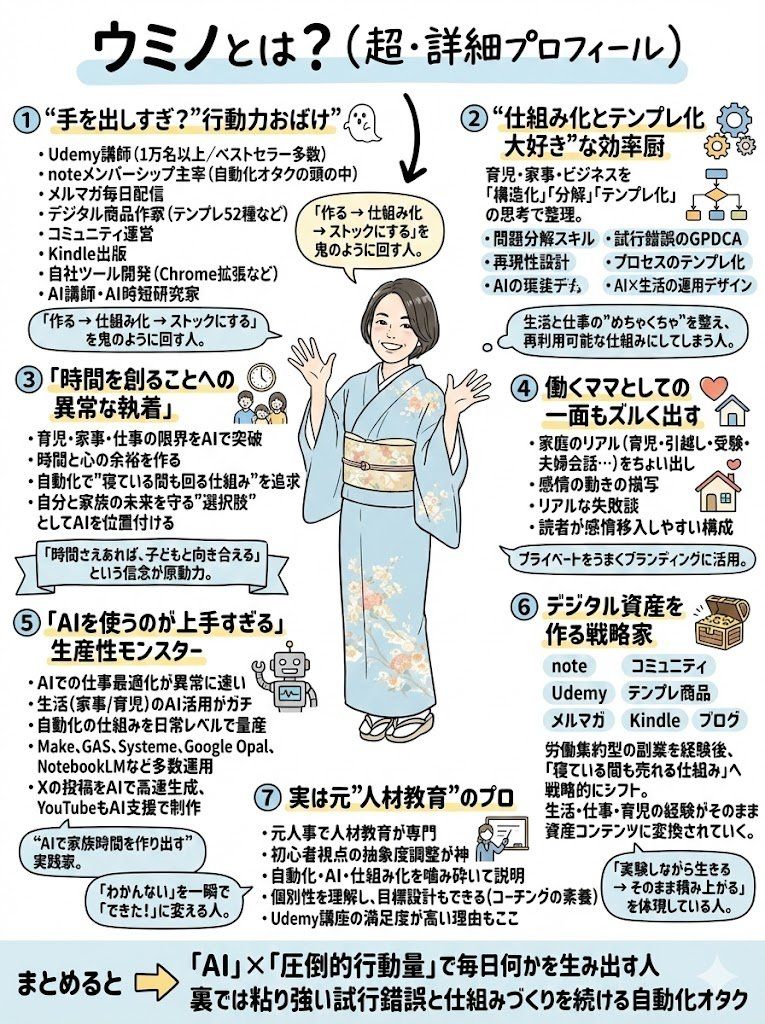
あなたのことをよく覚えているChatGPTに投げればテキスト部分を出力してくれるプロンプト
Guide
"ChatGPT 提示词:生成自我介绍文本" AI image prompt for Nano Banana Pro (创意图片). 一位用户为 ChatGPT 创建了一个提示,用于根据视觉模板(山田先生的分类)生成自我介绍的文本内容。图像输出本身是使用 Nano Banana Pro 生成的,但提取的提示是用于 L…
The full copyable prompt and example visuals above are ready for AI image generation or one-click recreate in Picva.
Step 1
Review the example visuals, category, and full prompt text for "ChatGPT 提示词:生成自我介绍文本".
Step 2
Copy the prompt body from this page, or load it directly in Studio.
Step 3
Prefer Nano Banana Pro. If you switch models, keep subject and composition and tweak style terms.
Step 4
Recreate the look in Picva, or export into your workflow for editing and publishing.

















