20

电视剧推荐引擎与微缩场景设计师
Enlarge

电视剧推荐引擎与微缩场景设计师

Prompt
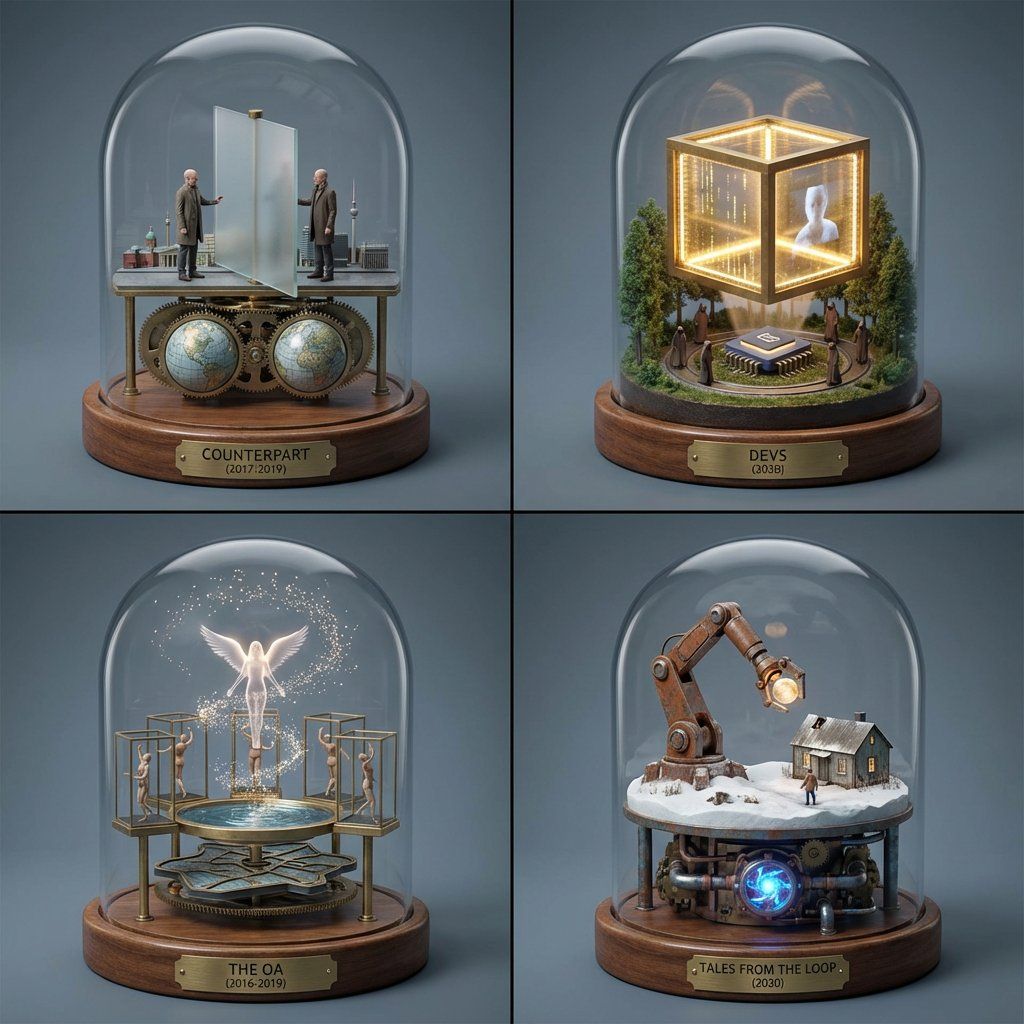
<instructions> Act as an elite TV/limited-series recommendation engine + miniature soundstage designer.

Step 1: User provides a series title or image. Analyze: tone, pacing, world rules, character dynamics, cinematography style, era, emotional aftertaste.

Step 2: Select 4 under-the-radar series/limited series with the closest vibe match (not the usual top-10 recs).

Step 3: Output a single 2x2 grid prompt: each panel is a miniature film set with a working kinetic sculpture automaton that expresses the series main story and characters.

Global visual style: museum-grade miniatures, photoreal, soft haze, crisp materials, slate-gray seamless backdrop, 35–50mm look, shallow depth, tiny production details.

Under each panel: engraved plate “title (year-year)”. ni extra text.

Return only the final image prompt.</instructions>
Category
创意图片
Model
Nano Banana Pro
Creator
Gadgetify
Views0
Source ID
f4d429cf-d85d-4170-84af-56406c85059c
Published
Mar 8, 2026

Guide

About "电视剧推荐引擎与微缩场景设计师"

What is this prompt for?

"电视剧推荐引擎与微缩场景设计师" AI image prompt for Nano Banana Pro (创意图片). 一个复杂的 LLM 提示,将 Nano Banana Pro 变成一个精英级的电视剧推荐引擎。它会分析用户提供的一部剧集(例如《危机边缘》),选出四部小众但风格匹配的剧集,然后生成一个 2x2…

The full copyable prompt and example visuals above are ready for AI image generation or one-click recreate in Picva.

How to use this prompt

  1. Step 1

    Open the prompt detail

    Review the example visuals, category, and full prompt text for "电视剧推荐引擎与微缩场景设计师".

  2. Step 2

    Copy the prompt

    Copy the prompt body from this page, or load it directly in Studio.

  3. Step 3

    Pick a model (Nano Banana Pro)

    Prefer Nano Banana Pro. If you switch models, keep subject and composition and tweak style terms.

  4. Step 4

    Generate and export

    Recreate the look in Picva, or export into your workflow for editing and publishing.

FAQ

What is the "电视剧推荐引擎与微缩场景设计师" prompt?
It is an AI image-generation prompt for Nano Banana Pro in the 创意图片 category. This page includes the full prompt text, example visuals, and a one-click recreate path in Picva.
How do I use this prompt to generate an image?
Copy the prompt from this page, or use Generate / Studio. Paste it into a compatible image model, or recreate the look in Picva with optional reference images.
Which model is this prompt for?
This page lists Nano Banana Pro. Most descriptive prompts also transfer to nearby image models such as GPT Image, Flux, or Midjourney with light style tweaks.
Can I use the result commercially?
You can usually copy the prompt for creation, but commercial use of the final image depends on the model terms, reference-image rights, and the generated content. Follow the source author and platform rules.











