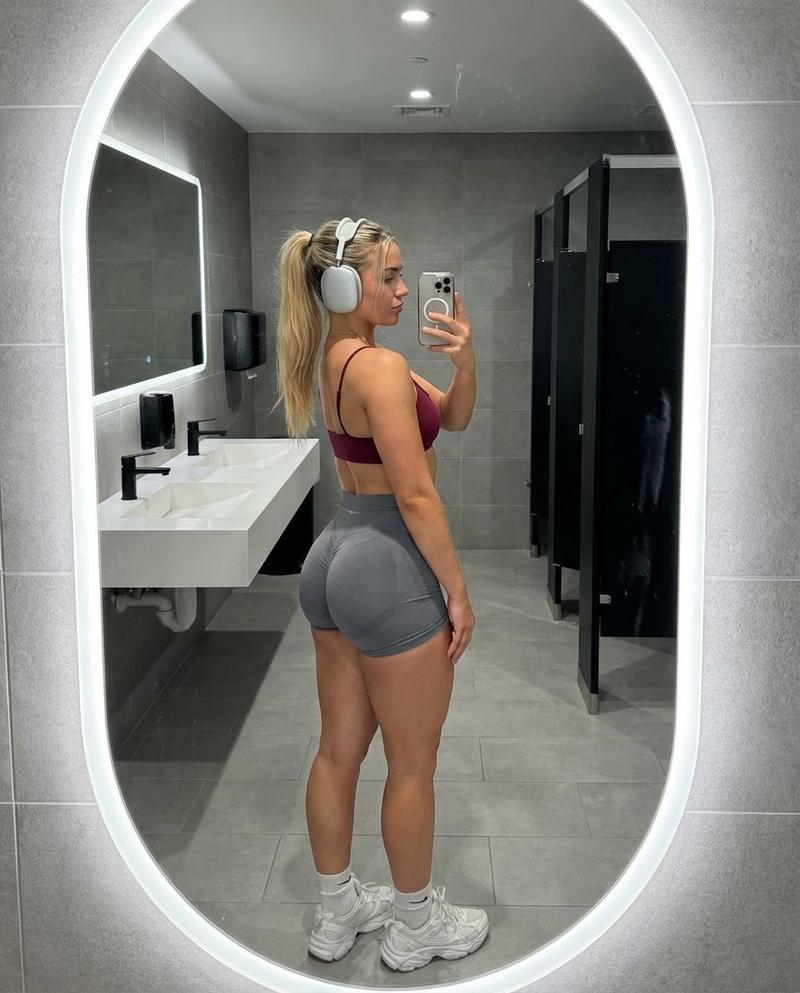
超逼真健身房镜面自拍
Prompt
{
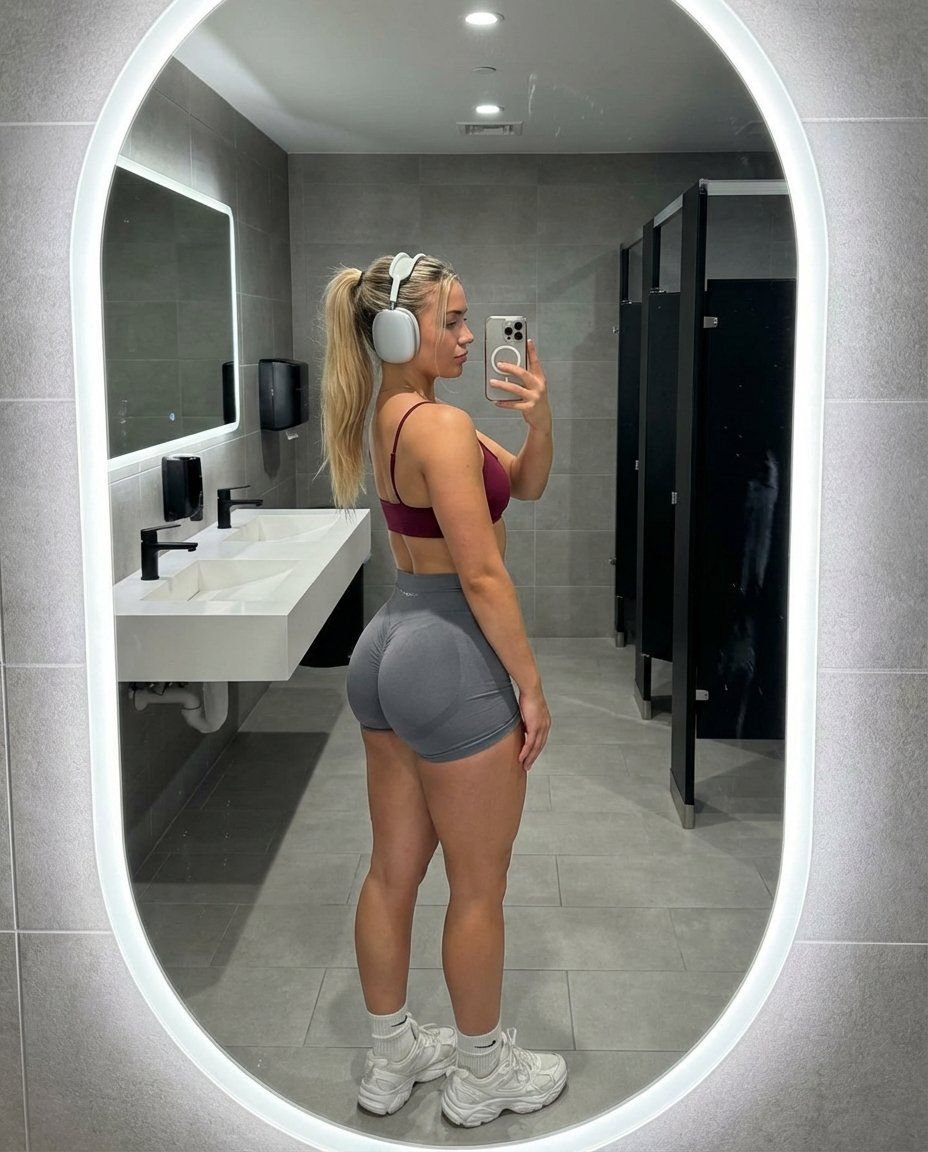
"subject": {
"demographics": {
"age": "early 20s",
"gender": "female",
"ethnicity": "Caucasian with a fair skin tone"
},
"hair": {
"color": "blonde with light brown roots",
"style": "high ponytail with wavy texture, messy strands framing the face and falling over the shoulder",
"texture": "natural, slightly frizzy from workout"
},
"face": {
"shape": "defined jawline, profile view",
"features": "small straight nose, natural lips, dark groomed eyebrows",
"expression": "neutral, focused gaze directed at phone screen in mirror reflection",
"skin_texture": "raw skin, visible pores, slight sheen from perspiration, no digital smoothing"
},
"body_proportions": {
"build": "athletic, fitness-oriented 'gym girl' physique",
"torso": "narrow waist, flat stomach, visible latissimus dorsi definition",
"lower_body": "extreme gluteal hypertrophy, pronounced shelf-like projection of the buttocks, thick muscular thighs, high muscle-to-fat ratio",
"pose_effect": "hyper-accentuated lower body curve from 90-degree side profile stance",
"skin_details": "slight skin folding at the hip joint, realistic muscle tone in calves and quads, small tattoo visible on side of ribcage"
},
"attire": {
"top": "minimalist {argument name="top color" default="wine red"} sports bra, thin spaghetti straps, low back design",
"bottom": "grey high-waisted spandex gym shorts, scrunch-butt detail, tight compression fit molding to curves",
"footwear": "white crew socks, chunky white athletic sneakers",
"accessories": "large silver over-ear air pods max, thin black hair tie on wrist"
}
},
"pose": {
"type": "standing side-profile mirror selfie",
"orientation": "body turned exactly 90 degrees to the left (viewer's perspective), face turned toward mirror",
"arms": {
"right_arm": "raised, holding smartphone to take photo, elbow bent",
"left_arm": "obscured by body"
},
"legs": {
"position": "feet planted shoulder-width apart, knees slightly softened to emphasize gluteal curve"
}
},
"setting": {
"location": "modern upscale gym locker room",
"foreground": "grey speckled stone tile floor, clean grout lines",
"midground": "white vanity counter, black modern faucets",
"background": "large oval mirrors with glowing white LED backlighting, grey tiled walls, black toilet stall partitions in soft focus"
},
"camera": {
"device": "Shot on iPhone 15 Pro",
"lens": "24mm wide-angle lens",
"angle": "waist-level, shooting upward slightly in the mirror",
"framing": "full-body reflection, vertical 4:5 aspect ratio",
"perspective": "candid mirror selfie, includes phone in hand, slight mirror glass distortion"
},
"lighting": {
"source": "cool overhead gym lighting mixed with LED halo rings around mirrors",
"quality": "clinical, bright, high-key lighting",
"shadows": "harsh downward shadows under the jaw and gluteal fold, highlighting muscle definition"
},
"style_and_realism": {
"aesthetic": "candid fitness influencer progress photo, unfiltered lifestyle snapshot"}
}- Category
- 创意图片
- Model
- Nano Banana Pro
- Creator
- Jennie
- Source ID
- 015fcb7c-66e0-4f16-b494-ae38d0612074
- Published
- Mar 8, 2026
Views0