18

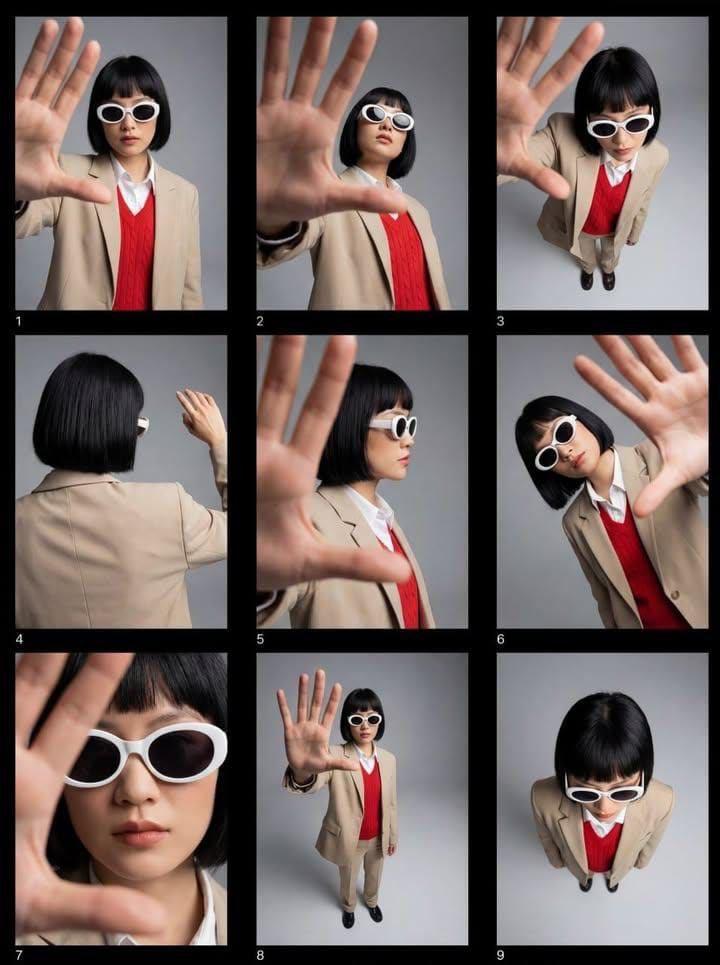
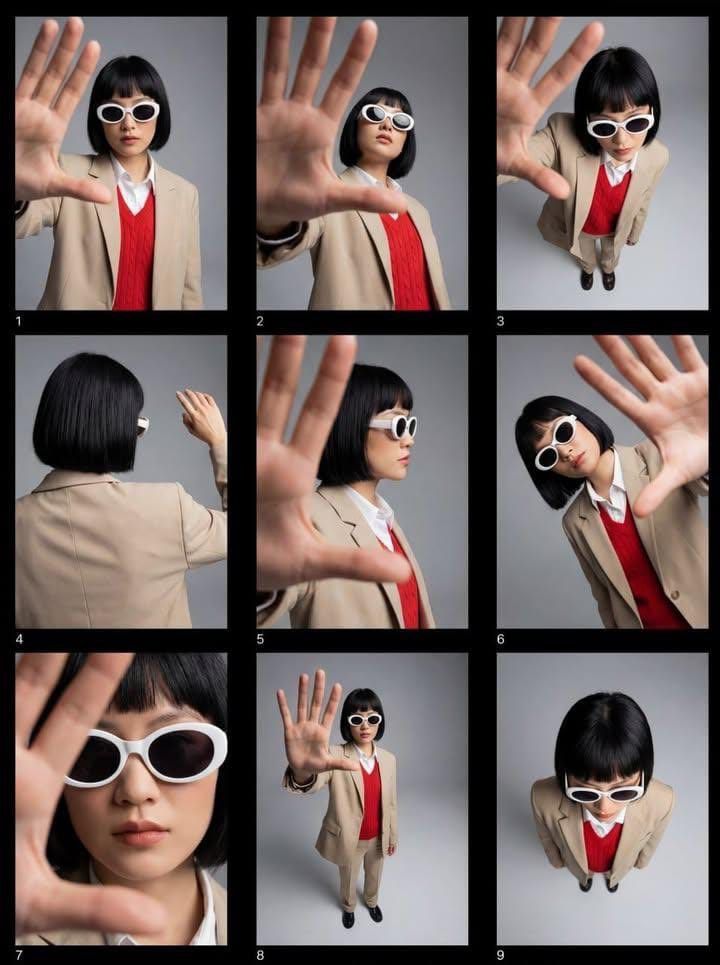
时尚编辑联系表,带透视畸变
Enlarge

时尚编辑联系表,带透视畸变

Prompt
Editorial fashion contact sheet of a modern woman with a sharp black bob haircut wearing white oval sunglasses, a beige tailored suit over a {argument name="sweater color" default="red"} sweater vest and white shirt, photographed in a minimalist studio with a neutral grey backdrop. Multiple frames arranged in a 3×3 grid showing varied angles—front, side, top-down, back view—while the subject repeatedly reaches her hand toward the camera lens, creating strong depth and perspective distortion. Clean high-fashion styling, bold color contrast, soft diffused studio lighting, crisp focus, contemporary magazine aesthetic, 35mm–50mm look, ultra-sharp, high resolution.
Category
创意图片
Model
Nano Banana Pro
Creator
Kashberg
Views0
Source ID
381259cb-2c50-4dd2-b551-f1ba8e4613b7
Published
Mar 8, 2026

Guide

About "时尚编辑联系表,带透视畸变"

What is this prompt for?

"时尚编辑联系表,带透视畸变" AI image prompt for Nano Banana Pro (创意图片). 生成一张时尚编辑联系表(3x3 网格)的文本提示,内容为一位身穿定制西装、戴墨镜的现代女性,在极简主义影棚中拍摄,重点突出多样的角度和主体伸向镜头所造成的强烈透视畸变。 --- 一位留着利落黑色波波…

The full copyable prompt and example visuals above are ready for AI image generation or one-click recreate in Picva.

How to use this prompt

  1. Step 1

    Open the prompt detail

    Review the example visuals, category, and full prompt text for "时尚编辑联系表,带透视畸变".

  2. Step 2

    Copy the prompt

    Copy the prompt body from this page, or load it directly in Studio.

  3. Step 3

    Pick a model (Nano Banana Pro)

    Prefer Nano Banana Pro. If you switch models, keep subject and composition and tweak style terms.

  4. Step 4

    Generate and export

    Recreate the look in Picva, or export into your workflow for editing and publishing.

FAQ

What is the "时尚编辑联系表,带透视畸变" prompt?
It is an AI image-generation prompt for Nano Banana Pro in the 创意图片 category. This page includes the full prompt text, example visuals, and a one-click recreate path in Picva.
How do I use this prompt to generate an image?
Copy the prompt from this page, or use Generate / Studio. Paste it into a compatible image model, or recreate the look in Picva with optional reference images.
Which model is this prompt for?
This page lists Nano Banana Pro. Most descriptive prompts also transfer to nearby image models such as GPT Image, Flux, or Midjourney with light style tweaks.
Can I use the result commercially?
You can usually copy the prompt for creation, but commercial use of the final image depends on the model terms, reference-image rights, and the generated content. Follow the source author and platform rules.