茶杯中的微缩世界自然语言提示
Prompt
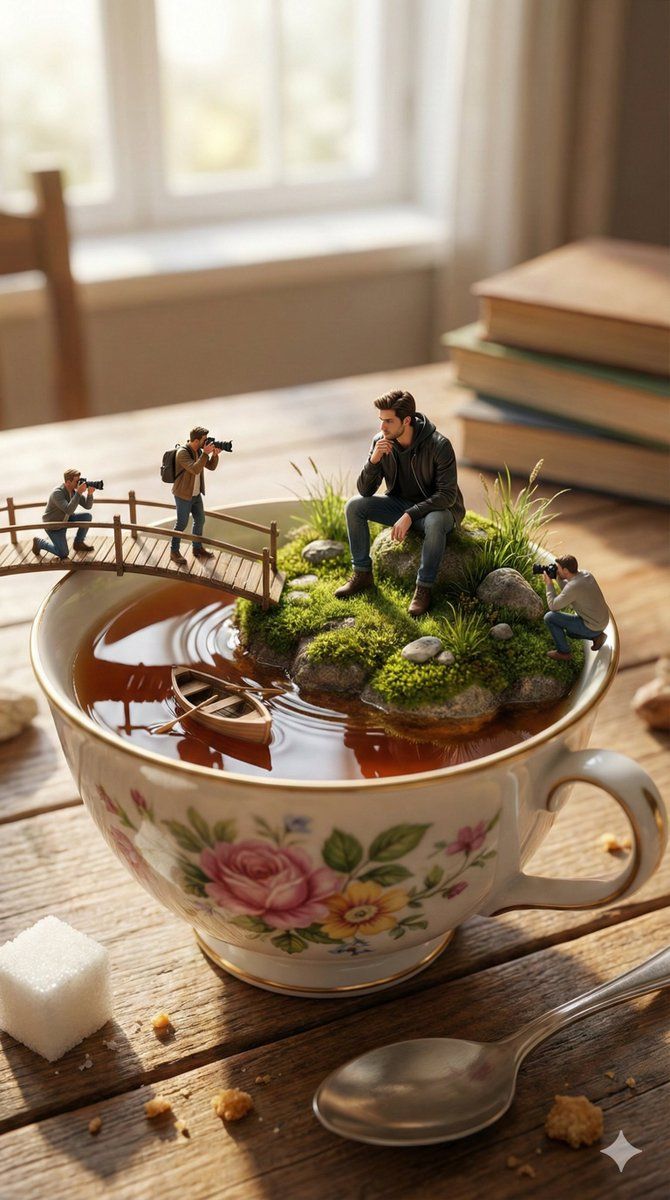
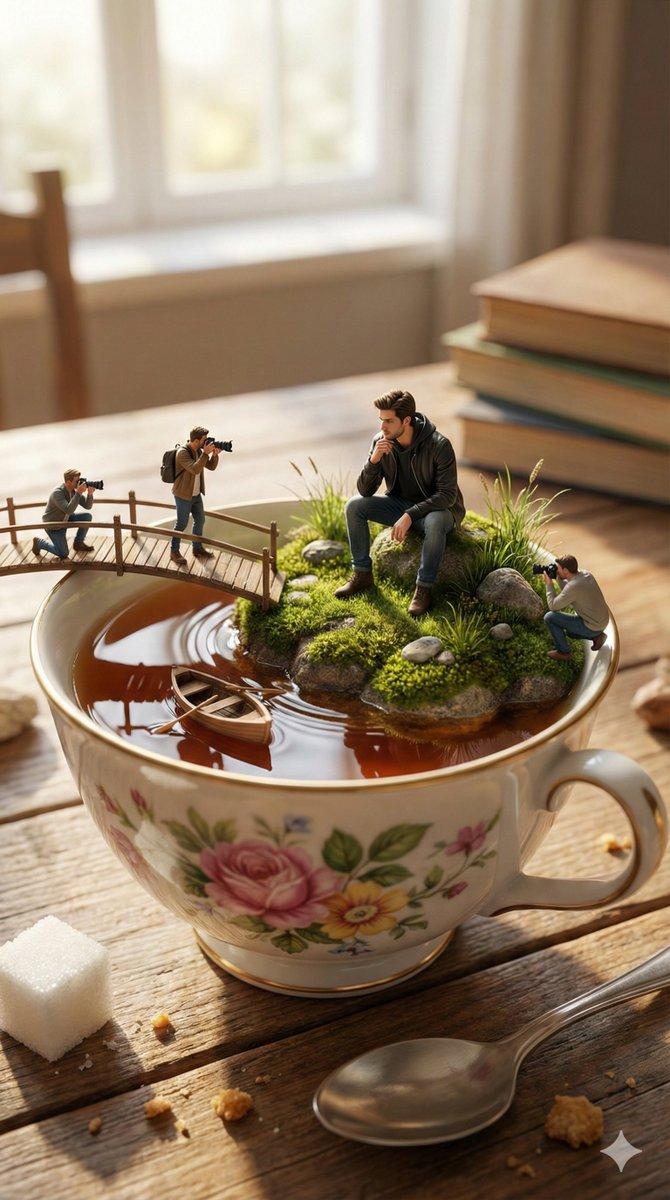
"Shrink the main subject into a tiny, hyper-realistic miniature person sitting on a small moss-covered island floating inside a teacup filled with tea. The island should look natural with grass, small rocks, and uneven terrain. Add a tiny wooden bridge placed across the tea surface where 2–3 miniature photographers stand, actively taking photos of the subject. Include a tiny wooden rowboat gently floating near the island, creating subtle ripples in the tea.
The teacup should be large, elegant, and floral-designed, placed on a wooden table in a cozy room. Add real-world objects around it like a sugar cube, spoon, and soft window light to emphasize the scale difference. Use cinematic soft daylight coming from a window, creating realistic reflections on the tea surface and shadows from the tiny elements.
The subject’s pose should look natural and thoughtful, interacting with the tiny environment. Add ultra-realistic textures to the tea liquid, porcelain cup, wood table, and moss. Slight depth-of-field blur in the background to focus attention on the miniature world inside the cup.
Make the scene whimsical, surreal, and extremely realistic, designed to make viewers pause and stare to understand the scale illusion. Viral, eye-catching, and highly detailed composition."
- Category
- 创意图片
- Model
- Nano Banana Pro
- Creator
- Nexora
- Source ID
- e934c9c1-a271-4888-810c-71d3e7cf626a
- Published
- Mar 8, 2026
Views0





![A 3D pop-up book illustration featuring a [subject], with layered paper elements](https://whqgdndlpxjbwosvipip.supabase.co/storage/v1/render/image/public/prompt-source-media/promptsref/work-10840/image-1-7af31ad75cc44ec0.png?width=800&quality=75&resize=contain)