14

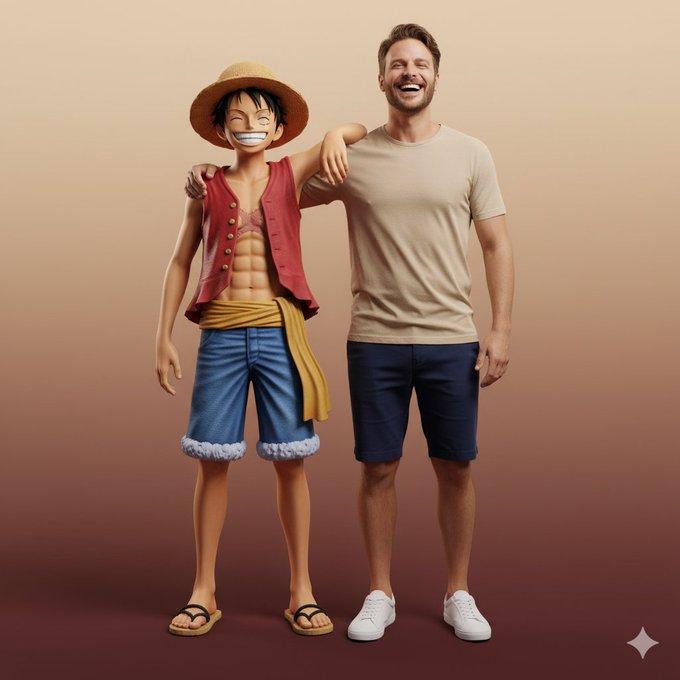
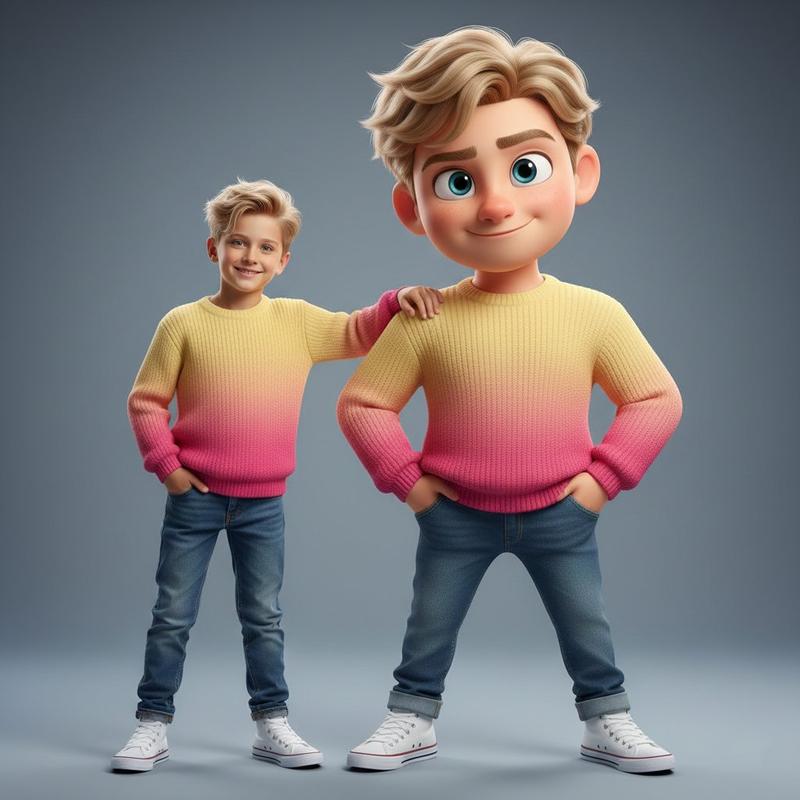
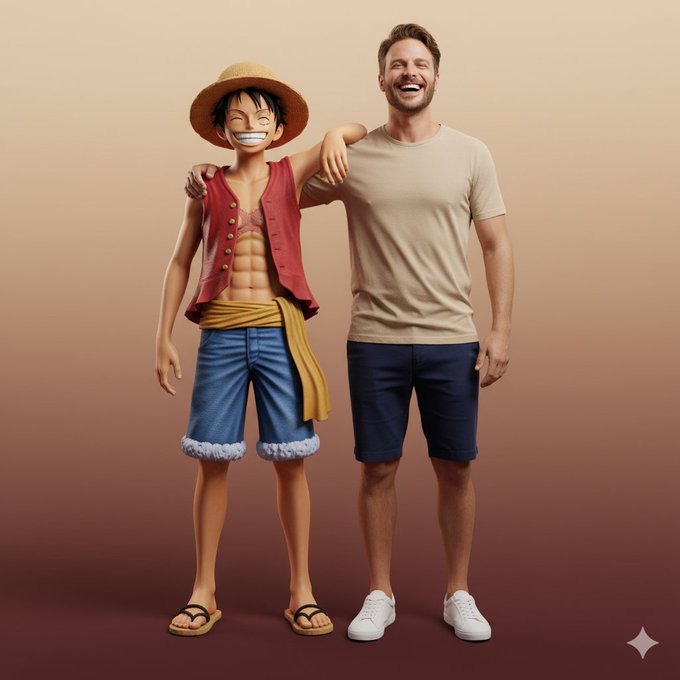
一幅超写实全身肖像与路飞互动
Enlarge

Example images

一幅超写实全身肖像与路飞互动

Prompt
Ultra-realistic full-body portrait of the attached image. The person is interacting with Monkey D. Luffy in a front-facing pose, both standing side by side, smiling directly at the camera. Their body language is friendly and natural — Luffy’s arm rests around the person’s shoulder, while both share a joyful, relaxed laugh. Studio or neutral environment with soft cinematic lighting and a warm beige-to-burgundy gradient background. The person wears casual modern clothes: beige T-shirt, navy shorts, and white sneakers, while Luffy retains his original look — straw hat, red vest, blue shorts, yellow sash, and sandals. Expression and mood: happy, authentic, full of energy and camaraderie, captured in photorealistic textures, realistic lighting, and cinematic composition with high-fashion editorial quality.
Category
group_interaction
Model
Nano Banana Pro
Views7
Source ID
8bdbc2af-47f5-45f1-8c23-9c1aaac493ed
Published
Dec 27, 2025

Guide

About "一幅超写实全身肖像与路飞互动"

What is this prompt for?

"一幅超写实全身肖像与路飞互动" AI image prompt for Nano Banana Pro (group_interaction). group_interaction Copy it on Picva and recreate the look in one click.

The full copyable prompt and example visuals above are ready for AI image generation or one-click recreate in Picva.

How to use this prompt

  1. Step 1

    Open the prompt detail

    Review the example visuals, category, and full prompt text for "一幅超写实全身肖像与路飞互动".

  2. Step 2

    Copy the prompt

    Copy the prompt body from this page, or load it directly in Studio.

  3. Step 3

    Pick a model (Nano Banana Pro)

    Prefer Nano Banana Pro. If you switch models, keep subject and composition and tweak style terms.

  4. Step 4

    Generate and export

    Recreate the look in Picva, or export into your workflow for editing and publishing.

FAQ

What is the "一幅超写实全身肖像与路飞互动" prompt?
It is an AI image-generation prompt for Nano Banana Pro in the group_interaction category. This page includes the full prompt text, example visuals, and a one-click recreate path in Picva.
How do I use this prompt to generate an image?
Copy the prompt from this page, or use Generate / Studio. Paste it into a compatible image model, or recreate the look in Picva with optional reference images.
Which model is this prompt for?
This page lists Nano Banana Pro. Most descriptive prompts also transfer to nearby image models such as GPT Image, Flux, or Midjourney with light style tweaks.
Can I use the result commercially?
You can usually copy the prompt for creation, but commercial use of the final image depends on the model terms, reference-image rights, and the generated content. Follow the source author and platform rules.