17

2026 你好🎉
Enlarge

2026 你好🎉

Prompt
“2026 你好🎉”
✍️中文提示词(Nano Banana Pro):
一、主题与情绪
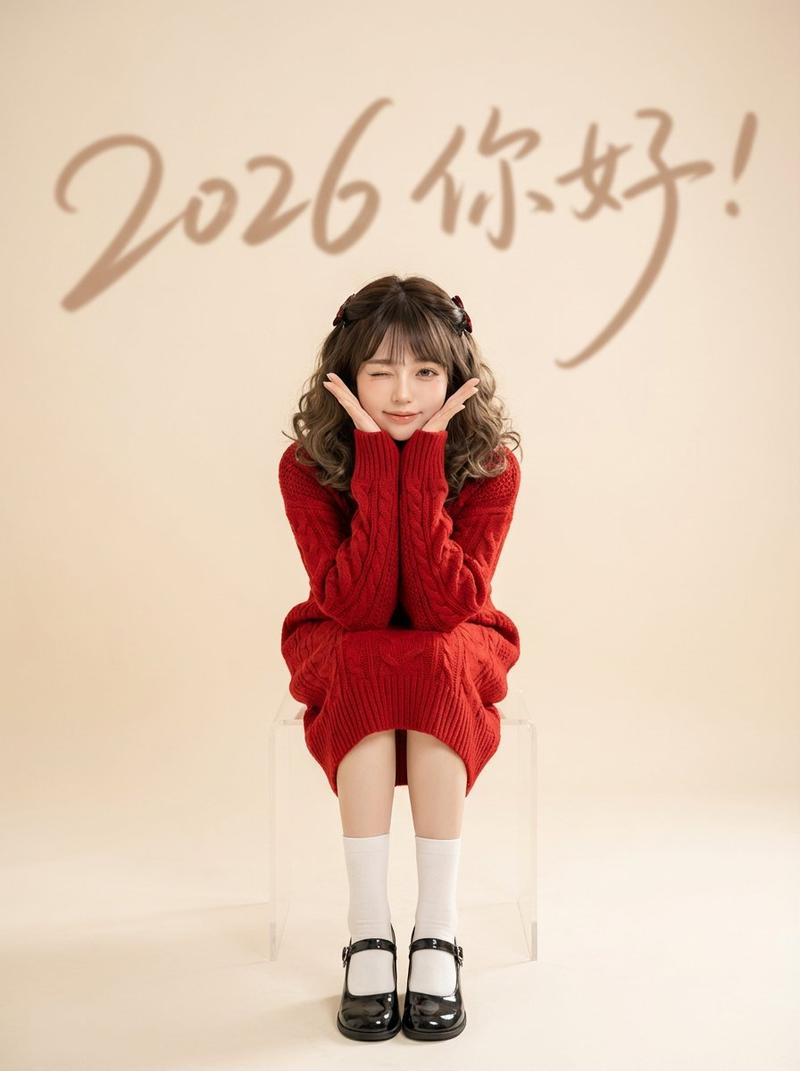
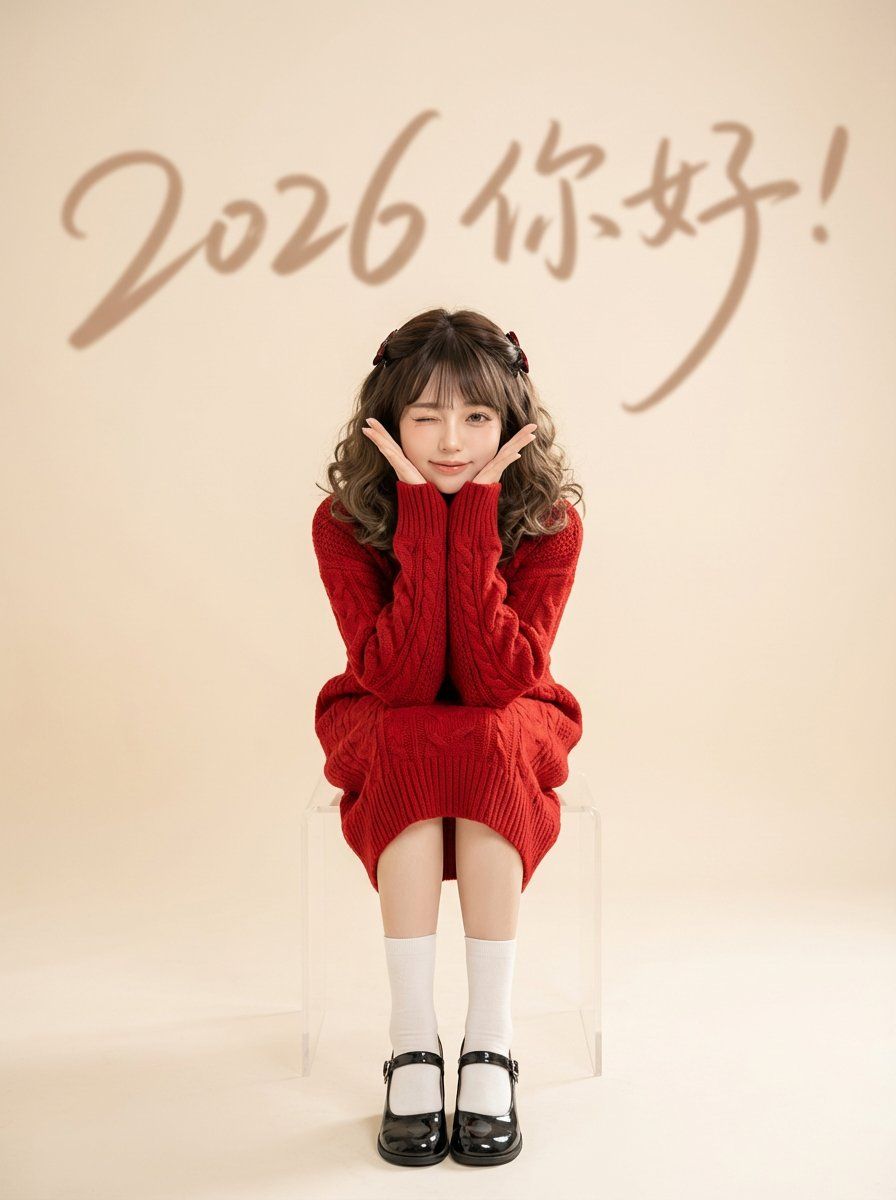
1 节日主题:祝贺2026到来的氛围的清新棚拍人像,甜美可爱、轻松俏皮
2 画面气质:极简留白、时尚画报感、干净明亮、温柔克制
二、构图与视角
1 画幅比例:竖幅,人物居中偏下,上方留出大面积空间用于文字元素
2 构图方式:对称居中为主,主体完整入镜,脚部与座椅可见,背景留白强化主题
3 景深处理:主体清晰,背景文字虚化形成层次与氛围
三、人物与姿态
1 人物设定:年轻女性,皮肤通透自然,妆容清淡偏精致
2 表情动作:单眼眨眼,双手托脸做花托姿势,传达俏皮与亲和
3 坐姿形态:双腿并拢微收,身体前倾一点点,整体线条紧凑可爱
四、服饰与造型
1 主色服装:正红色粗针麻花纹针织长裙或长毛衣,覆盖到小腿,节日感强
2 配饰细节:发型为半扎或对称束发,搭配小型深色发饰,整体简洁
3 鞋袜搭配:白色中筒袜,黑色亮面圆头浅口鞋,强调复古甜美
五、场景与道具
1 道具选择:透明亚克力方形凳,几乎不抢戏,增强极简与通透感
2 场景类型:无多余陈设的纯净棚内背景,强调人物与文字主题
六、背景与文字元素
1 背景底色:偏暖的浅米色或浅灰米色,柔和不刺眼
2 文字设计:大号手写连笔字贯穿画面 文字内容“2026 你好!”
3 文字作用:作为庆祝标识与画面节奏线条,增强层次与视觉引导
七、光线与色彩
1 光线风格:柔光均匀的高调棚灯,阴影很浅,人物面部平滑立体
2 色彩策略:红色作为节日对比点,背景中性偏暖,鞋袜黑白作为收束与平衡
3 对比与饱和:整体对比适中,红色饱和但不过曝,肤色自然偏暖
八、质感与后期处理
1 清晰度:主体清晰细腻,边缘干净,背景轻微柔化
2 画面洁净:抑制噪点与杂色,保持纯净留白与高级感
3 风格统一:轻微提亮与柔化肤质,保留针织纹理与鞋面反光细节
九、约束要点
1 避免元素:复杂场景、强烈硬阴影、过度锐化、夸张滤镜、杂乱道具
2 保持重点:人物居中、红色针织主视觉、透明座椅、背景手写字与虚化层次、明亮柔和棚拍质感
Category
Characters & People
Model
Nano Banana Pro
Views0
Source ID
2026-hello

Guide

About "2026 你好🎉"

What is this prompt for?

"2026 你好🎉" AI image prompt for Nano Banana Pro (Characters & People). “2026 你好🎉” ✍️中文提示词(Nano Banana Pro): 一、主题与情绪 1 节日主题:祝贺2026到来的氛围的清新棚拍人像,甜美可爱、轻松俏皮 2 画面气质…

The full copyable prompt and example visuals above are ready for AI image generation or one-click recreate in Picva.

How to use this prompt

  1. Step 1

    Open the prompt detail

    Review the example visuals, category, and full prompt text for "2026 你好🎉".

  2. Step 2

    Copy the prompt

    Copy the prompt body from this page, or load it directly in Studio.

  3. Step 3

    Pick a model (Nano Banana Pro)

    Prefer Nano Banana Pro. If you switch models, keep subject and composition and tweak style terms.

  4. Step 4

    Generate and export

    Recreate the look in Picva, or export into your workflow for editing and publishing.

FAQ

What is the "2026 你好🎉" prompt?
It is an AI image-generation prompt for Nano Banana Pro in the Characters & People category. This page includes the full prompt text, example visuals, and a one-click recreate path in Picva.
How do I use this prompt to generate an image?
Copy the prompt from this page, or use Generate / Studio. Paste it into a compatible image model, or recreate the look in Picva with optional reference images.
Which model is this prompt for?
This page lists Nano Banana Pro. Most descriptive prompts also transfer to nearby image models such as GPT Image, Flux, or Midjourney with light style tweaks.
Can I use the result commercially?
You can usually copy the prompt for creation, but commercial use of the final image depends on the model terms, reference-image rights, and the generated content. Follow the source author and platform rules.