19

被审查的科技大会演讲者
Enlarge

被审查的科技大会演讲者

Prompt
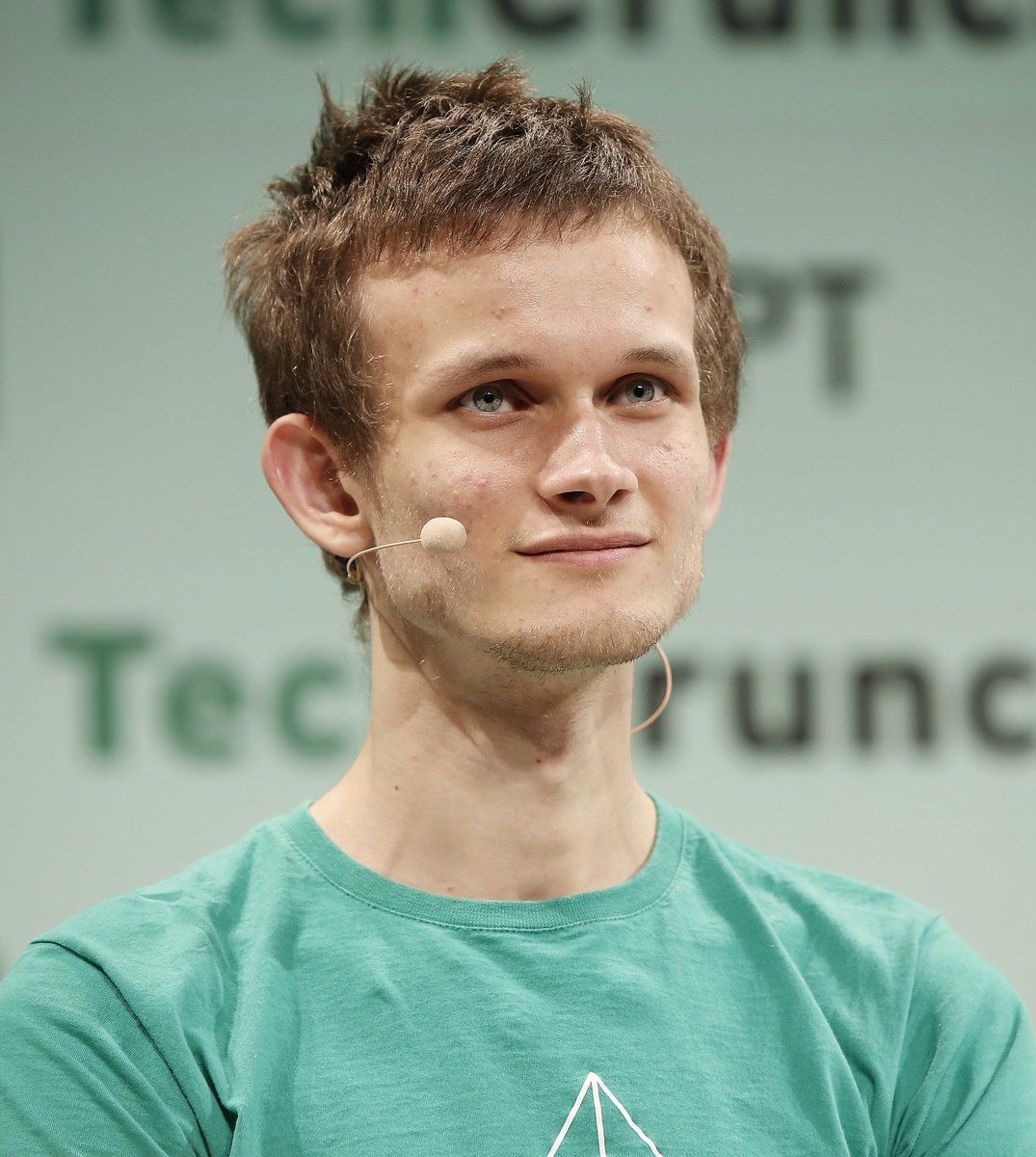
Create a realistic press-conference portrait photo of {argument name="speaker description" default="a young adult man with short messy brown hair"} standing on stage, cropped from upper chest to just above the hair. He wears a {argument name="shirt color" default="teal green"} crew-neck T-shirt with a small thin white geometric line logo partly visible near the lower center. His head is turned slightly to the viewer’s left, showing one ear and a thin beige headset microphone wire looping from the right ear down along the cheek and neck. Place a large opaque square censorship block over the entire face, centered from forehead to chin, in a flat warm beige/tan color, hiding all facial features while leaving hair, ears, neck, shirt, and microphone partly visible. The background is a softly blurred conference wall with oversized dark green/black lettering; the visible text should suggest {argument name="background event text" default="TechCrunch"} but remain out of focus and partially cropped. Use shallow depth of field, natural stage lighting, muted green-gray backdrop, realistic DSLR/event photography, centered composition, 4:3 aspect ratio, no added captions, no watermark.
Category
Charts & Infographics
Model
GPT Image 2
Views2
Source ID
20708
Published
May 16, 2026

Guide

About "被审查的科技大会演讲者"

What is this prompt for?

"被审查的科技大会演讲者" AI image prompt for GPT Image 2 (Charts & Infographics). 一张逼真的会议演讲者半身肖像,演讲者佩戴着耳机,面部被一个方形审查遮挡块遮住。 Copy it on Picva and recreate the look in one cl…

The full copyable prompt and example visuals above are ready for AI image generation or one-click recreate in Picva.

How to use this prompt

  1. Step 1

    Open the prompt detail

    Review the example visuals, category, and full prompt text for "被审查的科技大会演讲者".

  2. Step 2

    Copy the prompt

    Copy the prompt body from this page, or load it directly in Studio.

  3. Step 3

    Pick a model (GPT Image 2)

    Prefer GPT Image 2. If you switch models, keep subject and composition and tweak style terms.

  4. Step 4

    Generate and export

    Recreate the look in Picva, or export into your workflow for editing and publishing.

FAQ

What is the "被审查的科技大会演讲者" prompt?
It is an AI image-generation prompt for GPT Image 2 in the Charts & Infographics category. This page includes the full prompt text, example visuals, and a one-click recreate path in Picva.
How do I use this prompt to generate an image?
Copy the prompt from this page, or use Generate / Studio. Paste it into a compatible image model, or recreate the look in Picva with optional reference images.
Which model is this prompt for?
This page lists GPT Image 2. Most descriptive prompts also transfer to nearby image models such as GPT Image, Flux, or Midjourney with light style tweaks.
Can I use the result commercially?
You can usually copy the prompt for creation, but commercial use of the final image depends on the model terms, reference-image rights, and the generated content. Follow the source author and platform rules.