中文文本准确性信息图
Prompt
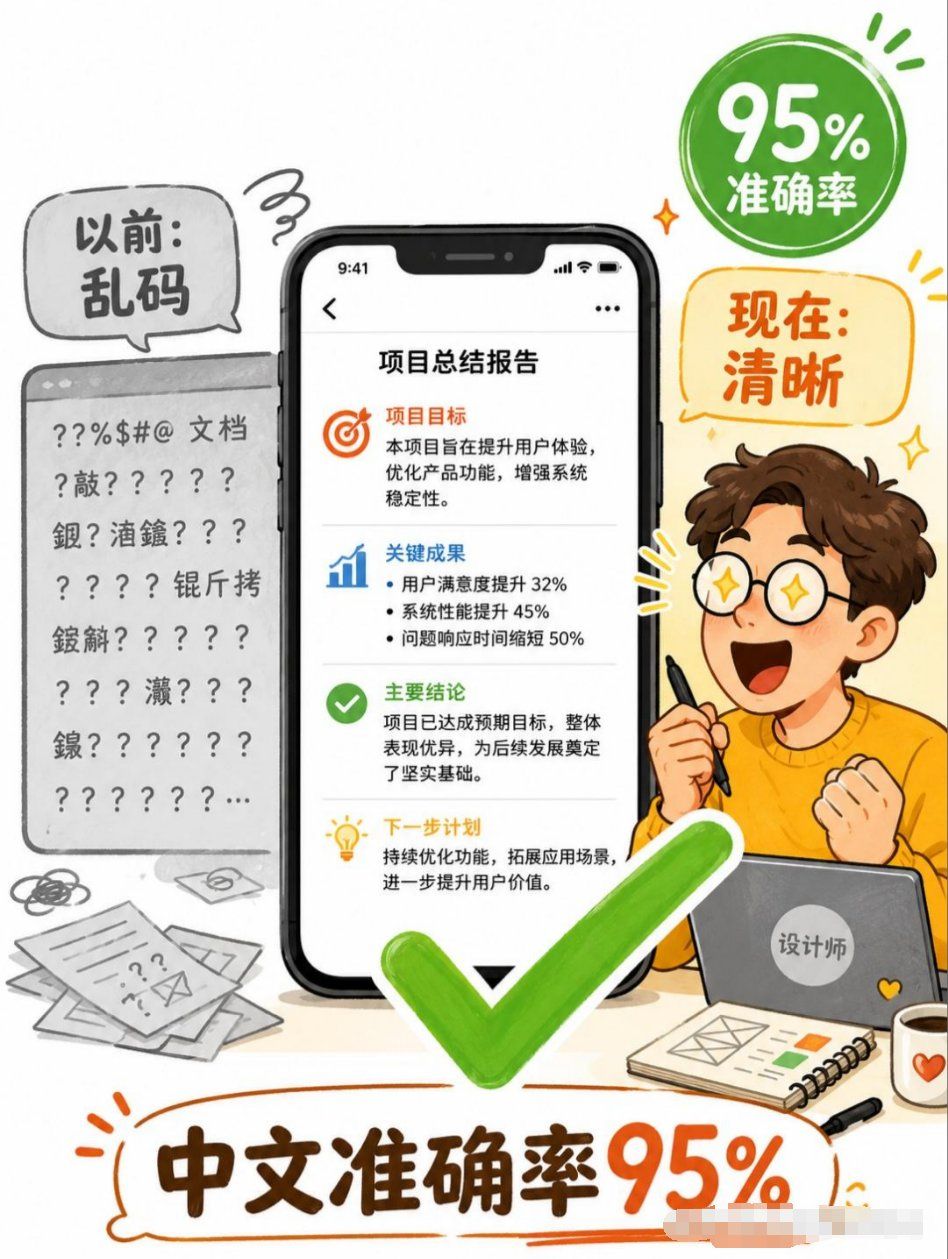
Goal: Create a vertical Chinese business infographic poster explaining that AI image generation now achieves high Chinese text accuracy, transforming messy text into clear deliverables.

Canvas: Portrait 3:4 poster, clean white background, playful hand-drawn editorial style with orange, green, black, and gray accents. Use thick sketch outlines, rounded speech bubbles, energetic doodle marks, and a friendly tech-explainer tone.

Layout: Center the composition around one large smartphone mockup showing a clean Chinese report page. On the left, show a gray “before” document panel full of garbled symbols and unreadable Chinese-like text. On the right, show a cheerful cartoon designer sitting behind a laptop, holding a stylus, with an excited fist pose. Add a large bright green check mark overlapping the lower center of the phone and foreground. Add a green circular badge in the upper right and an orange speech bubble below it. Put a large bottom headline inside an orange hand-drawn outline bubble.

Text content: Use exactly 5 main text areas. 1) Left gray speech bubble: “以前:乱码”. 2) Upper-right green badge: “95% 准确率”. 3) Right orange speech bubble: “现在:清晰”. 4) Phone screen title: “项目总结报告”. 5) Bottom headline: “中文准确率95%”.

Phone screen details: Show an iPhone-like black smartphone with notch and status bar time 9:41. Inside the report page, include 4 stacked content sections separated by thin gray dividers. Section 1 has an orange target icon and heading “项目目标”, followed by short Chinese body text about improving user experience, optimizing product functions, and strengthening system stability. Section 2 has a blue bar-chart icon and heading “关键成果”, followed by 3 bullet points: user satisfaction increased 32%, system performance improved 45%, issue response time shortened 50%. Section 3 has a green check icon and heading “主要结论”, followed by body text saying the project achieved expected goals and laid a solid foundation. Section 4 has a yellow lightbulb icon and heading “下一步计划”, followed by body text about continuous optimization and expanding application scenarios.

Left “before” area: Render a gray browser/document card with a top bar and multiple lines of broken characters, question marks, punctuation, and scattered Chinese characters, clearly unreadable. Add messy paper sheets, scribbles, and an envelope icon near the bottom left to emphasize disorganized documents.

Right character details: Create a cute young male cartoon designer with curly brown hair, fair skin, orange sweater, and simple expressive pose; the face may be left blank or softly obscured. He holds a black stylus in one hand and sits behind a gray laptop with a round sticker reading “设计师”. On the desk add exactly 3 foreground accessories: a spiral notebook with simple layout sketches and small color blocks, a black pen, and a white mug with an orange heart.

Visual style: Friendly Chinese social-media explainer poster, semi-flat vector illustration mixed with marker-like hand-drawn lines, soft shadows, rounded shapes, high readability, vibrant green check mark and orange headline emphasis. Keep the composition busy but legible, with no photorealism.

Constraints: Preserve the Chinese text exactly as specified, keep the smartphone report text crisp and readable, use exactly one central phone, one left messy document card, one designer character, one green check mark, one green badge, one orange speech bubble, and one bottom headline. Do not add watermarks, logos, QR codes, or extra main claims.
- Category
- Charts & Infographics
- Model
- GPT Image 2
- Creator
- 唐华斑竹🦅
- Source ID
- 24804
- Published
- Jun 8, 2026
Views0