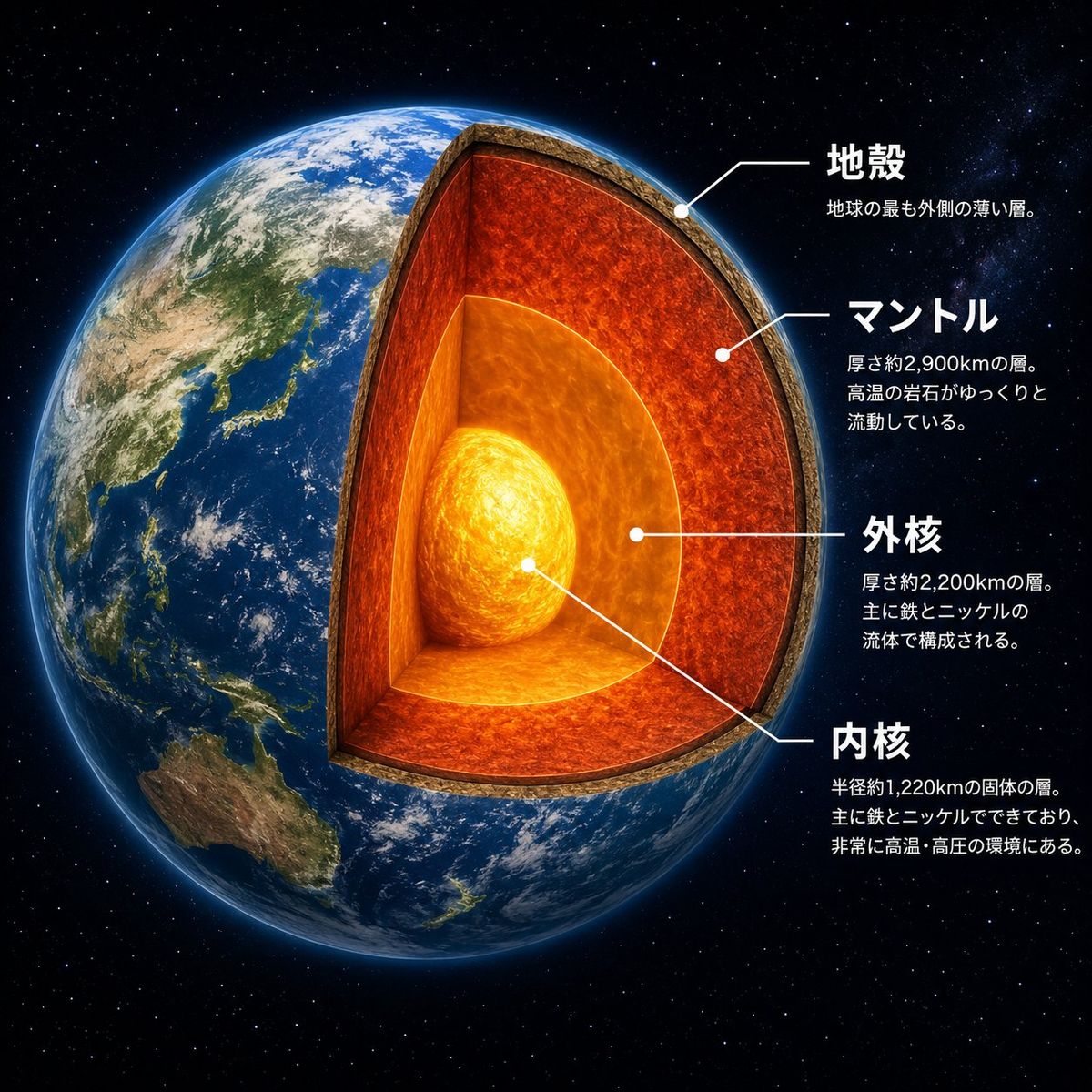
地球剖面结构信息图
Prompt
Goal: Create a dramatic scientific cutaway infographic of {argument name="planet name" default="Earth"}, showing the planet in space with its internal layers exposed like a precise 3D sectional model.

Canvas: Square 1:1 composition, high-resolution, black star-filled space background. The planet fills most of the left and center of the frame, with annotation text arranged on the right side.

Main subject: A photorealistic Earth viewed from space, centered slightly left, with Asia, Japan, Southeast Asia, and Australia visible on the surface. Remove a large wedge-shaped quarter section from the front-right side of the globe to reveal the interior. The cutaway should look physically carved, with a thick rocky crust rim and glowing internal layers. Add a subtle blue atmospheric glow around the planet.

Cutaway structure: Show exactly 4 discrete internal/structural layers, each visually distinct and aligned with annotation leader lines: 1) a thin brown rocky crust at the outer edge, 2) a thick red-orange molten mantle layer with turbulent texture, 3) a bright orange outer core surrounding the center, and 4) a glowing yellow-white inner core sphere at the center. Make the mantle the largest visible layer, the outer core semi-spherical and luminous, and the inner core intensely bright with swirling heat texture.

Text and labels: Place exactly 4 Japanese annotation blocks on the right, each with a white dot marker and thin white leader line pointing to the correct layer. Use bold white Japanese headings and smaller white explanatory text beneath each heading. The four visible labels must be: {argument name="crust label" default="地殻"} with smaller text “地球の最も外側の薄い層。”; {argument name="mantle label" default="マントル"} with smaller text “厚さ約2,900kmの層。高温の岩石がゆっくりと流動している。”; {argument name="outer core label" default="外核"} with smaller text “厚さ約2,200kmの層。主に鉄とニッケルの流体で構成される。”; {argument name="inner core label" default="内核"} with smaller text “半径約1,220kmの固体の層。主に鉄とニッケルでできており、非常に高温・高圧の環境にある。”

Visual style: Photorealistic space-science educational poster, cinematic lighting, crisp typography, realistic Earth texture, glowing lava-like interior, clean white callout lines, high contrast, polished museum infographic style.

Constraints: Keep exactly 4 annotation blocks and exactly 4 layer labels. Do not add extra icons, extra labels, borders, logos, watermarks, or decorative UI panels. Keep all text legible and positioned to the right of the planet.- Category
- Charts & Infographics
- Model
- GPT Image 2
- Creator
- G2(じーにー)|AIビジネス翻訳家
- Source ID
- 26064
- Published
- Jun 17, 2026
Views0