CCTV 时尚街拍海报
Prompt
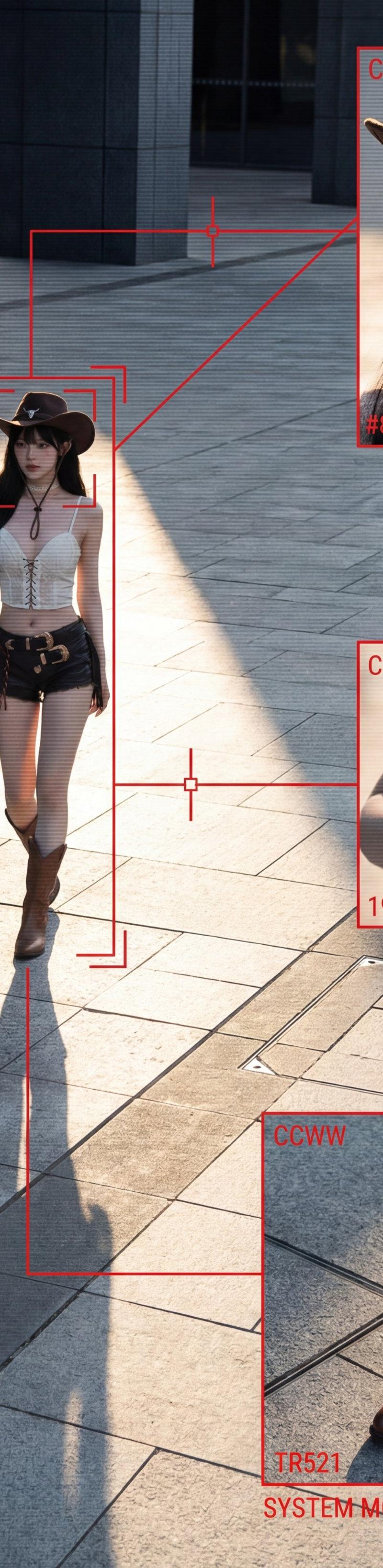
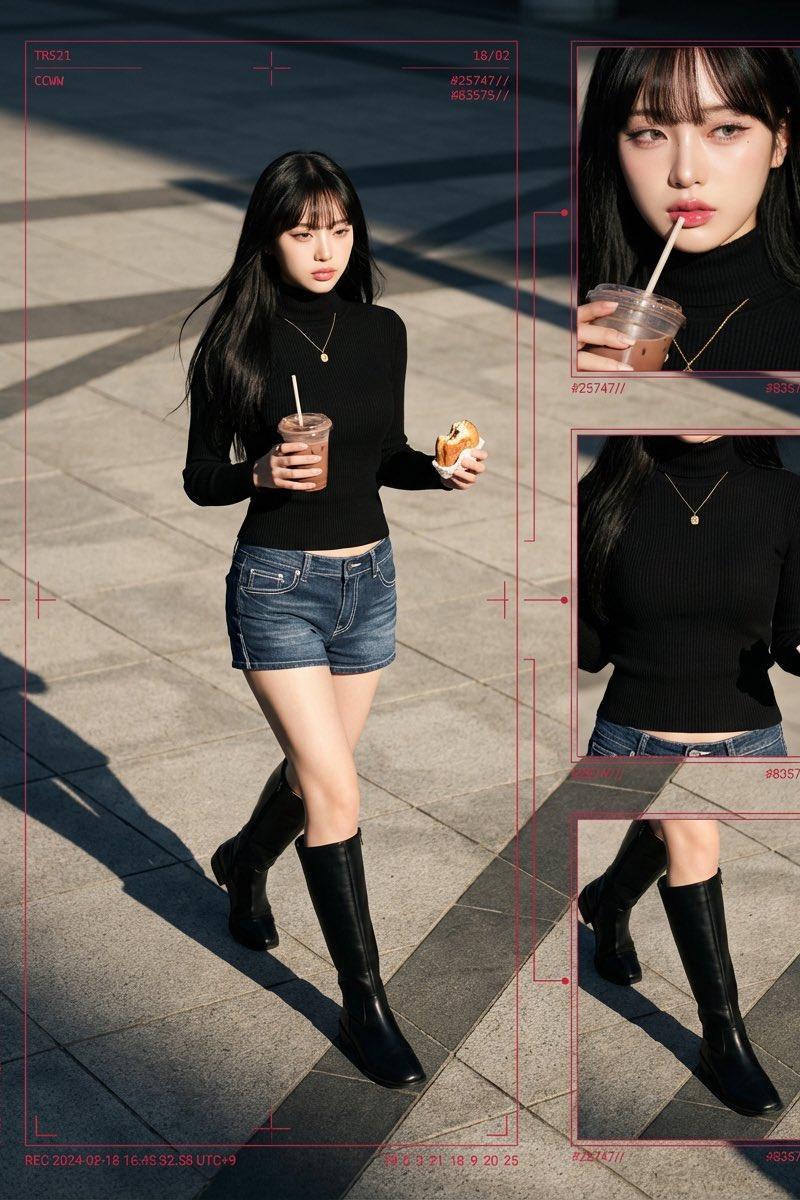
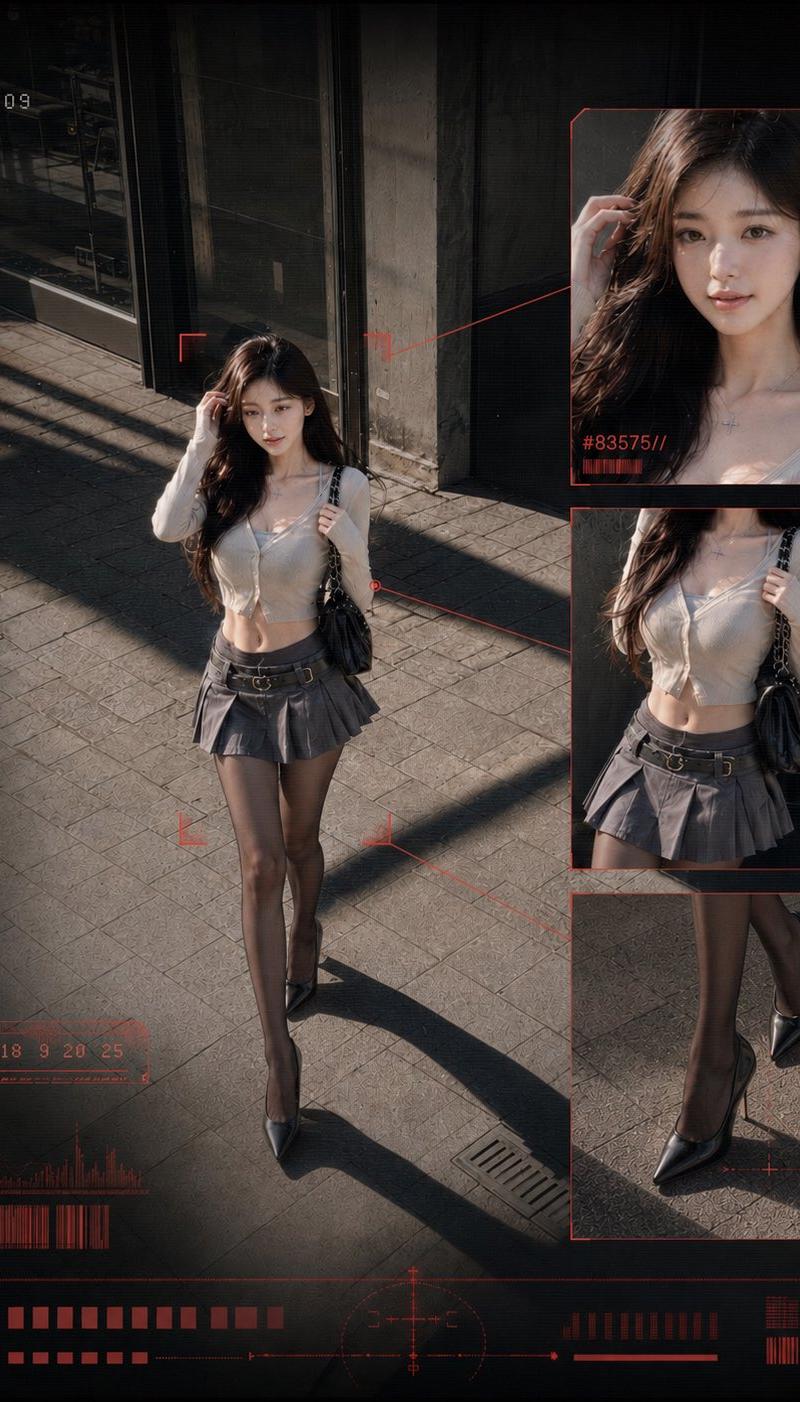
Create a 4:5 vertical high-end tactical surveillance street photography poster, resolution feel 1440×1920, showing a single fashionable woman captured from a high-angle CCTV perspective on a city sidewalk. The subject is {argument name="subject description" default="a young woman with long wavy dark brown hair, wearing a fitted cream cropped cardigan, gray pleated mini skirt with belt details, sheer black tights, pointed black high heels, and a black chain-strap shoulder bag"}. Preserve a candid urban street-snapshot feeling rather than a glamorous editorial look. The main full-body figure stands slightly left of center, walking or pausing under strong late-afternoon sunlight, one hand near her hair, long shadow stretching diagonally across gray paving stones, with dark glass storefronts and concrete walls in the background. Obscure the face with a soft square blur/mosaic privacy block.

Overlay a dark CCTV/data-visualization interface in muted red. Use thin red tracking lines, corner brackets, scanline texture, subtle grain, vignette, and compressed surveillance-camera contrast. Add exactly 3 right-side zoom-in panels with red borders connected to the main figure by thin red lines: 1 upper panel close-up of the head and upper chest with face blurred and small red ID text “#83575//”; 2 middle panel crop of torso, skirt, waist, bag, and hand with small red ID text “#25747//”; 3 lower panel crop of legs and pointed heels on the pavement with a small red targeting cross near the shoes. Keep all three panels stacked vertically on the right.

Add visible surveillance HUD text and graphics: top left red dot and “REC”, beneath it a timestamp {argument name="timestamp" default="17:42:31:09"}; top right “CAM-07” and larger red “CCVW”; left side a vertical measurement scale marked 00 through 05; lower left label {argument name="tracking label" default="TR521"}; bottom left date {argument name="date" default="18/02"}; bottom band filled with red barcode-like blocks, waveform bars, small square indicators, a central circular crosshair/radar element, and thin horizontal data lines. Use a blackened vignette around the edges, red UI elements only, no other bright colors, no watermark, no extra people, no readable brand logos, and maintain a cold feeling of being watched by the city while the outfit remains stylish.- Category
- UI & Interfaces
- Model
- GPT Image 2
- Creator
- serein
- Source language
- en
- Source ID
- 26263
- Published
- Jun 19, 2026
Views0